作者:じ☆ve宝贝
1.上传脚本cronout.sh ``` #!/bin/sh #set -x # cronout.sh -d <log.home> -p <log.prefix> -n <log.count> # #sub func: print usage # usage() { echo "usage:$0 -d <log.home> -p <log.prefix>\n"; exit 0; } if (test $# -ne 6) then usage; exit 1; fi if [ "$1" = "-d" ] ; then LOG_HOME=$2 else usage; exit 1; fi if [ "$3" = "-p" ] ; then LOG_PREFIX=$4 else usage; exit 1; fi if [ "$5" = "-n" ] ; then LOG_COUNT=$6 else usage; exit 1; fi y=`date "+%Y"` m=`date "+%m"` d=`date "+%d"` cd ${LOG_HOME} cp ${LOG_PREFIX}.out ${LOG_PREFIX}.out.$y$m$d echo > ${LOG_PREFIX}.out ls -lr | grep ${LOG_PREFIX}.out. | awk '{if(NR>='${LOG_COUNT}'+1) {print $9}}' | xargs rm -f exit ``` 2.添加linux定时任务 crontab -e ``` 30 23 * * * /opt/cronout.sh -d /opt/tomcat58080/logs/ -p catalina -n 10 ```
作者:じ☆ve宝贝
> 我们经常需要进行sql的批量插入,要求:该条记录不存在则插入,存在则不插入。如果使用一条INSERT语句实现呢? ####普通的 INSERT INTO 插入: ``` INSERT INTO card(cardno, cardnum) VALUES('1111', '100'); INSERT INTO card(cardno, cardnum) VALUES('2222', '200'); ... ``` 于普通的 INSERT 插入,如果想要保证不插入重复记录,我们只有对某个字段创建唯一约束实现(比如:cardno卡号不能重复); 那有没有不创建唯一约束,仅通过 INSERT INTO 一条语句实现的方案呢? 答案:有的,** INSERT INTO IF EXISTS** 具体语法如下: ``` INSERT INTO table(field1, field2, fieldn) SELECT 'field1', 'field2', 'fieldn' FROM DUAL WHERE NOT EXISTS(SELECT field FROM table WHERE field = ?) ``` 其中的 **DUAL** 是一个临时表,不需要物理创建,这么用即可。 针对上面的card示例的改造如下: ``` INSERT INTO card(cardno, cardnum) SELECT '111', '100' FROM DUAL WHERE NOT EXISTS(SELECT cardno FROM card WHERE cardno = '111'); INSERT INTO card(cardno, cardnum) SELECT '222', '200' FROM DUAL WHERE NOT EXISTS(SELECT cardno FROM card WHERE cardno = '222'); ```
作者:微信小助手
<p style="text-align: center;"><span style="font-size: 14px;letter-spacing: 0.5440000295639038px;text-align: center;max-width: 100%;color: rgb(255, 41, 65);line-height: 22.4px;">(给</span><span style="font-size: 14px;letter-spacing: 0.5440000295639038px;text-align: center;max-width: 100%;line-height: 22.4px;color: rgb(0, 128, 255);">ImportNew</span><span style="font-size: 14px;letter-spacing: 0.5440000295639038px;text-align: center;max-width: 100%;color: rgb(255, 41, 65);line-height: 22.4px;">加星标,提高Java技能)</span></p> <p><br></p> <blockquote> <p style="letter-spacing: 0.5440000295639038px;white-space: normal;background-color: rgb(255, 255, 255);max-width: 100%;min-height: 1em;text-align: left;box-sizing: border-box !important;overflow-wrap: break-word !important;"><span style="font-size: 14px;letter-spacing: 0.544px;">链接:wudashan.com/2018/02/15/Log-Request-In-MutiThread/</span></p> </blockquote> <p><span style="font-size: 15px;"></span><br></p> <p><span style="font-size: 15px;">示例源码地址:https://github.com/wudashan/slf4j-mdc-muti-thread</span></p> <p><span style="font-size: 15px;"><br></span></p> <p><span style="color: rgb(171, 25, 66);"><strong><span style="font-size: 15px;">前言</span></strong></span></p> <p><span style="font-size: 15px;"><br></span></p> <p><span style="font-size: 15px;">在现网出现故障时,我们经常需要获取一次请求流程里的所有日志进行定位。如果请求只在一个线程里处理,则我们可以通过线程ID来过滤日志,但如果请求包含异步线程的处理,那么光靠线程ID就显得捉襟见肘了。</span></p> <p><span style="font-size: 15px;"><br></span></p> <p><span style="font-size: 15px;">华为IoT平台,提供了接收设备上报数据的能力, 当数据到达平台后,平台会进行一些复杂的业务逻辑处理,如数据存储,规则引擎,数据推送,命令下发等等。由于这个逻辑之间没有强耦合的关系,所以通常是异步处理。如何将一次数据上报请求中包含的所有业务日志快速过滤出来,就是本文要介绍的。</span></p> <p><span style="font-size: 15px;"><br></span></p> <p><span style="color: rgb(171, 25, 66);"><strong><span style="font-size: 15px;">正文</span></strong></span></p> <p><span style="font-size: 15px;"><br></span></p> <p><span style="font-size: 15px;">SLF4J日志框架提供了一个MDC(Mapped Diagnostic Contexts)工具类,谷歌翻译为</span><span style="font-size: 15px;color: rgb(171, 25, 66);">映射的诊断上下文</span><span style="font-size: 15px;">,从字面上很难理解,我们可以先实战一把。</span></p> <p><span style="font-size: 15px;"><br></span></p> <pre style="overflow-x:auto;"><code style="font-size: 0.85em;font-family: Consolas, Menlo, Courier, monospace;margin: 0px 0.15em;white-space: pre;overflow: auto;padding: 0.5em;color: rgb(171, 178, 191);text-size-adjust: none;display: block !important;min-width: 400px;background: none 0% 0% / auto repeat scroll padding-box border-box rgb(40, 44, 52);font-weight: 400;" class="c hljs cpp"><span class="hljs-keyword" style="color: rgb(198, 120, 221);font-weight: 400;font-style: normal;">public</span> <span class="hljs-keyword" style="color: rgb(198, 120, 221);font-weight: 400;font-style: normal;">class</span> Main {<br><br> <span class="hljs-keyword" style="color: rgb(198, 120, 221);font-weight: 400;font-style: normal;">private</span> <span class="hljs-keyword" style="color: rgb(198, 120, 221);font-weight: 400;font-style: normal;">static</span> final String KEY = <span class="hljs-string" style="color: rgb(152, 195, 121);font-weight: 400;font-style: normal;">"requestId"</span>;<br> <span class="hljs-keyword" style="color: rgb(198, 120, 221);font-weight: 400;font-style: normal;">private</span> <span class="hljs-keyword" style="color: rgb(198, 120, 221);font-weight: 400;font-style: normal;">static</span> final Logger logger = LoggerFactory.getLogger(Main.<span class="hljs-keyword" style="color: rgb(198, 120, 221);font-weight: 400;font-style: normal;">class</span>);<br> <br> <span class="hljs-function" style="color: rgb(171, 178, 191);font-weight: 400;font-style: normal;"><span class="hljs-keyword" style="color: rgb(198, 120, 221);font-weight: 400;font-style: normal;">public</span> <span class="hljs-keyword" style="color: rgb(198, 120, 221);font-weight: 400;font-style: normal;">static</span> <span class="hljs-keyword" style="color: rgb(198, 120, 221);font-weight: 400;font-style: normal;">void</span> <span class="hljs-title" style="color: rgb(97, 174, 238);font-weight: 400;font-style: normal;">main</span><span class="hljs-params" style="color: rgb(171, 178, 191);font-weight: 400;font-style: normal;">(String[] args)</span> </span>{<br><br> <span class="hljs-comment" style="color: rgb(92, 99, 112);font-weight: 400;font-style: italic;">// 入口传入请求ID</span><br> MDC.put(KEY, UUID.randomUUID().toString());<br> <br> <span class="hljs-comment" style="color: rgb(92, 99, 112);font-weight: 400;font-style: italic;">// 打印日志</span><br> logger.debug(<span class="hljs-string" style="color: rgb(152, 195, 121);font-weight: 400;font-style: normal;">"log in main thread 1"</span>);<br> logger.debug(<span class="hljs-string" style="color: rgb(152, 195, 121);font-weight: 400;font-style: normal;">"log in main thread 2"</span>);<br> logger.debug(<span class="hljs-string" style="color: rgb(152, 195, 121);font-weight: 400;font-style: normal;">"log in main thread 3"</span>);<br><br> <span class="hljs-comment" style="color: rgb(92, 99, 112);font-weight: 400;font-style: italic;">// 出口移除请求ID</span><br> MDC.remove(KEY);<br><br> }<br><br>}</code></pre> <p><span style="font-size: 15px;"><br></span></p> <p><span style="font-size: 15px;">我们在main函数的入口调用MDC.put()方法传入请求ID,在出口调用MDC.remove()方法移除请求ID。配置好</span><span style="font-size: 15px;color: rgb(171, 25, 66);">log4j2.xml</span><span style="font-size: 15px;">文件后,运行main函数,可以在控制台看到以下日志输出:</span></p> <p><span style="font-size: 15px;"><br></span></p> <pre style="overflow-x:auto;"><code style="font-size: 0.85em;font-family: Consolas, Menlo, Courier, monospace;margin: 0px 0.15em;white-space: pre;overflow: auto;padding: 0.5em;color: rgb(171, 178, 191);text-size-adjust: none;display: block !important;min-width: 400px;background: none 0% 0% / auto repeat scroll padding-box border-box rgb(40, 44, 52);font-weight: 400;" class="c hljs cpp"><span class="hljs-number" style="color: rgb(209, 154, 102);font-weight: 400;font-style: normal;">2018-02-17</span> <span class="hljs-number" style="color: rgb(209, 154, 102);font-weight: 400;font-style: normal;">13</span>:<span class="hljs-number" style="color: rgb(209, 154, 102);font-weight: 400;font-style: normal;">19</span>:<span class="hljs-number" style="color: rgb(209, 154, 102);font-weight: 400;font-style: normal;">52.606</span> {requestId=f97ea0fb<span class="hljs-number" style="color: rgb(209, 154, 102);font-weight: 400;font-style: normal;">-2</span>a43<span class="hljs-number" style="color: rgb(209, 154, 102);font-weight: 400;font-style: normal;">-40</span>f4-a3e8<span class="hljs-number" style="color: rgb(209, 154, 102);font-weight: 400;font-style: normal;">-711</span>f776857d0} [main] DEBUG cn.wudashan.Main - <span class="hljs-built_in" style="color: rgb(230, 192, 123);font-weight: 400;font-style: normal;">log</span> in main thread <span class="hljs-number" style="color: rgb(209, 154, 102);font-weight: 400;font-style: normal;">1</span><br><span class="hljs-number" style="color: rgb(209, 154, 102);font-weight: 400;font-style: normal;">2018-02-17</span> <span class="hljs-number" style="color: rgb(209, 154, 102);font-weight: 400;font-style: normal;">13</span>:<span class="hljs-number" style="color: rgb(209, 154, 102);font-weight: 400;font-style: normal;">19</span>:<span class="hljs-number" style="color: rgb(209, 154, 102);font-weight: 400;font-style: normal;">52.609</span> {requestId=f97ea0fb<span class="hljs-number" style="color: rgb(209, 154, 102);font-weight: 400;font-style: normal;">-2</span>a43<span class="hljs-number" style="color: rgb(209, 154, 102);font-weight: 400;font-style: normal;">-40</span>f4-a3e8<span class="hljs-number" style="color: rgb(209, 154, 102);font-weight: 400;font-style: normal;">-711</span>f776857d0} [main] DEBUG cn.wudashan.Main - <span class="hljs-built_in" style="color: rgb(230, 192, 123);font-weight: 400;font-style: normal;">log</span> in main thread <span class="hljs-number" style="color: rgb(209, 154, 102);font-weight: 400;font-style: normal;">2</span><br><span class="hljs-number" style="color: rgb(209, 154, 102);font-weight: 400;font-style: normal;">2018-02-17</span> <span class="hljs-number" style="color: rgb(209, 154, 102);font-weight: 400;font-style: normal;">13</span>:<span class="hljs-number" style="color: rgb(209, 154, 102);font-weight: 400;font-style: normal;">19</span>:<span class="hljs-number" style="color: rgb(209, 154, 102);font-weight: 400;font-style: normal;">52.609</span> {requestId=f97ea0fb<span class="hljs-number" style="color: rgb(209, 154, 102);font-weight: 400;font-style: normal;">-2</span>a43<span class="hljs-number" style="color: rgb(209, 154, 102);font-weight: 400;font-style: normal;">-40</span>f4-a3e8<span class="hljs-number" style="color: rgb(209, 154, 102);font-weight: 400;font-style: normal;">-711</span>f776857d0} [main] DEBUG cn.wudashan.Main - <span class="hljs-built_in" style="color: rgb(230, 192, 123);font-weight: 400;font-style: normal;">log</span> in main thread <span class="hljs-number" style="color: rgb(209, 154, 102);font-weight: 400;font-style: normal;">3</span></code></pre> <p><span style="font-size: 15px;"><br></span></p> <p><span style="font-size: 15px;">从日志中可以明显地看到花括号中包含了(</span><span style="font-size: 15px;color: rgb(171, 25, 66);">映射的</span><span style="font-size: 15px;">)请求ID(requestId),这其实就是我们定位(</span><span style="font-size: 15px;color: rgb(171, 25, 66);">诊断</span><span style="font-size: 15px;">)问题的关键字(</span><span style="font-size: 15px;color: rgb(171, 25, 66);">上下文</span><span style="font-size: 15px;">)。有了MDC工具,只要在接口或切面植入put()和remove()代码,在现网定位问题时,我们就可以通过grep requestId=xxx *.log快速的过滤出某次请求的所有日志。</span></p> <p><span style="font-size: 15px;"><br></span></p> <p><span style="color: rgb(171, 25, 66);"><strong><span style="font-size: 15px;">进阶</span></strong></span></p> <p><span style="font-size: 15px;"><br></span></p> <p><span style="font-size: 15px;">然而,MDC工具真的有我们所想的这么方便吗?回到我们开头,一次请求可能涉及多线程异步处理,那么在多线程异步的场景下,它是否还能正常运作呢?Talk is cheap, show me the code。</span></p> <p><span style="font-size: 15px;"><br></span></p> <pre style="overflow-x:auto;"><code style="font-size: 0.85em;font-family: Consolas, Menlo, Courier, monospace;margin: 0px 0.15em;white-space: pre;overflow: auto;padding: 0.5em;color: rgb(171, 178, 191);text-size-adjust: none;display: block !important;min-width: 400px;background: none 0% 0% / auto repeat scroll padding-box border-box rgb(40, 44, 52);font-weight: 400;" class="c hljs cpp"><span class="hljs-keyword" style="color: rgb(198, 120, 221);font-weight: 400;font-style: normal;">public</span> <span class="hljs-keyword" style="color: rgb(198, 120, 221);font-weight: 400;font-style: normal;">class</span> Main {<br><br> <span class="hljs-keyword" style="color: rgb(198, 120, 221);font-weight: 400;font-style: normal;">private</span> <span class="hljs-keyword" style="color: rgb(198, 120, 221);font-weight: 400;font-style: normal;">static</span> final String KEY = <span class="hljs-string" style="color: rgb(152, 195, 121);font-weight: 400;font-style: normal;">"requestId"</span>;<br> <span class="hljs-keyword" style="color: rgb(198, 120, 221);font-weight: 400;font-style: normal;">private</span> <span class="hljs-keyword" style="color: rgb(198, 120, 221);font-weight: 400;font-style: normal;">static</span> final Logger logger = LoggerFactory.getLogger(Main.<span class="hljs-keyword" style="color: rgb(198, 120, 221);font-weight: 400;font-style: normal;">class</span>);<br><br> <span class="hljs-function" style="color: rgb(171, 178, 191);font-weight: 400;font-style: normal;"><span class="hljs-keyword" style="color: rgb(198, 120, 221);font-weight: 400;font-style: normal;">public</span> <span class="hljs-keyword" style="color: rgb(198, 120, 221);font-weight: 400;font-style: normal;">static</span> <span class="hljs-keyword" style="color: rgb(198, 120, 221);font-weight: 400;font-style: normal;">void</span> <span class="hljs-title" style="color: rgb(97, 174, 238);font-weight: 400;font-style: normal;">main</span><span class="hljs-params" style="color: rgb(171, 178, 191);font-weight: 400;font-style: normal;">(String[] args)</span> </span>{<br><br> <span class="hljs-comment" style="color: rgb(92, 99, 112);font-weight: 400;font-style: italic;">// 入口传入请求ID</span><br> MDC.put(KEY, UUID.randomUUID().toString());<br><br> <span class="hljs-comment" style="color: rgb(92, 99, 112);font-weight: 400;font-style: italic;">// 主线程打印日志</span><br> logger.debug(<span class="hljs-string" style="color: rgb(152, 195, 121);font-weight: 400;font-style: normal;">"log in main thread"</span>);<br><br> <span class="hljs-comment" style="color: rgb(92, 99, 112);font-weight: 400;font-style: italic;">// 异步线程打印日志</span><br> <span class="hljs-keyword" style="color: rgb(198, 120, 221);font-weight: 400;font-style: normal;">new</span> Thread(<span class="hljs-keyword" style="color: rgb(198, 120, 221);font-weight: 400;font-style: normal;">new</span> Runnable() {<br> @Override<br> <span class="hljs-keyword" style="color: rgb(198, 120, 221);font-weight: 400;font-style: normal;">public</span> <span class="hljs-keyword" style="color: rgb(198, 120, 221);font-weight: 400;font-style: normal;">void</span> run() {<br> logger.debug(<span class="hljs-string" style="color: rgb(152, 195, 121);font-weight: 400;font-style: normal;">"log in other thread"</span>);<br> }<br> }).start();<br><br> <span class="hljs-comment" style="color: rgb(92, 99, 112);font-weight: 400;font-style: italic;">// 出口移除请求ID</span><br> MDC.remove(KEY);<br><br> }<br><br>}</code></pre> <p><span style="font-size: 15px;"><br></span></p> <p><span style="font-size: 15px;">代码里我们新起了一个异步线程,并在匿名对象Runnable的run()方法打印日志。运行main函数,可以在控制台看到以下日志输出:</span></p> <p><span style="font-size: 15px;"><br></span></p> <pre style="overflow-x:auto;"><code style="font-size: 0.85em;font-family: Consolas, Menlo, Courier, monospace;margin: 0px 0.15em;white-space: pre;overflow: auto;padding: 0.5em;color: rgb(171, 178, 191);text-size-adjust: none;display: block !important;min-width: 400px;background: none 0% 0% / auto repeat scroll padding-box border-box rgb(40, 44, 52);font-weight: 400;" class="c hljs cpp"><span class="hljs-number" style="color: rgb(209, 154, 102);font-weight: 400;font-style: normal;">2018-02-17</span> <span class="hljs-number" style="color: rgb(209, 154, 102);font-weight: 400;font-style: normal;">14</span>:<span class="hljs-number" style="color: rgb(209, 154, 102);font-weight: 400;font-style: normal;">05</span>:<span class="hljs-number" style="color: rgb(209, 154, 102);font-weight: 400;font-style: normal;">43.487</span> {requestId=e6099c85<span class="hljs-number" style="color: rgb(209, 154, 102);font-weight: 400;font-style: normal;">-72</span>be<span class="hljs-number" style="color: rgb(209, 154, 102);font-weight: 400;font-style: normal;">-4986-8</span>a28-de6bb2e52b01} [main] DEBUG cn.wudashan.Main - <span class="hljs-built_in" style="color: rgb(230, 192, 123);font-weight: 400;font-style: normal;">log</span> in main thread<br><span class="hljs-number" style="color: rgb(209, 154, 102);font-weight: 400;font-style: normal;">2018-02-17</span> <span class="hljs-number" style="color: rgb(209, 154, 102);font-weight: 400;font-style: normal;">14</span>:<span class="hljs-number" style="color: rgb(209, 154, 102);font-weight: 400;font-style: normal;">05</span>:<span class="hljs-number" style="color: rgb(209, 154, 102);font-weight: 400;font-style: normal;">43.490</span> {} [Thread<span class="hljs-number" style="color: rgb(209, 154, 102);font-weight: 400;font-style: normal;">-1</span>] DEBUG cn.wudashan.Main - <span class="hljs-built_in" style="color: rgb(230, 192, 123);font-weight: 400;font-style: normal;">log</span> in other thread</code></pre> <p><span style="font-size: 15px;"><br></span></p> <p><span style="font-size: 15px;">不幸的是,请求ID在异步线程里不打印了。这是怎么回事呢?要解决这个问题,我们就得知道MDC的实现原理。由于篇幅有限,这里就暂不详细介绍,MDC之所以在异步线程中不生效是因为底层采用</span><span style="font-size: 15px;color: rgb(171, 25, 66);">ThreadLocal</span><span style="font-size: 15px;">作为数据结构,我们调用MDC.put()方法传入的请求ID只在当前线程有效。感兴趣的小伙伴可以自己深入一下代码细节。</span></p> <p><span style="font-size: 15px;"><br></span></p> <p><span style="font-size: 15px;">知道了原理那么解决这个问题就轻而易举了,我们可以使用</span><span style="font-size: 15px;color: rgb(171, 25, 66);">装饰器模式</span><span style="font-size: 15px;">,新写一个MDCRunnable类对Runnable接口进行一层装饰。在创建MDCRunnable类时保存当前线程的MDC值,在执行run()方法时再将保存的MDC值拷贝到异步线程中去。代码实现如下:</span></p> <p><span style="font-size: 15px;"><br></span></p> <pre style="overflow-x:auto;"><code style="font-size: 0.85em;font-family: Consolas, Menlo, Courier, monospace;margin: 0px 0.15em;white-space: pre;overflow: auto;padding: 0.5em;color: rgb(171, 178, 191);text-size-adjust: none;display: block !important;min-width: 400px;background: none 0% 0% / auto repeat scroll padding-box border-box rgb(40, 44, 52);font-weight: 400;" class="c hljs cpp"><span class="hljs-keyword" style="color: rgb(198, 120, 221);font-weight: 400;font-style: normal;">public</span> <span class="hljs-keyword" style="color: rgb(198, 120, 221);font-weight: 400;font-style: normal;">class</span> MDCRunnable implements Runnable {<br><br> <span class="hljs-keyword" style="color: rgb(198, 120, 221);font-weight: 400;font-style: normal;">private</span> final Runnable runnable;<br><br> <span class="hljs-keyword" style="color: rgb(198, 120, 221);font-weight: 400;font-style: normal;">private</span> final Map<String, String> <span class="hljs-built_in" style="color: rgb(230, 192, 123);font-weight: 400;font-style: normal;">map</span>;<br><br> <span class="hljs-function" style="color: rgb(171, 178, 191);font-weight: 400;font-style: normal;"><span class="hljs-keyword" style="color: rgb(198, 120, 221);font-weight: 400;font-style: normal;">public</span> <span class="hljs-title" style="color: rgb(97, 174, 238);font-weight: 400;font-style: normal;">MDCRunnable</span><span class="hljs-params" style="color: rgb(171, 178, 191);font-weight: 400;font-style: normal;">(Runnable runnable)</span> </span>{<br> <span class="hljs-keyword" style="color: rgb(198, 120, 221);font-weight: 400;font-style: normal;">this</span>.runnable = runnable;<br> <span class="hljs-comment" style="color: rgb(92, 99, 112);font-weight: 400;font-style: italic;">// 保存当前线程的MDC值</span><br> <span class="hljs-keyword" style="color: rgb(198, 120, 221);font-weight: 400;font-style: normal;">this</span>.<span class="hljs-built_in" style="color: rgb(230, 192, 123);font-weight: 400;font-style: normal;">map</span> = MDC.getCopyOfContextMap();<br> }<br><br> @<span class="hljs-function" style="color: rgb(171, 178, 191);font-weight: 400;font-style: normal;">Override<br> <span class="hljs-keyword" style="color: rgb(198, 120, 221);font-weight: 400;font-style: normal;">public</span> <span class="hljs-keyword" style="color: rgb(198, 120, 221);font-weight: 400;font-style: normal;">void</span> <span class="hljs-title" style="color: rgb(97, 174, 238);font-weight: 400;font-style: normal;">run</span><span class="hljs-params" style="color: rgb(171, 178, 191);font-weight: 400;font-style: normal;">()</span> </span>{<br> <span class="hljs-comment" style="color: rgb(92, 99, 112);font-weight: 400;font-style: italic;">// 传入已保存的MDC值</span><br> <span class="hljs-keyword" style="color: rgb(198, 120, 221);font-weight: 400;font-style: normal;">for</span> (Map.Entry<String, String> entry : <span class="hljs-built_in" style="color: rgb(230, 192, 123);font-weight: 400;font-style: normal;">map</span>.entrySet()) {<br> MDC.put(entry.getKey(), entry.getValue());<br> }<br> <span class="hljs-comment" style="color: rgb(92, 99, 112);font-weight: 400;font-style: italic;">// 装饰器模式,执行run方法</span><br> runnable.run();<br> <span class="hljs-comment" style="color: rgb(92, 99, 112);font-weight: 400;font-style: italic;">// 移除已保存的MDC值</span><br> <span class="hljs-keyword" style="color: rgb(198, 120, 221);font-weight: 400;font-style: normal;">for</span> (Map.Entry<String, String> entry : <span class="hljs-built_in" style="color: rgb(230, 192, 123);font-weight: 400;font-style: normal;">map</span>.entrySet()) {<br> MDC.remove(entry.getKey());<br> }<br> }<br> <br>}</code></pre> <p><span style="font-size: 15px;"><br></span></p> <p><span style="font-size: 15px;">接着,我们需要对main函数里创建的Runnable实现类进行装饰:</span></p> <p><span style="font-size: 15px;"><br></span></p> <pre style="overflow-x:auto;"><code style="font-size: 0.85em;font-family: Consolas, Menlo, Courier, monospace;margin: 0px 0.15em;white-space: pre;overflow: auto;padding: 0.5em;color: rgb(171, 178, 191);text-size-adjust: none;display: block !important;min-width: 400px;background: none 0% 0% / auto repeat scroll padding-box border-box rgb(40, 44, 52);font-weight: 400;" class="c hljs cpp"><span class="hljs-keyword" style="color: rgb(198, 120, 221);font-weight: 400;font-style: normal;">public</span> <span class="hljs-keyword" style="color: rgb(198, 120, 221);font-weight: 400;font-style: normal;">class</span> Main {<br><br> <span class="hljs-keyword" style="color: rgb(198, 120, 221);font-weight: 400;font-style: normal;">private</span> <span class="hljs-keyword" style="color: rgb(198, 120, 221);font-weight: 400;font-style: normal;">static</span> final String KEY = <span class="hljs-string" style="color: rgb(152, 195, 121);font-weight: 400;font-style: normal;">"requestId"</span>;<br> <span class="hljs-keyword" style="color: rgb(198, 120, 221);font-weight: 400;font-style: normal;">private</span> <span class="hljs-keyword" style="color: rgb(198, 120, 221);font-weight: 400;font-style: normal;">static</span> final Logger logger = LoggerFactory.getLogger(Main.<span class="hljs-keyword" style="color: rgb(198, 120, 221);font-weight: 400;font-style: normal;">class</span>);<br> <span class="hljs-keyword" style="color: rgb(198, 120, 221);font-weight: 400;font-style: normal;">private</span> <span class="hljs-keyword" style="color: rgb(198, 120, 221);font-weight: 400;font-style: normal;">static</span> final ExecutorService EXECUTOR = Executors.newSingleThreadExecutor();<br><br> <span class="hljs-function" style="color: rgb(171, 178, 191);font-weight: 400;font-style: normal;"><span class="hljs-keyword" style="color: rgb(198, 120, 221);font-weight: 400;font-style: normal;">public</span> <span class="hljs-keyword" style="color: rgb(198, 120, 221);font-weight: 400;font-style: normal;">static</span> <span class="hljs-keyword" style="color: rgb(198, 120, 221);font-weight: 400;font-style: normal;">void</span> <span class="hljs-title" style="color: rgb(97, 174, 238);font-weight: 400;font-style: normal;">main</span><span class="hljs-params" style="color: rgb(171, 178, 191);font-weight: 400;font-style: normal;">(String[] args)</span> </span>{<br><br> <span class="hljs-comment" style="color: rgb(92, 99, 112);font-weight: 400;font-style: italic;">// 入口传入请求ID</span><br> MDC.put(KEY, UUID.randomUUID().toString());<br><br> <span class="hljs-comment" style="color: rgb(92, 99, 112);font-weight: 400;font-style: italic;">// 主线程打印日志</span><br> logger.debug(<span class="hljs-string" style="color: rgb(152, 195, 121);font-weight: 400;font-style: normal;">"log in main thread"</span>);<br><br> <span class="hljs-comment" style="color: rgb(92, 99, 112);font-weight: 400;font-style: italic;">// 异步线程打印日志,用MDCRunnable装饰Runnable</span><br> <span class="hljs-keyword" style="color: rgb(198, 120, 221);font-weight: 400;font-style: normal;">new</span> Thread(<span class="hljs-keyword" style="color: rgb(198, 120, 221);font-weight: 400;font-style: normal;">new</span> MDCRunnable(<span class="hljs-keyword" style="color: rgb(198, 120, 221);font-weight: 400;font-style: normal;">new</span> Runnable() {<br> @Override<br> <span class="hljs-keyword" style="color: rgb(198, 120, 221);font-weight: 400;font-style: normal;">public</span> <span class="hljs-keyword" style="color: rgb(198, 120, 221);font-weight: 400;font-style: normal;">void</span> run() {<br> logger.debug(<span class="hljs-string" style="color: rgb(152, 195, 121);font-weight: 400;font-style: normal;">"log in other thread"</span>);<br> }<br> })).start();<br><br> <span class="hljs-comment" style="color: rgb(92, 99, 112);font-weight: 400;font-style: italic;">// 异步线程池打印日志,用MDCRunnable装饰Runnable</span><br> EXECUTOR.execute(<span class="hljs-keyword" style="color: rgb(198, 120, 221);font-weight: 400;font-style: normal;">new</span> MDCRunnable(<span class="hljs-keyword" style="color: rgb(198, 120, 221);font-weight: 400;font-style: normal;">new</span> Runnable() {<br> @Override<br> <span class="hljs-keyword" style="color: rgb(198, 120, 221);font-weight: 400;font-style: normal;">public</span> <span class="hljs-keyword" style="color: rgb(198, 120, 221);font-weight: 400;font-style: normal;">void</span> run() {<br> logger.debug(<span class="hljs-string" style="color: rgb(152, 195, 121);font-weight: 400;font-style: normal;">"log in other thread pool"</span>);<br> }<br> }));<br> EXECUTOR.shutdown();<br><br> <span class="hljs-comment" style="color: rgb(92, 99, 112);font-weight: 400;font-style: italic;">// 出口移除请求ID</span><br> MDC.remove(KEY);<br><br> }<br><br>}</code></pre> <p><span style="font-size: 15px;"><br></span></p> <p><span style="font-size: 15px;">执行main函数,将会输出以下日志:</span></p> <p><span style="font-size: 15px;"><br></span></p> <pre style="overflow-x:auto;"><code style="font-size: 0.85em;font-family: Consolas, Menlo, Courier, monospace;margin: 0px 0.15em;white-space: pre;overflow: auto;padding: 0.5em;color: rgb(171, 178, 191);text-size-adjust: none;display: block !important;min-width: 400px;background: none 0% 0% / auto repeat scroll padding-box border-box rgb(40, 44, 52);font-weight: 400;" class="c hljs cpp"><span class="hljs-number" style="color: rgb(209, 154, 102);font-weight: 400;font-style: normal;">2018-03-04</span> <span class="hljs-number" style="color: rgb(209, 154, 102);font-weight: 400;font-style: normal;">23</span>:<span class="hljs-number" style="color: rgb(209, 154, 102);font-weight: 400;font-style: normal;">44</span>:<span class="hljs-number" style="color: rgb(209, 154, 102);font-weight: 400;font-style: normal;">05.343</span> {requestId=<span class="hljs-number" style="color: rgb(209, 154, 102);font-weight: 400;font-style: normal;">5</span>ee2a117-e090<span class="hljs-number" style="color: rgb(209, 154, 102);font-weight: 400;font-style: normal;">-41</span>d8<span class="hljs-number" style="color: rgb(209, 154, 102);font-weight: 400;font-style: normal;">-977</span>b-cef5dea09d34} [main] DEBUG cn.wudashan.Main - <span class="hljs-built_in" style="color: rgb(230, 192, 123);font-weight: 400;font-style: normal;">log</span> in main thread<br><span class="hljs-number" style="color: rgb(209, 154, 102);font-weight: 400;font-style: normal;">2018-03-04</span> <span class="hljs-number" style="color: rgb(209, 154, 102);font-weight: 400;font-style: normal;">23</span>:<span class="hljs-number" style="color: rgb(209, 154, 102);font-weight: 400;font-style: normal;">44</span>:<span class="hljs-number" style="color: rgb(209, 154, 102);font-weight: 400;font-style: normal;">05.346</span> {requestId=<span class="hljs-number" style="color: rgb(209, 154, 102);font-weight: 400;font-style: normal;">5</span>ee2a117-e090<span class="hljs-number" style="color: rgb(209, 154, 102);font-weight: 400;font-style: normal;">-41</span>d8<span class="hljs-number" style="color: rgb(209, 154, 102);font-weight: 400;font-style: normal;">-977</span>b-cef5dea09d34} [Thread<span class="hljs-number" style="color: rgb(209, 154, 102);font-weight: 400;font-style: normal;">-1</span>] DEBUG cn.wudashan.Main - <span class="hljs-built_in" style="color: rgb(230, 192, 123);font-weight: 400;font-style: normal;">log</span> in other thread<br><span class="hljs-number" style="color: rgb(209, 154, 102);font-weight: 400;font-style: normal;">2018-03-04</span> <span class="hljs-number" style="color: rgb(209, 154, 102);font-weight: 400;font-style: normal;">23</span>:<span class="hljs-number" style="color: rgb(209, 154, 102);font-weight: 400;font-style: normal;">44</span>:<span class="hljs-number" style="color: rgb(209, 154, 102);font-weight: 400;font-style: normal;">05.347</span> {requestId=<span class="hljs-number" style="color: rgb(209, 154, 102);font-weight: 400;font-style: normal;">5</span>ee2a117-e090<span class="hljs-number" style="color: rgb(209, 154, 102);font-weight: 400;font-style: normal;">-41</span>d8<span class="hljs-number" style="color: rgb(209, 154, 102);font-weight: 400;font-style: normal;">-977</span>b-cef5dea09d34} [pool<span class="hljs-number" style="color: rgb(209, 154, 102);font-weight: 400;font-style: normal;">-2</span>-thread<span class="hljs-number" style="color: rgb(209, 154, 102);font-weight: 400;font-style: normal;">-1</span>] DEBUG cn.wudashan.Main - <span class="hljs-built_in" style="color: rgb(230, 192, 123);font-weight: 400;font-style: normal;">log</span> in other thread pool</code></pre> <p><br></p> <p><span style="font-size: 15px;">Congratulations!经过我们的努力,最终在异步线程和线程池中都有requestId打印了!</span></p> <p><span style="font-size: 15px;"><br></span></p> <p><span style="color: rgb(171, 25, 66);"><strong><span style="font-size: 15px;">总结</span></strong></span></p> <p><span style="font-size: 15px;"><br></span></p> <p><span style="font-size: 15px;">本文讲述了如何使用MDC工具来快速过滤一次请求的所有日志,并通过装饰器模式使得MDC工具在异步线程里也能生效。有了MDC,再通过AOP技术对所有的切面植入requestId,就可以将整个系统的任意流程的日志过滤出来。使用MDC工具,在开发自测阶段,可以极大地节省定位问题的时间,提升开发效率;在运维维护阶段,可以快速地收集相关日志信息,加快分析速度。</span></p> <p><span style="font-size: 15px;"><br></span></p> <section style="white-space: normal;font-variant-ligatures: normal;orphans: 2;widows: 2;max-width: 100%;box-sizing: border-box;letter-spacing: 0.544px;background-color: rgb(255, 255, 255);overflow-wrap: break-word !important;"> <section class="" powered-by="xiumi.us" style="max-width: 100%;box-sizing: border-box;overflow-wrap: break-word !important;"> <section style="margin-top: 10px;margin-bottom: 10px;max-width: 100%;box-sizing: border-box;overflow-wrap: break-word !important;"> <section style="padding-top: 1.1em;max-width: 100%;box-sizing: border-box;overflow-wrap: break-word !important;"> <section style="max-width: 100%;box-sizing: border-box;display: inline-block;vertical-align: top;overflow-wrap: break-word !important;"> <section style="padding: 0.2em 0.4em;max-width: 100%;box-sizing: border-box;border-top-left-radius: 0px;border-top-right-radius: 0.5em;border-bottom-right-radius: 0.5em;border-bottom-left-radius: 0px;background-color: rgb(249, 110, 87);color: rgb(255, 255, 255);overflow-wrap: break-word !important;"> <p style="max-width: 100%;box-sizing: border-box;min-height: 1em;overflow-wrap: break-word !important;"><strong style="max-width: 100%;box-sizing: border-box;overflow-wrap: break-word !important;">推荐阅读</strong></p> </section> <section style="max-width: 100%;box-sizing: border-box;width: 0px;border-right-width: 4px;border-right-style: solid;border-right-color: rgb(249, 110, 87);border-top-width: 4px;border-top-style: solid;border-top-color: rgb(249, 110, 87);overflow-wrap: break-word !important;border-left-width: 4px !important;border-left-style: solid !important;border-left-color: transparent !important;border-bottom-width: 4px !important;border-bottom-style: solid !important;border-bottom-color: transparent !important;"></section> </section> <section style="padding-left: 10px;max-width: 100%;box-sizing: border-box;display: inline-block;vertical-align: top;color: rgb(160, 160, 160);font-size: 14px;overflow-wrap: break-word !important;"> <p style="max-width: 100%;box-sizing: border-box;min-height: 1em;overflow-wrap: break-word !important;">(点击标题可跳转阅读)</p> </section> <section style="margin-top: -3.5em;margin-left: 8px;padding: 3.5em 10px 10px;max-width: 100%;box-sizing: border-box;border-width: 1px;border-style: solid;border-color: rgb(204, 204, 204);overflow-wrap: break-word !important;"> <section class="" powered-by="xiumi.us" style="max-width: 100%;box-sizing: border-box;overflow-wrap: break-word !important;"> <section style="max-width: 100%;box-sizing: border-box;overflow-wrap: break-word !important;"> <section style="max-width: 100%;box-sizing: border-box;font-size: 14px;line-height: 2.6;overflow-wrap: break-word !important;"> <p><a href="http://mp.weixin.qq.com/s?__biz=MjM5NzMyMjAwMA==&mid=2651483441&idx=1&sn=da6af4ac2492d8c820fc871ea6da48b9&chksm=bd25014e8a528858bcafb05192005168f049dba0de7f757a81b2499f69a94fb5bab945b05542&scene=21#wechat_redirect" target="_blank" data-itemshowtype="0" style="font-size: 12px;text-decoration: underline;" data-linktype="2"><span style="font-size: 12px;">Redis 分布式锁的正确实现方式( Java 版 )</span></a><br></p> <p><a href="http://mp.weixin.qq.com/s?__biz=MjM5NzMyMjAwMA==&mid=2651483436&idx=1&sn=2a6aec90c8727144560692058becae0a&chksm=bd2501538a5288454861c5172fb646ea7eefe3ae50030ee72ef5c8b1460c68bb21f6eaa2c441&scene=21#wechat_redirect" target="_blank" data-itemshowtype="0" style="font-size: 12px;text-decoration: underline;" data-linktype="2"><span style="font-size: 12px;">面试官:你了解乐观锁和悲观锁吗?</span></a><br></p> <p><a href="http://mp.weixin.qq.com/s?__biz=MjM5NzMyMjAwMA==&mid=2651483432&idx=1&sn=b9fcf7169014204c0d55040776292bd3&chksm=bd2501578a52884121a8db81f5212977e4783001f136413f29cb9493eb00923fa1521ee8dbcd&scene=21#wechat_redirect" target="_blank" data-itemshowtype="0" style="font-size: 12px;text-decoration: underline;" data-linktype="2"><span style="font-size: 12px;">使用 Accessor Service 共享可变对象</span></a><br></p> </section> </section> </section> </section> </section> </section> </section> </section> <p style="white-space: normal;"><br></p> <p style="white-space: normal;max-width: 100%;min-height: 1em;letter-spacing: 0.544px;background-color: rgb(255, 255, 255);text-align: center;box-sizing: border-box !important;overflow-wrap: break-word !important;"><span style="max-width: 100%;font-size: 14px;color: rgb(255, 169, 0);box-sizing: border-box !important;overflow-wrap: break-word !important;">看完本文有收获?请转发分享给更多人</span></p> <p style="white-space: normal;max-width: 100%;min-height: 1em;letter-spacing: 0.544px;background-color: rgb(255, 255, 255);text-align: center;box-sizing: border-box !important;overflow-wrap: break-word !important;"><strong style="max-width: 100%;color: rgb(255, 169, 0);box-sizing: border-box !important;overflow-wrap: break-word !important;">关注「ImportNew」,提升Java技能</strong></p> <p style="white-space: normal;max-width: 100%;min-height: 1em;letter-spacing: 0.544px;background-color: rgb(255, 255, 255);text-align: center;box-sizing: border-box !important;overflow-wrap: break-word !important;"><img class="" data-ratio="0.9166666666666666" data-s="300,640" data-type="png" data-w="600" width="auto" src="/upload/899866149276fa5fddb73c61ae04be64.png" style="box-sizing: border-box !important;overflow-wrap: break-word !important;visibility: visible !important;width: 600px !important;"></p> <p style="text-align: right;"><span style="font-size: 14px;text-align: right;">好文章,我</span><span style="font-size: 14px;text-align: right;color: rgb(255, 41, 65);">在看</span><span style="font-size: 14px;text-align: right;">❤️</span></p>
作者:微信小助手
<section class="xmteditor" style="display:none;" data-tools="新媒体管家" data-label="powered by xmt.cn" data-mpa-powered-by="yiban.io"></section> <p style="text-align: center;"><span style="color: rgb(136, 136, 136);font-family: Georgia, "Times New Roman", Times, "Songti SC", serif;font-size: 14px;letter-spacing: 0.544px;">点击蓝色“</span><span style="font-family: Georgia, "Times New Roman", Times, "Songti SC", serif;font-size: 14px;letter-spacing: 0.544px;color: rgb(0, 128, 255);">程序猿DD</span><span style="color: rgb(136, 136, 136);font-family: Georgia, "Times New Roman", Times, "Songti SC", serif;font-size: 14px;letter-spacing: 0.544px;">”关注我</span><br></p> <p style="max-width: 100%;min-height: 1em;white-space: normal;text-align: center;overflow-wrap: break-word !important;box-sizing: border-box !important;"><span style="max-width: 100%;color: rgb(136, 136, 136);font-family: Georgia, "Times New Roman", Times, "Songti SC", serif;font-size: 14px;letter-spacing: 0.544px;overflow-wrap: break-word !important;box-sizing: border-box !important;">回复“</span><span style="max-width: 100%;font-family: Georgia, "Times New Roman", Times, "Songti SC", serif;font-size: 14px;letter-spacing: 0.544px;color: rgb(0, 128, 255);overflow-wrap: break-word !important;box-sizing: border-box !important;">资源</span><span style="max-width: 100%;color: rgb(136, 136, 136);font-family: Georgia, "Times New Roman", Times, "Songti SC", serif;font-size: 14px;letter-spacing: 0.544px;overflow-wrap: break-word !important;box-sizing: border-box !important;">”获取独家整理的学习资料!</span></p> <p style="margin-top: 10px;margin-bottom: 10px;max-width: 100%;min-height: 1em;white-space: normal;text-align: center;overflow-wrap: break-word !important;box-sizing: border-box !important;"><span style="max-width: 100%;color: rgb(136, 136, 136);font-family: Georgia, "Times New Roman", Times, "Songti SC", serif;font-size: 14px;letter-spacing: 0.544px;overflow-wrap: break-word !important;box-sizing: border-box !important;"><img class="" data-backh="34" data-backw="540" data-ratio="0.0625" data-s="300,640" data-type="jpeg" data-w="640" width="100%" src="/upload/8c292e55ba5a23cb6ebc11f2a2c4fece.null" style="font-family: -apple-system-font, system-ui, "Helvetica Neue", "PingFang SC", "Hiragino Sans GB", "Microsoft YaHei UI", "Microsoft YaHei", Arial, sans-serif;letter-spacing: 0.544px;overflow-wrap: break-word !important;box-sizing: border-box !important;visibility: visible !important;width: 654px !important;"></span></p> <p style="max-width: 100%;min-height: 1em;white-space: normal;font-family: -apple-system-font, system-ui, "Helvetica Neue", "PingFang SC", "Hiragino Sans GB", "Microsoft YaHei UI", "Microsoft YaHei", Arial, sans-serif;letter-spacing: 0.544px;background-color: rgb(255, 255, 255);text-align: left;overflow-wrap: break-word !important;box-sizing: border-box !important;"><span style="max-width: 100%;letter-spacing: 0.544px;color: rgb(178, 178, 178);font-family: Optima-Regular, PingFangTC-light;font-size: 13px;overflow-wrap: break-word !important;box-sizing: border-box !important;">作者 | 优雅先生<br style="max-width: 100%;overflow-wrap: break-word !important;box-sizing: border-box !important;"></span></p> <section style="text-align: left;margin-bottom: 15px;max-width: 100%;font-family: -apple-system-font, system-ui, "Helvetica Neue", "PingFang SC", "Hiragino Sans GB", "Microsoft YaHei UI", "Microsoft YaHei", Arial, sans-serif;letter-spacing: 0.544px;background-color: rgb(255, 255, 255);overflow-wrap: break-word !important;box-sizing: border-box !important;"> <span style="max-width: 100%;letter-spacing: 0.544px;color: rgb(178, 178, 178);font-family: Optima-Regular, PingFangTC-light;font-size: 13px;overflow-wrap: break-word !important;box-sizing: border-box !important;">来源 |<span style="white-space: pre-line;"> my.oschina.net/feichexia/blog/196575</span></span> </section> <p style="text-align: center;"><img class="rich_pages" data-ratio="0.667" data-s="300,640" src="/upload/204b70f42d34bba7ef43eedf0d16deba.jpg" data-type="jpeg" data-w="1000" style=""></p> <h4 style="margin-top: 20px;margin-bottom: 20px;font-weight: 600;font-size: 1em;letter-spacing: 0.544px;white-space: normal;caret-color: rgb(60, 60, 60);line-height: 1.25;color: rgb(36, 41, 46);font-family: Roboto, sans-serif;text-align: center;background-color: rgb(255, 255, 255);"><a href="http://mp.weixin.qq.com/s?__biz=MzAxODcyNjEzNQ==&mid=2247488747&idx=3&sn=038fecd53c7a4d7caa3ecfa4e29cb5dc&chksm=9bd0b973aca730651f8bd35c8c9e13ebed234db3e1192452b217bb8b5f591faae8847b89ffb6&scene=21#wechat_redirect" target="_blank" data-itemshowtype="0" style="font-size: 15px;color: rgb(255, 76, 0);text-decoration: underline;" data-linktype="2"><strong><span style="font-size: 15px;color: rgb(255, 76, 0);">双十一虚拟机大促,主打机型大横评!</span></strong></a><br></h4> <section style="margin-top: 5px;margin-bottom: 14px;box-sizing: inherit;letter-spacing: 0.544px;white-space: normal;text-size-adjust: auto;line-height: 28px;color: rgb(61, 70, 77);font-family: "Pingfang SC", STHeiti, "Lantinghei SC", "Open Sans", Arial, "Hiragino Sans GB", "Microsoft YaHei", "WenQuanYi Micro Hei", SimSun, sans-serif;font-size: 16px;background-color: rgb(255, 255, 255);"> <span style="font-size: 15px;">现实企业级Java应用开发、维护中,有时候我们会碰到下面这些问题:</span> <br> </section> <ul class=" list-paddingleft-2" style=""> <li><p style="box-sizing: inherit;line-height: 28px;"><span style="font-size: 15px;">OutOfMemoryError,内存不足</span></p></li> <li><p style="box-sizing: inherit;line-height: 28px;"><span style="font-size: 15px;">内存泄露</span></p></li> <li><p style="box-sizing: inherit;line-height: 28px;"><span style="font-size: 15px;">线程死锁</span></p></li> <li><p style="box-sizing: inherit;line-height: 28px;"><span style="font-size: 15px;">锁争用(Lock Contention)</span></p></li> <li><p style="box-sizing: inherit;line-height: 28px;"><span style="font-size: 15px;">Java进程消耗CPU过高</span></p></li> <li><p style="box-sizing: inherit;line-height: 28px;"><span style="font-size: 15px;">......</span></p></li> </ul> <p style="margin-top: 16px;margin-bottom: 14px;box-sizing: inherit;letter-spacing: 0.544px;white-space: normal;text-size-adjust: auto;line-height: 28px;color: rgb(61, 70, 77);font-family: "Pingfang SC", STHeiti, "Lantinghei SC", "Open Sans", Arial, "Hiragino Sans GB", "Microsoft YaHei", "WenQuanYi Micro Hei", SimSun, sans-serif;font-size: 16px;background-color: rgb(255, 255, 255);"><span style="font-size: 15px;">这些问题在日常开发、维护中可能被很多人忽视(比如有的人遇到上面的问题只是重启服务器或者调大内存,而不会深究问题根源),但能够理解并解决这些问题是Java程序员进阶的必备要求。本文将对一些常用的JVM性能调优监控工具进行介绍,希望能起抛砖引玉之用。</span></p> <p style="margin-top: 16px;margin-bottom: 14px;box-sizing: inherit;letter-spacing: 0.544px;white-space: normal;text-size-adjust: auto;line-height: 28px;color: rgb(61, 70, 77);font-family: "Pingfang SC", STHeiti, "Lantinghei SC", "Open Sans", Arial, "Hiragino Sans GB", "Microsoft YaHei", "WenQuanYi Micro Hei", SimSun, sans-serif;font-size: 16px;background-color: rgb(255, 255, 255);"><span style="font-size: 15px;"><strong>而且这些监控、调优工具的使用,无论你是运维、开发、测试,都是必须掌握的。</strong></span></p> <p style="margin-top: 16px;margin-bottom: 14px;box-sizing: inherit;letter-spacing: 0.544px;white-space: normal;text-size-adjust: auto;line-height: 28px;color: rgb(61, 70, 77);font-family: "Pingfang SC", STHeiti, "Lantinghei SC", "Open Sans", Arial, "Hiragino Sans GB", "Microsoft YaHei", "WenQuanYi Micro Hei", SimSun, sans-serif;font-size: 16px;background-color: rgb(255, 255, 255);"><span style="box-sizing: inherit;font-weight: bolder;line-height: 22.5px;">A、 jps(Java Virtual Machine Process Status Tool) </span><span style="font-size: 15px;"><span style="box-sizing: inherit;"></span></span></p> <p style="margin-top: 16px;margin-bottom: 14px;box-sizing: inherit;letter-spacing: 0.544px;white-space: normal;text-size-adjust: auto;line-height: 28px;color: rgb(61, 70, 77);font-family: "Pingfang SC", STHeiti, "Lantinghei SC", "Open Sans", Arial, "Hiragino Sans GB", "Microsoft YaHei", "WenQuanYi Micro Hei", SimSun, sans-serif;font-size: 16px;background-color: rgb(255, 255, 255);"><span style="font-size: 15px;">jps主要用来输出JVM中运行的进程状态信息。语法格式如下:</span></p> <pre class="" style="padding: 2px;box-sizing: inherit;letter-spacing: 0.544px;text-size-adjust: auto;font-family: Menlo, Monaco, Consolas, "Courier New", monospace;font-size: 13px;white-space: pre-wrap;overflow: auto;border-radius: 3px;line-height: 1.4;background-color: rgb(63, 63, 63);color: rgb(220, 220, 220);"><code class="" style="padding: 10px;box-sizing: inherit;font-family: Menlo, Monaco, Consolas, "Courier New", monospace;display: block;overflow: auto;border-radius: 3px;line-height: 1.4;"><span style="font-size: 15px;"><span class="" style="box-sizing: inherit;color: rgb(227, 206, 171);">jps</span> <span class="" style="box-sizing: inherit;">[options]</span> <span class="" style="box-sizing: inherit;">[hostid]</span></span></code></pre> <p style="margin-top: 16px;margin-bottom: 14px;box-sizing: inherit;letter-spacing: 0.544px;white-space: normal;text-size-adjust: auto;line-height: 28px;color: rgb(61, 70, 77);font-family: "Pingfang SC", STHeiti, "Lantinghei SC", "Open Sans", Arial, "Hiragino Sans GB", "Microsoft YaHei", "WenQuanYi Micro Hei", SimSun, sans-serif;font-size: 16px;background-color: rgb(255, 255, 255);"><span style="font-size: 15px;">如果不指定hostid就默认为当前主机或服务器。</span></p> <p style="margin-top: 16px;margin-bottom: 14px;box-sizing: inherit;letter-spacing: 0.544px;white-space: normal;text-size-adjust: auto;line-height: 28px;color: rgb(61, 70, 77);font-family: "Pingfang SC", STHeiti, "Lantinghei SC", "Open Sans", Arial, "Hiragino Sans GB", "Microsoft YaHei", "WenQuanYi Micro Hei", SimSun, sans-serif;font-size: 16px;background-color: rgb(255, 255, 255);"><span style="font-size: 15px;">命令行参数选项说明如下:</span></p> <pre class="" style="padding: 2px;box-sizing: inherit;letter-spacing: 0.544px;text-size-adjust: auto;font-family: Menlo, Monaco, Consolas, "Courier New", monospace;font-size: 13px;white-space: pre-wrap;overflow: auto;border-radius: 3px;line-height: 1.4;background-color: rgb(63, 63, 63);color: rgb(220, 220, 220);"><code class="" style="padding: 10px;box-sizing: inherit;font-family: Menlo, Monaco, Consolas, "Courier New", monospace;display: block;overflow: auto;border-radius: 3px;line-height: 1.4;"><span style="box-sizing: inherit;font-size: 15px;color: rgb(204, 147, 147);">-q 不输出类名、Jar名和传入main方法的参数<br><br>-m 输出传入main方法的参数<br><br>-l 输出main类或Jar的全限名<br><br>-v 输出传入JVM的参数</span></code></pre> <p style="margin-top: 16px;margin-bottom: 14px;box-sizing: inherit;letter-spacing: 0.544px;white-space: normal;text-size-adjust: auto;line-height: 28px;color: rgb(61, 70, 77);font-family: "Pingfang SC", STHeiti, "Lantinghei SC", "Open Sans", Arial, "Hiragino Sans GB", "Microsoft YaHei", "WenQuanYi Micro Hei", SimSun, sans-serif;font-size: 16px;background-color: rgb(255, 255, 255);"><span style="font-size: 15px;">比如下面:</span></p> <section class="" style="white-space: normal;text-size-adjust: auto;font-family: -apple-system-font, system-ui, "Helvetica Neue", "PingFang SC", "Hiragino Sans GB", "Microsoft YaHei UI", "Microsoft YaHei", Arial, sans-serif;background-color: rgb(255, 255, 255);font-size: 16px;color: rgb(62, 62, 62);line-height: 1.6;letter-spacing: 0px;"> <pre style="font-size: inherit;color: inherit;line-height: inherit;"><code class="" style="margin-right: 2px;margin-left: 2px;padding: 0.5em;line-height: 18px;font-size: 14px;letter-spacing: 0px;font-family: Consolas, Inconsolata, Courier, monospace;border-radius: 0px;color: rgb(169, 183, 198);background-color: rgb(40, 43, 46);overflow-wrap: normal !important;display: block !important;overflow: auto !important;"><span style="font-size: 15px;">root@ubuntu<span class="" style="line-height: inherit;color: rgb(174, 135, 250);overflow-wrap: inherit !important;word-break: inherit !important;">:/</span><span class="" style="line-height: inherit;color: rgb(128, 128, 128);overflow-wrap: inherit !important;word-break: inherit !important;"># jps -m -l</span><br><span class="" style="line-height: inherit;color: rgb(174, 135, 250);overflow-wrap: inherit !important;word-break: inherit !important;">2458</span> org.artifactory.standalone.main.Main /usr/local/artifactory-<span class="" style="line-height: inherit;color: rgb(174, 135, 250);overflow-wrap: inherit !important;word-break: inherit !important;">2.2</span>.<span class="" style="line-height: inherit;color: rgb(174, 135, 250);overflow-wrap: inherit !important;word-break: inherit !important;">5</span>/etc/jetty.xml<br><span class="" style="line-height: inherit;color: rgb(174, 135, 250);overflow-wrap: inherit !important;word-break: inherit !important;">29920</span> com.sun.tools.hat.Main -port <span class="" style="line-height: inherit;color: rgb(174, 135, 250);overflow-wrap: inherit !important;word-break: inherit !important;">9998</span> /tmp/dump.dat<br><span class="" style="line-height: inherit;color: rgb(174, 135, 250);overflow-wrap: inherit !important;word-break: inherit !important;">3149</span> org.apache.catalina.startup.Bootstrap start<br><span class="" style="line-height: inherit;color: rgb(174, 135, 250);overflow-wrap: inherit !important;word-break: inherit !important;">30972</span> sun.tools.jps.Jps -m -l<br><span class="" style="line-height: inherit;color: rgb(174, 135, 250);overflow-wrap: inherit !important;word-break: inherit !important;">8247</span> org.apache.catalina.startup.Bootstrap start<br><span class="" style="line-height: inherit;color: rgb(174, 135, 250);overflow-wrap: inherit !important;word-break: inherit !important;">25687</span> com.sun.tools.hat.Main -port <span class="" style="line-height: inherit;color: rgb(174, 135, 250);overflow-wrap: inherit !important;word-break: inherit !important;">9999</span> dump.dat<br><span class="" style="line-height: inherit;color: rgb(174, 135, 250);overflow-wrap: inherit !important;word-break: inherit !important;">21711</span> mrf-center.jar<br></span></code></pre> </section> <p style="margin-top: 16px;margin-bottom: 14px;box-sizing: inherit;letter-spacing: 0.544px;white-space: normal;text-size-adjust: auto;line-height: 28px;color: rgb(61, 70, 77);font-family: "Pingfang SC", STHeiti, "Lantinghei SC", "Open Sans", Arial, "Hiragino Sans GB", "Microsoft YaHei", "WenQuanYi Micro Hei", SimSun, sans-serif;font-size: 16px;background-color: rgb(255, 255, 255);"><span style="box-sizing: inherit;font-weight: bolder;line-height: 22.5px;">B、 jstack</span><span style="font-size: 15px;"><span style="box-sizing: inherit;line-height: 22.5px;"></span></span></p> <p style="margin-top: 16px;margin-bottom: 14px;box-sizing: inherit;letter-spacing: 0.544px;white-space: normal;text-size-adjust: auto;line-height: 28px;color: rgb(61, 70, 77);font-family: "Pingfang SC", STHeiti, "Lantinghei SC", "Open Sans", Arial, "Hiragino Sans GB", "Microsoft YaHei", "WenQuanYi Micro Hei", SimSun, sans-serif;font-size: 16px;background-color: rgb(255, 255, 255);"><span style="box-sizing: inherit;line-height: 22.5px;font-size: 15px;">jstack主要用来查看某个Java进程内的线程堆栈信息。语法格式如下:</span></p> <pre class="" style="padding: 2px;box-sizing: inherit;letter-spacing: 0.544px;text-size-adjust: auto;font-family: Menlo, Monaco, Consolas, "Courier New", monospace;font-size: 13px;white-space: pre-wrap;overflow: auto;border-radius: 3px;line-height: 1.4;background-color: rgb(63, 63, 63);color: rgb(220, 220, 220);"><code class="" style="padding: 10px;box-sizing: inherit;font-family: Menlo, Monaco, Consolas, "Courier New", monospace;display: block;overflow: auto;border-radius: 3px;line-height: 1.4;"><span style="font-size: 15px;"><span class="" style="box-sizing: inherit;color: rgb(227, 206, 171);">jstack</span> <span class="" style="box-sizing: inherit;">[option]</span> <span class="" style="box-sizing: inherit;color: rgb(227, 206, 171);">pid<br>jstack</span> <span class="" style="box-sizing: inherit;">[option]</span> <span class="" style="box-sizing: inherit;color: rgb(227, 206, 171);">executable</span> <span class="" style="box-sizing: inherit;color: rgb(227, 206, 171);">core<br>jstack</span> <span class="" style="box-sizing: inherit;">[option]</span> <span class="" style="box-sizing: inherit;">[server-id@]</span><span class="" style="box-sizing: inherit;color: rgb(227, 206, 171);">remote-hostname-or-ip</span></span></code></pre> <p style="margin-top: 16px;margin-bottom: 14px;box-sizing: inherit;letter-spacing: 0.544px;white-space: normal;text-size-adjust: auto;line-height: 28px;color: rgb(61, 70, 77);font-family: "Pingfang SC", STHeiti, "Lantinghei SC", "Open Sans", Arial, "Hiragino Sans GB", "Microsoft YaHei", "WenQuanYi Micro Hei", SimSun, sans-serif;font-size: 16px;background-color: rgb(255, 255, 255);"><span style="box-sizing: inherit;line-height: 22.5px;font-size: 15px;">命令行参数选项说明如下:</span></p> <pre class="" style="padding: 2px;box-sizing: inherit;letter-spacing: 0.544px;text-size-adjust: auto;font-family: Menlo, Monaco, Consolas, "Courier New", monospace;font-size: 13px;white-space: pre-wrap;overflow: auto;border-radius: 3px;line-height: 1.4;background-color: rgb(63, 63, 63);color: rgb(220, 220, 220);"><code class="" style="padding: 10px;box-sizing: inherit;font-family: Menlo, Monaco, Consolas, "Courier New", monospace;display: block;overflow: auto;border-radius: 3px;line-height: 1.4;"><span style="box-sizing: inherit;font-size: 15px;color: rgb(204, 147, 147);">-l long listings,会打印出额外的锁信息,在发生死锁时可以用jstack -l pid来观察锁持有情况-m mixed mode,不仅会输出Java堆栈信息,还会输出C/C++堆栈信息(比如Native方法)</span></code></pre> <p style="margin-top: 16px;margin-bottom: 14px;box-sizing: inherit;letter-spacing: 0.544px;white-space: normal;text-size-adjust: auto;line-height: 28px;color: rgb(61, 70, 77);font-family: "Pingfang SC", STHeiti, "Lantinghei SC", "Open Sans", Arial, "Hiragino Sans GB", "Microsoft YaHei", "WenQuanYi Micro Hei", SimSun, sans-serif;font-size: 16px;background-color: rgb(255, 255, 255);"><span style="box-sizing: inherit;line-height: 22.5px;font-size: 15px;">jstack可以定位到线程堆栈,根据堆栈信息我们可以定位到具体代码,所以它在JVM性能调优中使用得非常多。下面我们来一个实例找出某个Java进程中最耗费CPU的Java线程并定位堆栈信息,用到的命令有ps、top、printf、jstack、grep。</span></p> <p style="margin-top: 16px;margin-bottom: 14px;box-sizing: inherit;letter-spacing: 0.544px;white-space: normal;text-size-adjust: auto;line-height: 28px;color: rgb(61, 70, 77);font-family: "Pingfang SC", STHeiti, "Lantinghei SC", "Open Sans", Arial, "Hiragino Sans GB", "Microsoft YaHei", "WenQuanYi Micro Hei", SimSun, sans-serif;font-size: 16px;background-color: rgb(255, 255, 255);"><span style="box-sizing: inherit;font-size: 15px;">第一步先找出Java进程ID,我部署在服务器上的Java应用名称为mrf-center:</span></p> <pre class="" style="padding: 2px;box-sizing: inherit;letter-spacing: 0.544px;text-size-adjust: auto;font-family: Menlo, Monaco, Consolas, "Courier New", monospace;font-size: 13px;white-space: pre-wrap;overflow: auto;border-radius: 3px;line-height: 1.4;background-color: rgb(63, 63, 63);color: rgb(220, 220, 220);"><code class="" style="padding: 10px;box-sizing: inherit;font-family: Menlo, Monaco, Consolas, "Courier New", monospace;display: block;overflow: auto;border-radius: 3px;line-height: 1.4;"><span style="font-size: 15px;">root@ubuntu<span class="" style="box-sizing: inherit;color: rgb(220, 163, 163);">:/</span><span class="" style="box-sizing: inherit;color: rgb(127, 159, 127);"># ps -ef | grep mrf-center | grep -v grep<br></span>root <span class="" style="box-sizing: inherit;color: rgb(140, 208, 211);">21711</span> <span class="" style="box-sizing: inherit;color: rgb(140, 208, 211);">1</span> <span class="" style="box-sizing: inherit;color: rgb(140, 208, 211);">1</span> <span class="" style="box-sizing: inherit;color: rgb(140, 208, 211);">14</span><span class="" style="box-sizing: inherit;color: rgb(220, 163, 163);">:</span><span class="" style="box-sizing: inherit;color: rgb(140, 208, 211);">47</span> pts/<span class="" style="box-sizing: inherit;color: rgb(140, 208, 211);">3</span> <span class="" style="box-sizing: inherit;color: rgb(140, 208, 211);">00</span><span class="" style="box-sizing: inherit;color: rgb(220, 163, 163);">:</span><span class="" style="box-sizing: inherit;color: rgb(140, 208, 211);">02</span><span class="" style="box-sizing: inherit;color: rgb(220, 163, 163);">:</span><span class="" style="box-sizing: inherit;color: rgb(140, 208, 211);">10</span> java -jar mrf-center.jar</span></code></pre> <p style="margin-top: 16px;margin-bottom: 14px;box-sizing: inherit;letter-spacing: 0.544px;white-space: normal;text-size-adjust: auto;line-height: 28px;color: rgb(61, 70, 77);font-family: "Pingfang SC", STHeiti, "Lantinghei SC", "Open Sans", Arial, "Hiragino Sans GB", "Microsoft YaHei", "WenQuanYi Micro Hei", SimSun, sans-serif;font-size: 16px;background-color: rgb(255, 255, 255);"><span style="font-size: 15px;"> 得到进程ID为21711,第二步找出该进程内最耗费CPU的线程,可以使用ps -Lfp pid或者ps -mp pid -o THREAD, tid, time或者top -Hp pid,我这里用第三个,输出如下:</span></p> <p style="caret-color: rgb(51, 51, 51);letter-spacing: 0.544px;white-space: normal;text-size-adjust: auto;font-family: -apple-system-font, system-ui, "Helvetica Neue", "PingFang SC", "Hiragino Sans GB", "Microsoft YaHei UI", "Microsoft YaHei", Arial, sans-serif;background-color: rgb(255, 255, 255);text-align: center;"><img class="" data-copyright="0" data-ratio="0.8308321964529332" data-s="300,640" data-type="png" data-w="733" src="/upload/43f24ed3597cc3a9628d7cd2872bb76a.null" style="visibility: visible !important;width: 677px !important;"></p> <p style="margin-top: 16px;margin-bottom: 14px;box-sizing: inherit;letter-spacing: 0.544px;white-space: normal;text-size-adjust: auto;line-height: 28px;color: rgb(61, 70, 77);font-family: "Pingfang SC", STHeiti, "Lantinghei SC", "Open Sans", Arial, "Hiragino Sans GB", "Microsoft YaHei", "WenQuanYi Micro Hei", SimSun, sans-serif;font-size: 16px;background-color: rgb(255, 255, 255);"><span style="font-size: 15px;">TIME列就是各个Java线程耗费的CPU时间,CPU时间最长的是线程ID为21742的线程,用</span></p> <pre class="" style="padding: 2px;box-sizing: inherit;letter-spacing: 0.544px;text-size-adjust: auto;font-family: Menlo, Monaco, Consolas, "Courier New", monospace;font-size: 13px;white-space: pre-wrap;overflow: auto;border-radius: 3px;line-height: 1.4;background-color: rgb(63, 63, 63);color: rgb(220, 220, 220);"><code class="" style="padding: 10px;box-sizing: inherit;font-family: Menlo, Monaco, Consolas, "Courier New", monospace;display: block;overflow: auto;border-radius: 3px;line-height: 1.4;"><span style="font-size: 15px;"><span class="" style="box-sizing: inherit;color: rgb(227, 206, 171);">printf</span> <span class="" style="box-sizing: inherit;color: rgb(204, 147, 147);">"%x\n"</span> <span class="" style="box-sizing: inherit;color: rgb(140, 208, 211);">21742</span></span></code></pre> <p style="margin-top: 16px;margin-bottom: 14px;box-sizing: inherit;letter-spacing: 0.544px;white-space: normal;text-size-adjust: auto;line-height: 28px;color: rgb(61, 70, 77);font-family: "Pingfang SC", STHeiti, "Lantinghei SC", "Open Sans", Arial, "Hiragino Sans GB", "Microsoft YaHei", "WenQuanYi Micro Hei", SimSun, sans-serif;font-size: 16px;background-color: rgb(255, 255, 255);"><span style="font-size: 15px;">得到21742的十六进制值为54ee,下面会用到。 </span></p> <p style="margin-top: 16px;margin-bottom: 14px;box-sizing: inherit;letter-spacing: 0.544px;white-space: normal;text-size-adjust: auto;line-height: 28px;color: rgb(61, 70, 77);font-family: "Pingfang SC", STHeiti, "Lantinghei SC", "Open Sans", Arial, "Hiragino Sans GB", "Microsoft YaHei", "WenQuanYi Micro Hei", SimSun, sans-serif;font-size: 16px;background-color: rgb(255, 255, 255);"><span style="font-size: 15px;">OK,下一步终于轮到jstack上场了,它用来输出进程21711的堆栈信息,然后根据线程ID的十六进制值grep,如下:</span></p> <pre class="" style="padding: 2px;box-sizing: inherit;letter-spacing: 0.544px;text-size-adjust: auto;font-family: Menlo, Monaco, Consolas, "Courier New", monospace;font-size: 13px;white-space: pre-wrap;overflow: auto;border-radius: 3px;line-height: 1.4;background-color: rgb(63, 63, 63);color: rgb(220, 220, 220);"><code class="" style="padding: 10px;box-sizing: inherit;font-family: Menlo, Monaco, Consolas, "Courier New", monospace;display: block;overflow: auto;border-radius: 3px;line-height: 1.4;"><span style="font-size: 15px;">root@ubuntu<span class="" style="box-sizing: inherit;color: rgb(220, 163, 163);">:/</span><span class="" style="box-sizing: inherit;color: rgb(127, 159, 127);"># jstack 21711 | grep 54ee<br></span><span class="" style="box-sizing: inherit;color: rgb(204, 147, 147);">"PollIntervalRetrySchedulerThread"</span> prio=<span class="" style="box-sizing: inherit;color: rgb(140, 208, 211);">10</span> tid=<span class="" style="box-sizing: inherit;color: rgb(140, 208, 211);">0x00007f950043e000</span> nid=<span class="" style="box-sizing: inherit;color: rgb(140, 208, 211);">0x54ee</span> <span class="" style="box-sizing: inherit;color: rgb(227, 206, 171);">in</span> Object.wait() [<span class="" style="box-sizing: inherit;color: rgb(140, 208, 211);">0x00007f94c6eda000</span>]</span></code></pre> <p style="margin-top: 16px;margin-bottom: 14px;box-sizing: inherit;letter-spacing: 0.544px;white-space: normal;text-size-adjust: auto;line-height: 28px;color: rgb(61, 70, 77);font-family: "Pingfang SC", STHeiti, "Lantinghei SC", "Open Sans", Arial, "Hiragino Sans GB", "Microsoft YaHei", "WenQuanYi Micro Hei", SimSun, sans-serif;font-size: 16px;background-color: rgb(255, 255, 255);"><span style="font-size: 15px;">可以看到CPU消耗在PollIntervalRetrySchedulerThread这个类的Object.wait(),我找了下我的代码,定位到下面的代码:</span></p> <pre class="" style="padding: 2px;box-sizing: inherit;letter-spacing: 0.544px;text-size-adjust: auto;font-family: Menlo, Monaco, Consolas, "Courier New", monospace;font-size: 13px;white-space: pre-wrap;overflow: auto;border-radius: 3px;line-height: 1.4;background-color: rgb(63, 63, 63);color: rgb(220, 220, 220);"><code class="" style="padding: 10px;box-sizing: inherit;font-family: Menlo, Monaco, Consolas, "Courier New", monospace;display: block;overflow: auto;border-radius: 3px;line-height: 1.4;"><span style="font-size: 15px;"><span class="" style="box-sizing: inherit;color: rgb(127, 159, 127);">// Idle wait<br></span>getLog().info(<span class="" style="box-sizing: inherit;color: rgb(204, 147, 147);">"Thread ["</span> + getName() + <span class="" style="box-sizing: inherit;color: rgb(204, 147, 147);">"] is idle waiting..."</span>);<br>schedulerThreadState = PollTaskSchedulerThreadState.IdleWaiting;<br><span class="" style="box-sizing: inherit;color: rgb(227, 206, 171);">long</span> now = System.currentTimeMillis();<br><span class="" style="box-sizing: inherit;color: rgb(227, 206, 171);">long</span> waitTime = now + getIdleWaitTime();<br><span class="" style="box-sizing: inherit;color: rgb(227, 206, 171);">long</span> timeUntilContinue = waitTime - now;<br><span class="" style="box-sizing: inherit;color: rgb(227, 206, 171);">synchronized</span>(sigLock) { <span class="" style="box-sizing: inherit;color: rgb(227, 206, 171);">try</span> {<br> <span class="" style="box-sizing: inherit;color: rgb(227, 206, 171);">if</span>(!halted.get()) {<br> sigLock.wait(timeUntilContinue);<br> }<br> } <span class="" style="box-sizing: inherit;color: rgb(227, 206, 171);">catch</span> (InterruptedException ignore) {<br> }<br>}</span></code></pre> <p style="margin-top: 16px;margin-bottom: 14px;box-sizing: inherit;letter-spacing: 0.544px;white-space: normal;text-size-adjust: auto;line-height: 28px;color: rgb(61, 70, 77);font-family: "Pingfang SC", STHeiti, "Lantinghei SC", "Open Sans", Arial, "Hiragino Sans GB", "Microsoft YaHei", "WenQuanYi Micro Hei", SimSun, sans-serif;font-size: 16px;background-color: rgb(255, 255, 255);"><span style="font-size: 15px;">它是轮询任务的空闲等待代码,上面的sigLock.wait(timeUntilContinue)就对应了前面的Object.wait()。</span></p> <p style="margin-top: 16px;margin-bottom: 14px;box-sizing: inherit;letter-spacing: 0.544px;white-space: normal;text-size-adjust: auto;line-height: 28px;color: rgb(61, 70, 77);font-family: "Pingfang SC", STHeiti, "Lantinghei SC", "Open Sans", Arial, "Hiragino Sans GB", "Microsoft YaHei", "WenQuanYi Micro Hei", SimSun, sans-serif;font-size: 16px;background-color: rgb(255, 255, 255);"><span style="box-sizing: inherit;font-weight: bolder;line-height: 22.5px;">C、 jmap(Memory Map)和jhat(Java Heap Analysis Tool)</span><span style="font-size: 15px;"><span style="box-sizing: inherit;line-height: 22.5px;"></span></span></p> <p style="margin-top: 16px;margin-bottom: 14px;box-sizing: inherit;letter-spacing: 0.544px;white-space: normal;text-size-adjust: auto;line-height: 28px;color: rgb(61, 70, 77);font-family: "Pingfang SC", STHeiti, "Lantinghei SC", "Open Sans", Arial, "Hiragino Sans GB", "Microsoft YaHei", "WenQuanYi Micro Hei", SimSun, sans-serif;font-size: 16px;background-color: rgb(255, 255, 255);"><span style="box-sizing: inherit;line-height: 22.5px;font-size: 15px;">jmap用来查看堆内存使用状况,一般结合jhat使用。</span></p> <p style="margin-top: 16px;margin-bottom: 14px;box-sizing: inherit;letter-spacing: 0.544px;white-space: normal;text-size-adjust: auto;line-height: 28px;color: rgb(61, 70, 77);font-family: "Pingfang SC", STHeiti, "Lantinghei SC", "Open Sans", Arial, "Hiragino Sans GB", "Microsoft YaHei", "WenQuanYi Micro Hei", SimSun, sans-serif;font-size: 16px;background-color: rgb(255, 255, 255);"><span style="box-sizing: inherit;line-height: 22.5px;font-size: 15px;">jmap语法格式如下:</span></p> <pre class="" style="padding: 2px;box-sizing: inherit;letter-spacing: 0.544px;text-size-adjust: auto;font-family: Menlo, Monaco, Consolas, "Courier New", monospace;font-size: 13px;white-space: pre-wrap;overflow: auto;border-radius: 3px;line-height: 1.4;background-color: rgb(63, 63, 63);color: rgb(220, 220, 220);"><code class="" style="padding: 10px;box-sizing: inherit;font-family: Menlo, Monaco, Consolas, "Courier New", monospace;display: block;overflow: auto;border-radius: 3px;line-height: 1.4;"><span style="font-size: 15px;"><span class="" style="box-sizing: inherit;color: rgb(227, 206, 171);">jmap</span> <span class="" style="box-sizing: inherit;">[option]</span> <span class="" style="box-sizing: inherit;color: rgb(227, 206, 171);">pid<br>jmap</span> <span class="" style="box-sizing: inherit;">[option]</span> <span class="" style="box-sizing: inherit;color: rgb(227, 206, 171);">executable</span> <span class="" style="box-sizing: inherit;color: rgb(227, 206, 171);">core<br>jmap</span> <span class="" style="box-sizing: inherit;">[option]</span> <span class="" style="box-sizing: inherit;">[server-id@]</span><span class="" style="box-sizing: inherit;color: rgb(227, 206, 171);">remote-hostname-or-ip</span></span></code></pre> <p style="margin-top: 16px;margin-bottom: 14px;box-sizing: inherit;letter-spacing: 0.544px;white-space: normal;text-size-adjust: auto;line-height: 28px;color: rgb(61, 70, 77);font-family: "Pingfang SC", STHeiti, "Lantinghei SC", "Open Sans", Arial, "Hiragino Sans GB", "Microsoft YaHei", "WenQuanYi Micro Hei", SimSun, sans-serif;font-size: 16px;background-color: rgb(255, 255, 255);"><span style="font-size: 15px;">如果运行在64位JVM上,可能需要指定-J-d64命令选项参数。</span></p> <pre class="" style="padding: 2px;box-sizing: inherit;letter-spacing: 0.544px;text-size-adjust: auto;font-family: Menlo, Monaco, Consolas, "Courier New", monospace;font-size: 13px;white-space: pre-wrap;overflow: auto;border-radius: 3px;line-height: 1.4;background-color: rgb(63, 63, 63);color: rgb(220, 220, 220);"><code class="" style="padding: 10px;box-sizing: inherit;font-family: Menlo, Monaco, Consolas, "Courier New", monospace;display: block;overflow: auto;border-radius: 3px;line-height: 1.4;"><span style="font-size: 15px;"><span class="" style="box-sizing: inherit;color: rgb(239, 220, 188);">jmap</span> -permstat pid</span></code></pre> <p style="margin-top: 16px;margin-bottom: 14px;box-sizing: inherit;letter-spacing: 0.544px;white-space: normal;text-size-adjust: auto;line-height: 28px;color: rgb(61, 70, 77);font-family: "Pingfang SC", STHeiti, "Lantinghei SC", "Open Sans", Arial, "Hiragino Sans GB", "Microsoft YaHei", "WenQuanYi Micro Hei", SimSun, sans-serif;font-size: 16px;background-color: rgb(255, 255, 255);"><span style="font-size: 15px;">打印进程的类加载器和类加载器加载的持久代对象信息,输出:类加载器名称、对象是否存活(不可靠)、对象地址、父类加载器、已加载的类大小等信息,如下图:</span></p> <p style="caret-color: rgb(51, 51, 51);letter-spacing: 0.544px;white-space: normal;text-size-adjust: auto;font-family: -apple-system-font, system-ui, "Helvetica Neue", "PingFang SC", "Hiragino Sans GB", "Microsoft YaHei UI", "Microsoft YaHei", Arial, sans-serif;background-color: rgb(255, 255, 255);text-align: center;"><img class="" data-copyright="0" data-ratio="0.4903442485306465" data-s="300,640" data-type="png" data-w="1191" src="/upload/c4f5aac09fdea7b0220f3392d80a2a1c.null" style="visibility: visible !important;width: 677px !important;"></p> <p style="margin-top: 16px;margin-bottom: 14px;box-sizing: inherit;letter-spacing: 0.544px;white-space: normal;text-size-adjust: auto;line-height: 28px;color: rgb(61, 70, 77);font-family: "Pingfang SC", STHeiti, "Lantinghei SC", "Open Sans", Arial, "Hiragino Sans GB", "Microsoft YaHei", "WenQuanYi Micro Hei", SimSun, sans-serif;font-size: 16px;background-color: rgb(255, 255, 255);"><span style="font-size: 15px;">使用jmap -heap pid查看进程堆内存使用情况,包括使用的GC算法、堆配置参数和各代中堆内存使用情况。<span style="box-sizing: inherit;">比如下面的例子:</span></span></p> <pre class="" style="padding: 2px;box-sizing: inherit;letter-spacing: 0.544px;text-size-adjust: auto;font-family: Menlo, Monaco, Consolas, "Courier New", monospace;font-size: 13px;white-space: pre-wrap;overflow: auto;border-radius: 3px;line-height: 1.4;background-color: rgb(63, 63, 63);color: rgb(220, 220, 220);"><code class="" style="padding: 10px;box-sizing: inherit;font-family: Menlo, Monaco, Consolas, "Courier New", monospace;display: block;overflow: auto;border-radius: 3px;line-height: 1.4;"><span style="font-size: 15px;">root@ubuntu:/<span class="" style="box-sizing: inherit;color: rgb(127, 159, 127);"># jmap -heap 21711<br></span>Attaching to process ID <span class="" style="box-sizing: inherit;color: rgb(140, 208, 211);">21711</span>, please wait...<br>Debugger attached successfully.<br>Server compiler detected.<br>JVM version is <span class="" style="box-sizing: inherit;color: rgb(140, 208, 211);">20.10</span>-b01<br><br><span class="" style="box-sizing: inherit;color: rgb(227, 206, 171);">using</span> thread-local object allocation.<br>Parallel GC with <span class="" style="box-sizing: inherit;color: rgb(140, 208, 211);">4</span> thread(s)<br><br>Heap Configuration:<br>MinHeapFreeRatio = <span class="" style="box-sizing: inherit;color: rgb(140, 208, 211);">40</span> <br>MaxHeapFreeRatio = <span class="" style="box-sizing: inherit;color: rgb(140, 208, 211);">70</span> <br>MaxHeapSize = <span class="" style="box-sizing: inherit;color: rgb(140, 208, 211);">2067791872</span> (<span class="" style="box-sizing: inherit;color: rgb(140, 208, 211);">1972.0</span>MB)<br>NewSize = <span class="" style="box-sizing: inherit;color: rgb(140, 208, 211);">1310720</span> (<span class="" style="box-sizing: inherit;color: rgb(140, 208, 211);">1.25</span>MB)<br>MaxNewSize = <span class="" style="box-sizing: inherit;color: rgb(140, 208, 211);">17592186044415</span> MB<br>OldSize = <span class="" style="box-sizing: inherit;color: rgb(140, 208, 211);">5439488</span> (<span class="" style="box-sizing: inherit;color: rgb(140, 208, 211);">5.1875</span>MB)<br>NewRatio = <span class="" style="box-sizing: inherit;color: rgb(140, 208, 211);">2</span> <br>SurvivorRatio = <span class="" style="box-sizing: inherit;color: rgb(140, 208, 211);">8</span> <br>PermSize = <span class="" style="box-sizing: inherit;color: rgb(140, 208, 211);">21757952</span> (<span class="" style="box-sizing: inherit;color: rgb(140, 208, 211);">20.75</span>MB)<br>MaxPermSize = <span class="" style="box-sizing: inherit;color: rgb(140, 208, 211);">85983232</span> (<span class="" style="box-sizing: inherit;color: rgb(140, 208, 211);">82.0</span>MB)<br><br>Heap Usage:<br>PS Young Generation<br>Eden Space:<br> capacity = <span class="" style="box-sizing: inherit;color: rgb(140, 208, 211);">6422528</span> (<span class="" style="box-sizing: inherit;color: rgb(140, 208, 211);">6.125</span>MB)<br> used = <span class="" style="box-sizing: inherit;color: rgb(140, 208, 211);">5445552</span> (<span class="" style="box-sizing: inherit;color: rgb(140, 208, 211);">5.1932830810546875</span>MB)<br> <span class="" style="box-sizing: inherit;color: rgb(204, 147, 147);">free</span> = <span class="" style="box-sizing: inherit;color: rgb(140, 208, 211);">976976</span> (<span class="" style="box-sizing: inherit;color: rgb(140, 208, 211);">0.9317169189453125</span>MB)<br> <span class="" style="box-sizing: inherit;color: rgb(140, 208, 211);">84.78829520089286</span>% used<br>From Space:<br> capacity = <span class="" style="box-sizing: inherit;color: rgb(140, 208, 211);">131072</span> (<span class="" style="box-sizing: inherit;color: rgb(140, 208, 211);">0.125</span>MB)<br> used = <span class="" style="box-sizing: inherit;color: rgb(140, 208, 211);">98304</span> (<span class="" style="box-sizing: inherit;color: rgb(140, 208, 211);">0.09375</span>MB)<br> <span class="" style="box-sizing: inherit;color: rgb(204, 147, 147);">free</span> = <span class="" style="box-sizing: inherit;color: rgb(140, 208, 211);">32768</span> (<span class="" style="box-sizing: inherit;color: rgb(140, 208, 211);">0.03125</span>MB)<br> <span class="" style="box-sizing: inherit;color: rgb(140, 208, 211);">75.0</span>% used<br>To Space:<br> capacity = <span class="" style="box-sizing: inherit;color: rgb(140, 208, 211);">131072</span> (<span class="" style="box-sizing: inherit;color: rgb(140, 208, 211);">0.125</span>MB)<br> used = <span class="" style="box-sizing: inherit;color: rgb(140, 208, 211);">0</span> (<span class="" style="box-sizing: inherit;color: rgb(140, 208, 211);">0.0</span>MB)<br> <span class="" style="box-sizing: inherit;color: rgb(204, 147, 147);">free</span> = <span class="" style="box-sizing: inherit;color: rgb(140, 208, 211);">131072</span> (<span class="" style="box-sizing: inherit;color: rgb(140, 208, 211);">0.125</span>MB)<br> <span class="" style="box-sizing: inherit;color: rgb(140, 208, 211);">0.0</span>% used<br>PS Old Generation<br> capacity = <span class="" style="box-sizing: inherit;color: rgb(140, 208, 211);">35258368</span> (<span class="" style="box-sizing: inherit;color: rgb(140, 208, 211);">33.625</span>MB)<br> used = <span class="" style="box-sizing: inherit;color: rgb(140, 208, 211);">4119544</span> (<span class="" style="box-sizing: inherit;color: rgb(140, 208, 211);">3.9287033081054688</span>MB)<br> <span class="" style="box-sizing: inherit;color: rgb(204, 147, 147);">free</span> = <span class="" style="box-sizing: inherit;color: rgb(140, 208, 211);">31138824</span> (<span class="" style="box-sizing: inherit;color: rgb(140, 208, 211);">29.69629669189453</span>MB)<br> <span class="" style="box-sizing: inherit;color: rgb(140, 208, 211);">11.683876009235595</span>% used<br>PS Perm Generation<br> capacity = <span class="" style="box-sizing: inherit;color: rgb(140, 208, 211);">52428800</span> (<span class="" style="box-sizing: inherit;color: rgb(140, 208, 211);">50.0</span>MB)<br> used = <span class="" style="box-sizing: inherit;color: rgb(140, 208, 211);">26075168</span> (<span class="" style="box-sizing: inherit;color: rgb(140, 208, 211);">24.867218017578125</span>MB)<br> <span class="" style="box-sizing: inherit;color: rgb(204, 147, 147);">free</span> = <span class="" style="box-sizing: inherit;color: rgb(140, 208, 211);">26353632</span> (<span class="" style="box-sizing: inherit;color: rgb(140, 208, 211);">25.132781982421875</span>MB)<br> <span class="" style="box-sizing: inherit;color: rgb(140, 208, 211);">49.73443603515625</span>% used<br> ....</span></code></pre> <p style="margin-top: 16px;margin-bottom: 14px;box-sizing: inherit;letter-spacing: 0.544px;white-space: normal;text-size-adjust: auto;line-height: 28px;color: rgb(61, 70, 77);font-family: "Pingfang SC", STHeiti, "Lantinghei SC", "Open Sans", Arial, "Hiragino Sans GB", "Microsoft YaHei", "WenQuanYi Micro Hei", SimSun, sans-serif;font-size: 16px;background-color: rgb(255, 255, 255);"><span style="font-size: 15px;">使用jmap -histo[:live] pid查看堆内存中的对象数目、大小统计直方图,如果带上live则只统计活对象,如下:</span></p> <pre class="" style="padding: 2px;box-sizing: inherit;letter-spacing: 0.544px;text-size-adjust: auto;font-family: Menlo, Monaco, Consolas, "Courier New", monospace;font-size: 13px;white-space: pre-wrap;overflow: auto;border-radius: 3px;line-height: 1.4;background-color: rgb(63, 63, 63);color: rgb(220, 220, 220);"><code class="" style="padding: 10px;box-sizing: inherit;font-family: Menlo, Monaco, Consolas, "Courier New", monospace;display: block;overflow: auto;border-radius: 3px;line-height: 1.4;"><span style="font-size: 15px;">root@ubuntu<span class="" style="box-sizing: inherit;color: rgb(220, 163, 163);">:/</span><span class="" style="box-sizing: inherit;color: rgb(127, 159, 127);"># jmap -histo:live 21711 | more</span> <br>num <span class="" style="box-sizing: inherit;color: rgb(127, 159, 127);">#instances #bytes class name</span>----------------------------------------------<br> <span class="" style="box-sizing: inherit;color: rgb(140, 208, 211);">1</span>: <span class="" style="box-sizing: inherit;color: rgb(140, 208, 211);">38445</span> <span class="" style="box-sizing: inherit;color: rgb(140, 208, 211);">5597736</span> <constMethodKlass><br> <span class="" style="box-sizing: inherit;color: rgb(140, 208, 211);">2</span>: <span class="" style="box-sizing: inherit;color: rgb(140, 208, 211);">38445</span> <span class="" style="box-sizing: inherit;color: rgb(140, 208, 211);">5237288</span> <methodKlass><br> <span class="" style="box-sizing: inherit;color: rgb(140, 208, 211);">3</span>: <span class="" style="box-sizing: inherit;color: rgb(140, 208, 211);">3500</span> <span class="" style="box-sizing: inherit;color: rgb(140, 208, 211);">3749504</span> <constantPoolKlass><br> <span class="" style="box-sizing: inherit;color: rgb(140, 208, 211);">4</span>: <span class="" style="box-sizing: inherit;color: rgb(140, 208, 211);">60858</span> <span class="" style="box-sizing: inherit;color: rgb(140, 208, 211);">3242600</span> <symbolKlass><br> <span class="" style="box-sizing: inherit;color: rgb(140, 208, 211);">5</span>: <span class="" style="box-sizing: inherit;color: rgb(140, 208, 211);">3500</span> <span class="" style="box-sizing: inherit;color: rgb(140, 208, 211);">2715264</span> <instanceKlassKlass><br> <span class="" style="box-sizing: inherit;color: rgb(140, 208, 211);">6</span>: <span class="" style="box-sizing: inherit;color: rgb(140, 208, 211);">2796</span> <span class="" style="box-sizing: inherit;color: rgb(140, 208, 211);">2131424</span> <constantPoolCacheKlass><br> <span class="" style="box-sizing: inherit;color: rgb(140, 208, 211);">7</span>: <span class="" style="box-sizing: inherit;color: rgb(140, 208, 211);">5543</span> <sp
作者:微信小助手
<h1 style="box-sizing: inherit;font-size: 24px;margin-top: 1.2em;margin-bottom: 0.8em;font-family: "PingFang SC", "Helvetica Neue", "Microsoft YaHei UI", "Microsoft YaHei", "Noto Sans CJK SC", Sathu, EucrosiaUPC, Arial, Helvetica, sans-serif;line-height: 1.28571em;min-height: 1rem;color: rgb(61, 70, 77);white-space: normal;background-color: rgb(255, 255, 255);">一、Redis高可用概述</h1> <p style="box-sizing: inherit;margin-top: 16px;margin-bottom: 14px;line-height: 28px;color: rgb(61, 70, 77);font-family: "Pingfang SC", STHeiti, "Lantinghei SC", "Open Sans", Arial, "Hiragino Sans GB", "Microsoft YaHei", "WenQuanYi Micro Hei", SimSun, sans-serif;font-size: 16px;white-space: normal;background-color: rgb(255, 255, 255);">在介绍Redis高可用之前,先说明一下在Redis的语境中高可用的含义。</p> <p style="box-sizing: inherit;margin-top: 16px;margin-bottom: 14px;line-height: 28px;color: rgb(61, 70, 77);font-family: "Pingfang SC", STHeiti, "Lantinghei SC", "Open Sans", Arial, "Hiragino Sans GB", "Microsoft YaHei", "WenQuanYi Micro Hei", SimSun, sans-serif;font-size: 16px;white-space: normal;background-color: rgb(255, 255, 255);">我们知道,在web服务器中,高可用是指服务器可以正常访问的时间,衡量的标准是在多长时间内可以提供正常服务(99.9%、99.99%、99.999% 等等)。但是在Redis语境中,高可用的含义似乎要宽泛一些,除了保证提供正常服务(如主从分离、快速容灾技术),还需要考虑数据容量的扩展、数据安全不会丢失等。</p> <p style="box-sizing: inherit;margin-top: 16px;margin-bottom: 14px;line-height: 28px;color: rgb(61, 70, 77);font-family: "Pingfang SC", STHeiti, "Lantinghei SC", "Open Sans", Arial, "Hiragino Sans GB", "Microsoft YaHei", "WenQuanYi Micro Hei", SimSun, sans-serif;font-size: 16px;white-space: normal;background-color: rgb(255, 255, 255);">在Redis中,实现高可用的技术主要包括持久化、复制、哨兵和集群,下面分别说明它们的作用,以及解决了什么样的问题。</p> <ol style="" class=" list-paddingleft-2"> <li><p>持久化:持久化是最简单的高可用方法(有时甚至不被归为高可用的手段),主要作用是数据备份,即将数据存储在硬盘,保证数据不会因进程退出而丢失。</p></li> <li><p>复制:复制是高可用Redis的基础,哨兵和集群都是在复制基础上实现高可用的。复制主要实现了数据的多机备份,以及对于读操作的负载均衡和简单的故障恢复。缺陷:故障恢复无法自动化;写操作无法负载均衡;存储能力受到单机的限制。</p></li> <li><p>哨兵:在复制的基础上,哨兵实现了自动化的故障恢复。缺陷:写操作无法负载均衡;存储能力受到单机的限制。</p></li> <li><p>集群:通过集群,Redis解决了写操作无法负载均衡,以及存储能力受到单机限制的问题,实现了较为完善的高可用方案。</p></li> </ol> <h1 style="box-sizing: inherit;font-size: 24px;margin-top: 1.2em;margin-bottom: 0.8em;font-family: "PingFang SC", "Helvetica Neue", "Microsoft YaHei UI", "Microsoft YaHei", "Noto Sans CJK SC", Sathu, EucrosiaUPC, Arial, Helvetica, sans-serif;line-height: 1.28571em;min-height: 1rem;color: rgb(61, 70, 77);white-space: normal;background-color: rgb(255, 255, 255);">二、Redis持久化概述</h1> <p style="box-sizing: inherit;margin-top: 16px;margin-bottom: 14px;line-height: 28px;color: rgb(61, 70, 77);font-family: "Pingfang SC", STHeiti, "Lantinghei SC", "Open Sans", Arial, "Hiragino Sans GB", "Microsoft YaHei", "WenQuanYi Micro Hei", SimSun, sans-serif;font-size: 16px;white-space: normal;background-color: rgb(255, 255, 255);">持久化的功能:Redis是内存数据库,数据都是存储在内存中,为了避免进程退出导致数据的永久丢失,需要定期将Redis中的数据以某种形式(数据或命令)从内存保存到硬盘;当下次Redis重启时,利用持久化文件实现数据恢复。除此之外,为了进行灾难备份,可以将持久化文件拷贝到一个远程位置。</p> <p style="box-sizing: inherit;margin-top: 16px;margin-bottom: 14px;line-height: 28px;color: rgb(61, 70, 77);font-family: "Pingfang SC", STHeiti, "Lantinghei SC", "Open Sans", Arial, "Hiragino Sans GB", "Microsoft YaHei", "WenQuanYi Micro Hei", SimSun, sans-serif;font-size: 16px;white-space: normal;background-color: rgb(255, 255, 255);">Redis持久化分为RDB持久化和AOF持久化<span style="box-sizing: inherit;font-weight: bolder;">:前者将当前数据保存到硬盘,后者则是将每次执行的写命令保存到硬盘(类似于MySQL的binlog);</span>由于AOF持久化的实时性更好,即当进程意外退出时丢失的数据更少,因此AOF是目前主流的持久化方式,不过RDB持久化仍然有其用武之地。</p> <p style="box-sizing: inherit;margin-top: 16px;margin-bottom: 14px;line-height: 28px;color: rgb(61, 70, 77);font-family: "Pingfang SC", STHeiti, "Lantinghei SC", "Open Sans", Arial, "Hiragino Sans GB", "Microsoft YaHei", "WenQuanYi Micro Hei", SimSun, sans-serif;font-size: 16px;white-space: normal;background-color: rgb(255, 255, 255);">下面依次介绍RDB持久化和AOF持久化;由于Redis各个版本之间存在差异,如无特殊说明,以Redis3.0为准。</p> <h1 style="box-sizing: inherit;font-size: 24px;margin-top: 1.2em;margin-bottom: 0.8em;font-family: "PingFang SC", "Helvetica Neue", "Microsoft YaHei UI", "Microsoft YaHei", "Noto Sans CJK SC", Sathu, EucrosiaUPC, Arial, Helvetica, sans-serif;line-height: 1.28571em;min-height: 1rem;color: rgb(61, 70, 77);white-space: normal;background-color: rgb(255, 255, 255);">三、RDB持久化</h1> <p style="box-sizing: inherit;margin-top: 16px;margin-bottom: 14px;line-height: 28px;color: rgb(61, 70, 77);font-family: "Pingfang SC", STHeiti, "Lantinghei SC", "Open Sans", Arial, "Hiragino Sans GB", "Microsoft YaHei", "WenQuanYi Micro Hei", SimSun, sans-serif;font-size: 16px;white-space: normal;background-color: rgb(255, 255, 255);">RDB持久化是将当前进程中的数据生成快照保存到硬盘(因此也称作快照持久化),保存的文件后缀是rdb;当Redis重新启动时,可以读取快照文件恢复数据。</p> <h2 style="box-sizing: inherit;font-family: "PingFang SC", "Helvetica Neue", "Microsoft YaHei UI", "Microsoft YaHei", "Noto Sans CJK SC", Sathu, EucrosiaUPC, Arial, Helvetica, sans-serif;line-height: 1.28571em;margin-top: 1.2em;margin-bottom: 0.8em;font-size: 22px;color: rgb(61, 70, 77);white-space: normal;background-color: rgb(255, 255, 255);">1. 触发条件</h2> <p style="box-sizing: inherit;margin-top: 16px;margin-bottom: 14px;line-height: 28px;color: rgb(61, 70, 77);font-family: "Pingfang SC", STHeiti, "Lantinghei SC", "Open Sans", Arial, "Hiragino Sans GB", "Microsoft YaHei", "WenQuanYi Micro Hei", SimSun, sans-serif;font-size: 16px;white-space: normal;background-color: rgb(255, 255, 255);">RDB持久化的触发分为手动触发和自动触发两种。</p> <h3 style="box-sizing: inherit;font-family: "PingFang SC", "Helvetica Neue", "Microsoft YaHei UI", "Microsoft YaHei", "Noto Sans CJK SC", Sathu, EucrosiaUPC, Arial, Helvetica, sans-serif;line-height: 1.28571em;margin-top: 1.2em;margin-bottom: 0.8em;font-size: 20px;color: rgb(61, 70, 77);white-space: normal;background-color: rgb(255, 255, 255);">1) 手动触发</h3> <p style="box-sizing: inherit;margin-top: 16px;margin-bottom: 14px;line-height: 28px;color: rgb(61, 70, 77);font-family: "Pingfang SC", STHeiti, "Lantinghei SC", "Open Sans", Arial, "Hiragino Sans GB", "Microsoft YaHei", "WenQuanYi Micro Hei", SimSun, sans-serif;font-size: 16px;white-space: normal;background-color: rgb(255, 255, 255);">save命令和bgsave命令都可以生成RDB文件。</p> <p style="box-sizing: inherit;margin-top: 16px;margin-bottom: 14px;line-height: 28px;color: rgb(61, 70, 77);font-family: "Pingfang SC", STHeiti, "Lantinghei SC", "Open Sans", Arial, "Hiragino Sans GB", "Microsoft YaHei", "WenQuanYi Micro Hei", SimSun, sans-serif;font-size: 16px;white-space: normal;background-color: rgb(255, 255, 255);">save命令会阻塞Redis服务器进程,直到RDB文件创建完毕为止,在Redis服务器阻塞期间,服务器不能处理任何命令请求。</p> <p style="box-sizing: inherit;margin-top: 16px;margin-bottom: 14px;line-height: 28px;color: rgb(61, 70, 77);font-family: "Pingfang SC", STHeiti, "Lantinghei SC", "Open Sans", Arial, "Hiragino Sans GB", "Microsoft YaHei", "WenQuanYi Micro Hei", SimSun, sans-serif;font-size: 16px;white-space: normal;background-color: rgb(255, 255, 255);"><img class="" data-ratio="0.2138728323699422" src="/upload/72a4495194f2454db218a871567bb29d.png" data-type="png" data-w="173" style="box-sizing: inherit;border-style: none;margin: auto;max-width: 80%;"></p> <p style="box-sizing: inherit;margin-top: 16px;margin-bottom: 14px;line-height: 28px;color: rgb(61, 70, 77);font-family: "Pingfang SC", STHeiti, "Lantinghei SC", "Open Sans", Arial, "Hiragino Sans GB", "Microsoft YaHei", "WenQuanYi Micro Hei", SimSun, sans-serif;font-size: 16px;white-space: normal;background-color: rgb(255, 255, 255);">而bgsave命令会创建一个子进程,由子进程来负责创建RDB文件,父进程(即Redis主进程)则继续处理请求。</p> <p style="box-sizing: inherit;margin-top: 16px;margin-bottom: 14px;line-height: 28px;color: rgb(61, 70, 77);font-family: "Pingfang SC", STHeiti, "Lantinghei SC", "Open Sans", Arial, "Hiragino Sans GB", "Microsoft YaHei", "WenQuanYi Micro Hei", SimSun, sans-serif;font-size: 16px;white-space: normal;background-color: rgb(255, 255, 255);"><img class="zoom-in-cursor" data-ratio="0.18269230769230768" src="/upload/cf91215ba52ba8ba97185dcd9ec1399d.png" data-type="png" data-w="208" style="box-sizing: inherit;border-style: none;margin: auto;max-width: 80%;cursor: zoom-in;"></p> <p style="box-sizing: inherit;margin-top: 16px;margin-bottom: 14px;line-height: 28px;color: rgb(61, 70, 77);font-family: "Pingfang SC", STHeiti, "Lantinghei SC", "Open Sans", Arial, "Hiragino Sans GB", "Microsoft YaHei", "WenQuanYi Micro Hei", SimSun, sans-serif;font-size: 16px;white-space: normal;background-color: rgb(255, 255, 255);">此时服务器执行日志如下:</p> <p style="box-sizing: inherit;margin-top: 16px;margin-bottom: 14px;line-height: 28px;color: rgb(61, 70, 77);font-family: "Pingfang SC", STHeiti, "Lantinghei SC", "Open Sans", Arial, "Hiragino Sans GB", "Microsoft YaHei", "WenQuanYi Micro Hei", SimSun, sans-serif;font-size: 16px;white-space: normal;background-color: rgb(255, 255, 255);"><img class="zoom-in-cursor" data-ratio="0.09205776173285199" src="/upload/8f4c23a48e8484c7b00f8d0017222937.png" data-type="png" data-w="554" style="box-sizing: inherit;border-style: none;margin: auto;max-width: 80%;cursor: zoom-in;"></p> <p style="box-sizing: inherit;margin-top: 16px;margin-bottom: 14px;line-height: 28px;color: rgb(61, 70, 77);font-family: "Pingfang SC", STHeiti, "Lantinghei SC", "Open Sans", Arial, "Hiragino Sans GB", "Microsoft YaHei", "WenQuanYi Micro Hei", SimSun, sans-serif;font-size: 16px;white-space: normal;background-color: rgb(255, 255, 255);">bgsave命令执行过程中,只有fork子进程时会阻塞服务器,而对于save命令,整个过程都会阻塞服务器,因此save已基本被废弃,线上环境要杜绝save的使用;后文中也将只介绍bgsave命令。此外,在自动触发RDB持久化时,Redis也会选择bgsave而不是save来进行持久化;下面介绍自动触发RDB持久化的条件。</p> <h3 style="box-sizing: inherit;font-family: "PingFang SC", "Helvetica Neue", "Microsoft YaHei UI", "Microsoft YaHei", "Noto Sans CJK SC", Sathu, EucrosiaUPC, Arial, Helvetica, sans-serif;line-height: 1.28571em;margin-top: 1.2em;margin-bottom: 0.8em;font-size: 20px;color: rgb(61, 70, 77);white-space: normal;background-color: rgb(255, 255, 255);">2) 自动触发</h3> <p style="box-sizing: inherit;margin-top: 16px;margin-bottom: 14px;line-height: 28px;color: rgb(61, 70, 77);font-family: "Pingfang SC", STHeiti, "Lantinghei SC", "Open Sans", Arial, "Hiragino Sans GB", "Microsoft YaHei", "WenQuanYi Micro Hei", SimSun, sans-serif;font-size: 16px;white-space: normal;background-color: rgb(255, 255, 255);"><span style="box-sizing: inherit;font-weight: bolder;">save m n</span></p> <p style="box-sizing: inherit;margin-top: 16px;margin-bottom: 14px;line-height: 28px;color: rgb(61, 70, 77);font-family: "Pingfang SC", STHeiti, "Lantinghei SC", "Open Sans", Arial, "Hiragino Sans GB", "Microsoft YaHei", "WenQuanYi Micro Hei", SimSun, sans-serif;font-size: 16px;white-space: normal;background-color: rgb(255, 255, 255);">自动触发最常见的情况是在配置文件中通过save m n,指定当m秒内发生n次变化时,会触发bgsave。</p> <p style="box-sizing: inherit;margin-top: 16px;margin-bottom: 14px;line-height: 28px;color: rgb(61, 70, 77);font-family: "Pingfang SC", STHeiti, "Lantinghei SC", "Open Sans", Arial, "Hiragino Sans GB", "Microsoft YaHei", "WenQuanYi Micro Hei", SimSun, sans-serif;font-size: 16px;white-space: normal;background-color: rgb(255, 255, 255);">例如,查看redis的默认配置文件(Linux下为redis根目录下的redis.conf),可以看到如下配置信息:</p> <p style="box-sizing: inherit;margin-top: 16px;margin-bottom: 14px;line-height: 28px;color: rgb(61, 70, 77);font-family: "Pingfang SC", STHeiti, "Lantinghei SC", "Open Sans", Arial, "Hiragino Sans GB", "Microsoft YaHei", "WenQuanYi Micro Hei", SimSun, sans-serif;font-size: 16px;white-space: normal;background-color: rgb(255, 255, 255);"><img class="zoom-in-cursor" data-ratio="0.644404332129964" src="/upload/30b734a4716b7a6e89fbda746877334e.png" data-type="png" data-w="554" style="box-sizing: inherit;border-style: none;margin: auto;max-width: 80%;cursor: zoom-in;"></p> <p style="box-sizing: inherit;margin-top: 16px;margin-bottom: 14px;line-height: 28px;color: rgb(61, 70, 77);font-family: "Pingfang SC", STHeiti, "Lantinghei SC", "Open Sans", Arial, "Hiragino Sans GB", "Microsoft YaHei", "WenQuanYi Micro Hei", SimSun, sans-serif;font-size: 16px;white-space: normal;background-color: rgb(255, 255, 255);">其中save 900 1的含义是:当时间到900秒时,如果redis数据发生了至少1次变化,则执行bgsave;save 300 10和save 60 10000同理。当三个save条件满足任意一个时,都会引起bgsave的调用。</p> <p style="box-sizing: inherit;margin-top: 16px;margin-bottom: 14px;line-height: 28px;color: rgb(61, 70, 77);font-family: "Pingfang SC", STHeiti, "Lantinghei SC", "Open Sans", Arial, "Hiragino Sans GB", "Microsoft YaHei", "WenQuanYi Micro Hei", SimSun, sans-serif;font-size: 16px;white-space: normal;background-color: rgb(255, 255, 255);"><span style="box-sizing: inherit;font-weight: bolder;">save m n的实现原理</span></p> <p style="box-sizing: inherit;margin-top: 16px;margin-bottom: 14px;line-height: 28px;color: rgb(61, 70, 77);font-family: "Pingfang SC", STHeiti, "Lantinghei SC", "Open Sans", Arial, "Hiragino Sans GB", "Microsoft YaHei", "WenQuanYi Micro Hei", SimSun, sans-serif;font-size: 16px;white-space: normal;background-color: rgb(255, 255, 255);">Redis的save m n,是通过serverCron函数、dirty计数器、和lastsave时间戳来实现的。</p> <p style="box-sizing: inherit;margin-top: 16px;margin-bottom: 14px;line-height: 28px;color: rgb(61, 70, 77);font-family: "Pingfang SC", STHeiti, "Lantinghei SC", "Open Sans", Arial, "Hiragino Sans GB", "Microsoft YaHei", "WenQuanYi Micro Hei", SimSun, sans-serif;font-size: 16px;white-space: normal;background-color: rgb(255, 255, 255);">serverCron是Redis服务器的周期性操作函数,默认每隔100ms执行一次;该函数对服务器的状态进行维护,其中一项工作就是检查 save m n 配置的条件是否满足,如果满足就执行bgsave。</p> <p style="box-sizing: inherit;margin-top: 16px;margin-bottom: 14px;line-height: 28px;color: rgb(61, 70, 77);font-family: "Pingfang SC", STHeiti, "Lantinghei SC", "Open Sans", Arial, "Hiragino Sans GB", "Microsoft YaHei", "WenQuanYi Micro Hei", SimSun, sans-serif;font-size: 16px;white-space: normal;background-color: rgb(255, 255, 255);">dirty计数器是Redis服务器维持的一个状态,记录了上一次执行bgsave/save命令后,服务器状态进行了多少次修改(包括增删改);而当save/bgsave执行完成后,会将dirty重新置为0。</p> <p style="box-sizing: inherit;margin-top: 16px;margin-bottom: 14px;line-height: 28px;color: rgb(61, 70, 77);font-family: "Pingfang SC", STHeiti, "Lantinghei SC", "Open Sans", Arial, "Hiragino Sans GB", "Microsoft YaHei", "WenQuanYi Micro Hei", SimSun, sans-serif;font-size: 16px;white-space: normal;background-color: rgb(255, 255, 255);">例如,如果Redis执行了set mykey helloworld,则dirty值会+1;如果执行了sadd myset v1 v2 v3,则dirty值会+3;注意dirty记录的是服务器进行了多少次修改,而不是客户端执行了多少修改数据的命令。</p> <p style="box-sizing: inherit;margin-top: 16px;margin-bottom: 14px;line-height: 28px;color: rgb(61, 70, 77);font-family: "Pingfang SC", STHeiti, "Lantinghei SC", "Open Sans", Arial, "Hiragino Sans GB", "Microsoft YaHei", "WenQuanYi Micro Hei", SimSun, sans-serif;font-size: 16px;white-space: normal;background-color: rgb(255, 255, 255);">lastsave时间戳也是Redis服务器维持的一个状态,记录的是上一次成功执行save/bgsave的时间。</p> <p style="box-sizing: inherit;margin-top: 16px;margin-bottom: 14px;line-height: 28px;color: rgb(61, 70, 77);font-family: "Pingfang SC", STHeiti, "Lantinghei SC", "Open Sans", Arial, "Hiragino Sans GB", "Microsoft YaHei", "WenQuanYi Micro Hei", SimSun, sans-serif;font-size: 16px;white-space: normal;background-color: rgb(255, 255, 255);">save m n的原理如下:每隔100ms,执行serverCron函数;在serverCron函数中,遍历save m n配置的保存条件,只要有一个条件满足,就进行bgsave。对于每一个save m n条件,只有下面两条同时满足时才算满足:</p> <p style="box-sizing: inherit;margin-top: 16px;margin-bottom: 14px;line-height: 28px;color: rgb(61, 70, 77);font-family: "Pingfang SC", STHeiti, "Lantinghei SC", "Open Sans", Arial, "Hiragino Sans GB", "Microsoft YaHei", "WenQuanYi Micro Hei", SimSun, sans-serif;font-size: 16px;white-space: normal;background-color: rgb(255, 255, 255);">(1)当前时间-lastsave > m</p> <p style="box-sizing: inherit;margin-top: 16px;margin-bottom: 14px;line-height: 28px;color: rgb(61, 70, 77);font-family: "Pingfang SC", STHeiti, "Lantinghei SC", "Open Sans", Arial, "Hiragino Sans GB", "Microsoft YaHei", "WenQuanYi Micro Hei", SimSun, sans-serif;font-size: 16px;white-space: normal;background-color: rgb(255, 255, 255);">(2)dirty >= n</p> <p style="box-sizing: inherit;margin-top: 16px;margin-bottom: 14px;line-height: 28px;color: rgb(61, 70, 77);font-family: "Pingfang SC", STHeiti, "Lantinghei SC", "Open Sans", Arial, "Hiragino Sans GB", "Microsoft YaHei", "WenQuanYi Micro Hei", SimSun, sans-serif;font-size: 16px;white-space: normal;background-color: rgb(255, 255, 255);"><span style="box-sizing: inherit;font-weight: bolder;">save m n 执行日志</span></p> <p style="box-sizing: inherit;margin-top: 16px;margin-bottom: 14px;line-height: 28px;color: rgb(61, 70, 77);font-family: "Pingfang SC", STHeiti, "Lantinghei SC", "Open Sans", Arial, "Hiragino Sans GB", "Microsoft YaHei", "WenQuanYi Micro Hei", SimSun, sans-serif;font-size: 16px;white-space: normal;background-color: rgb(255, 255, 255);">下图是save m n触发bgsave执行时,服务器打印日志的情况:</p> <p style="box-sizing: inherit;margin-top: 16px;margin-bottom: 14px;line-height: 28px;color: rgb(61, 70, 77);font-family: "Pingfang SC", STHeiti, "Lantinghei SC", "Open Sans", Arial, "Hiragino Sans GB", "Microsoft YaHei", "WenQuanYi Micro Hei", SimSun, sans-serif;font-size: 16px;white-space: normal;background-color: rgb(255, 255, 255);"><img class="zoom-in-cursor" data-ratio="0.12454873646209386" src="/upload/36f5415cb0732afd1ee057ff852abf26.png" data-type="png" data-w="554" style="box-sizing: inherit;border-style: none;margin: auto;max-width: 80%;cursor: zoom-in;"></p> <p style="box-sizing: inherit;margin-top: 16px;margin-bottom: 14px;line-height: 28px;color: rgb(61, 70, 77);font-family: "Pingfang SC", STHeiti, "Lantinghei SC", "Open Sans", Arial, "Hiragino Sans GB", "Microsoft YaHei", "WenQuanYi Micro Hei", SimSun, sans-serif;font-size: 16px;white-space: normal;background-color: rgb(255, 255, 255);"><span style="box-sizing: inherit;font-weight: bolder;">其他自动触发机制</span></p> <p style="box-sizing: inherit;margin-top: 16px;margin-bottom: 14px;line-height: 28px;color: rgb(61, 70, 77);font-family: "Pingfang SC", STHeiti, "Lantinghei SC", "Open Sans", Arial, "Hiragino Sans GB", "Microsoft YaHei", "WenQuanYi Micro Hei", SimSun, sans-serif;font-size: 16px;white-space: normal;background-color: rgb(255, 255, 255);">除了save m n 以外,还有一些其他情况会触发bgsave:</p> <ul style="" class=" list-paddingleft-2"> <li><p>在主从复制场景下,如果从节点执行全量复制操作,则主节点会执行bgsave命令,并将rdb文件发送给从节点</p></li> <li><p>执行shutdown命令时,自动执行rdb持久化,如下图所示:</p></li> </ul> <p style="box-sizing: inherit;margin-top: 16px;margin-bottom: 14px;line-height: 28px;color: rgb(61, 70, 77);font-family: "Pingfang SC", STHeiti, "Lantinghei SC", "Open Sans", Arial, "Hiragino Sans GB", "Microsoft YaHei", "WenQuanYi Micro Hei", SimSun, sans-serif;font-size: 16px;white-space: normal;background-color: rgb(255, 255, 255);"><img class="zoom-in-cursor" data-ratio="0.1299638989169675" src="/upload/21f810414e314c4d39903e7d742549a4.png" data-type="png" data-w="554" style="box-sizing: inherit;border-style: none;margin: auto;max-width: 80%;cursor: zoom-in;"></p> <h2 style="box-sizing: inherit;font-family: "PingFang SC", "Helvetica Neue", "Microsoft YaHei UI", "Microsoft YaHei", "Noto Sans CJK SC", Sathu, EucrosiaUPC, Arial, Helvetica, sans-serif;line-height: 1.28571em;margin-top: 1.2em;margin-bottom: 0.8em;font-size: 22px;color: rgb(61, 70, 77);white-space: normal;background-color: rgb(255, 255, 255);">2. 执行流程</h2> <p style="box-sizing: inherit;margin-top: 16px;margin-bottom: 14px;line-height: 28px;color: rgb(61, 70, 77);font-family: "Pingfang SC", STHeiti, "Lantinghei SC", "Open Sans", Arial, "Hiragino Sans GB", "Microsoft YaHei", "WenQuanYi Micro Hei", SimSun, sans-serif;font-size: 16px;white-space: normal;background-color: rgb(255, 255, 255);">前面介绍了触发bgsave的条件,下面将说明bgsave命令的执行流程,如下图所示(图片来源:https://blog.csdn.net/a1007720052/article/details/79126253):</p> <p style="box-sizing: inherit;margin-top: 16px;margin-bottom: 14px;line-height: 28px;color: rgb(61, 70, 77);font-family: "Pingfang SC", STHeiti, "Lantinghei SC", "Open Sans", Arial, "Hiragino Sans GB", "Microsoft YaHei", "WenQuanYi Micro Hei", SimSun, sans-serif;font-size: 16px;white-space: normal;background-color: rgb(255, 255, 255);"><img class="zoom-in-cursor" data-ratio="0.6353790613718412" src="/upload/43876a69809c7a5c501948fd9823ff03.png" data-type="png" data-w="554" style="box-sizing: inherit;border-style: none;margin: auto;max-width: 80%;cursor: zoom-in;"></p> <p style="box-sizing: inherit;margin-top: 16px;margin-bottom: 14px;line-height: 28px;color: rgb(61, 70, 77);font-family: "Pingfang SC", STHeiti, "Lantinghei SC", "Open Sans", Arial, "Hiragino Sans GB", "Microsoft YaHei", "WenQuanYi Micro Hei", SimSun, sans-serif;font-size: 16px;white-space: normal;background-color: rgb(255, 255, 255);">图片中的5个步骤所进行的操作如下:</p> <p style="box-sizing: inherit;margin-top: 16px;margin-bottom: 14px;line-height: 28px;color: rgb(61, 70, 77);font-family: "Pingfang SC", STHeiti, "Lantinghei SC", "Open Sans", Arial, "Hiragino Sans GB", "Microsoft YaHei", "WenQuanYi Micro Hei", SimSun, sans-serif;font-size: 16px;white-space: normal;background-color: rgb(255, 255, 255);">1) Redis父进程首先判断:当前是否在执行save,或bgsave/bgrewriteaof(后面会详细介绍该命令)的子进程,如果在执行则bgsave命令直接返回。bgsave/bgrewriteaof 的子进程不能同时执行,主要是基于性能方面的考虑:两个并发的子进程同时执行大量的磁盘写操作,可能引起严重的性能问题。</p> <p style="box-sizing: inherit;margin-top: 16px;margin-bottom: 14px;line-height: 28px;color: rgb(61, 70, 77);font-family: "Pingfang SC", STHeiti, "Lantinghei SC", "Open Sans", Arial, "Hiragino Sans GB", "Microsoft YaHei", "WenQuanYi Micro Hei", SimSun, sans-serif;font-size: 16px;white-space: normal;background-color: rgb(255, 255, 255);">2) 父进程执行fork操作创建子进程,这个过程中父进程是阻塞的,Redis不能执行来自客户端的任何命令</p> <p style="box-sizing: inherit;margin-top: 16px;margin-bottom: 14px;line-height: 28px;color: rgb(61, 70, 77);font-family: "Pingfang SC", STHeiti, "Lantinghei SC", "Open Sans", Arial, "Hiragino Sans GB", "Microsoft YaHei", "WenQuanYi Micro Hei", SimSun, sans-serif;font-size: 16px;white-space: normal;background-color: rgb(255, 255, 255);">3) 父进程fork后,bgsave命令返回”Background saving started”信息并不再阻塞父进程,并可以响应其他命令</p> <p style="box-sizing: inherit;margin-top: 16px;margin-bottom: 14px;line-height: 28px;color: rgb(61, 70, 77);font-family: "Pingfang SC", STHeiti, "Lantinghei SC", "Open Sans", Arial, "Hiragino Sans GB", "Microsoft YaHei", "WenQuanYi Micro Hei", SimSun, sans-serif;font-size: 16px;white-space: normal;background-color: rgb(255, 255, 255);">4) 子进程创建RDB文件,根据父进程内存快照生成临时快照文件,完成后对原有文件进行原子替换</p> <p style="box-sizing: inherit;margin-top: 16px;margin-bottom: 14px;line-height: 28px;color: rgb(61, 70, 77);font-family: "Pingfang SC", STHeiti, "Lantinghei SC", "Open Sans", Arial, "Hiragino Sans GB", "Microsoft YaHei", "WenQuanYi Micro Hei", SimSun, sans-serif;font-size: 16px;white-space: normal;background-color: rgb(255, 255, 255);">5) 子进程发送信号给父进程表示完成,父进程更新统计信息</p> <h2 style="box-sizing: inherit;font-family: "PingFang SC", "Helvetica Neue", "Microsoft YaHei UI", "Microsoft YaHei", "Noto Sans CJK SC", Sathu, EucrosiaUPC, Arial, Helvetica, sans-serif;line-height: 1.28571em;margin-top: 1.2em;margin-bottom: 0.8em;font-size: 22px;color: rgb(61, 70, 77);white-space: normal;background-color: rgb(255, 255, 255);">3. RDB文件</h2> <p style="box-sizing: inherit;margin-top: 16px;margin-bottom: 14px;line-height: 28px;color: rgb(61, 70, 77);font-family: "Pingfang SC", STHeiti, "Lantinghei SC", "Open Sans", Arial, "Hiragino Sans GB", "Microsoft YaHei", "WenQuanYi Micro Hei", SimSun, sans-serif;font-size: 16px;white-space: normal;background-color: rgb(255, 255, 255);">RDB文件是经过压缩的二进制文件,下面介绍关于RDB文件的一些细节。</p> <p style="box-sizing: inherit;margin-top: 16px;margin-bottom: 14px;line-height: 28px;color: rgb(61, 70, 77);font-family: "Pingfang SC", STHeiti, "Lantinghei SC", "Open Sans", Arial, "Hiragino Sans GB", "Microsoft YaHei", "WenQuanYi Micro Hei", SimSun, sans-serif;font-size: 16px;white-space: normal;background-color: rgb(255, 255, 255);"><span style="box-sizing: inherit;font-weight: bolder;">存储路径</span></p> <p style="box-sizing: inherit;margin-top: 16px;margin-bottom: 14px;line-height: 28px;color: rgb(61, 70, 77);font-family: "Pingfang SC", STHeiti, "Lantinghei SC", "Open Sans", Arial, "Hiragino Sans GB", "Microsoft YaHei", "WenQuanYi Micro Hei", SimSun, sans-serif;font-size: 16px;white-space: normal;background-color: rgb(255, 255, 255);">RDB文件的存储路径既可以在启动前配置,也可以通过命令动态设定。</p> <p style="box-sizing: inherit;margin-top: 16px;margin-bottom: 14px;line-height: 28px;color: rgb(61, 70, 77);font-family: "Pingfang SC", STHeiti, "Lantinghei SC", "Open Sans", Arial, "Hiragino Sans GB", "Microsoft YaHei", "WenQuanYi Micro Hei", SimSun, sans-serif;font-size: 16px;white-space: normal;background-color: rgb(255, 255, 255);">配置:dir配置指定目录,dbfilename指定文件名。默认是Redis根目录下的dump.rdb文件。</p> <p style="box-sizing: inherit;margin-top: 16px;margin-bottom: 14px;line-height: 28px;color: rgb(61, 70, 77);font-family: "Pingfang SC", STHeiti, "Lantinghei SC", "Open Sans", Arial, "Hiragino Sans GB", "Microsoft YaHei", "WenQuanYi Micro Hei", SimSun, sans-serif;font-size: 16px;white-space: normal;background-color: rgb(255, 255, 255);">动态设定:Redis启动后也可以动态修改RDB存储路径,在磁盘损害或空间不足时非常有用;执行命令为config set dir {newdir}和config set dbfilename {newFileName}。如下所示(Windows环境):</p> <p style="box-sizing: inherit;margin-top: 16px;margin-bottom: 14px;line-height: 28px;color: rgb(61, 70, 77);font-family: "Pingfang SC", STHeiti, "Lantinghei SC", "Open Sans", Arial, "Hiragino Sans GB", "Microsoft YaHei", "WenQuanYi Micro Hei", SimSun, sans-serif;font-size: 16px;white-space: normal;background-color: rgb(255, 255, 255);"><img class="zoom-in-cursor" data-ratio="0.17724867724867724" src="/upload/286aaa67a2be7d263b90d00ad15cca0d.png" data-type="png" data-w="378" style="box-sizing: inherit;border-style: none;margin: auto;max-width: 80%;cursor: zoom-in;"></p> <p style="box-sizing: inherit;margin-top: 16px;margin-bottom: 14px;line-height: 28px;color: rgb(61, 70, 77);font-family: "Pingfang SC", STHeiti, "Lantinghei SC", "Open Sans", Arial, "Hiragino Sans GB", "Microsoft YaHei", "WenQuanYi Micro Hei", SimSun, sans-serif;font-size: 16px;white-space: normal;background-color: rgb(255, 255, 255);"><span style="box-sizing: inherit;font-weight: bolder;">RDB文件格式</span></p> <p style="box-sizing: inherit;margin-top: 16px;margin-bottom: 14px;line-height: 28px;color: rgb(61, 70, 77);font-family: "Pingfang SC", STHeiti, "Lantinghei SC", "Open Sans", Arial, "Hiragino Sans GB", "Microsoft YaHei", "WenQuanYi Micro Hei", SimSun, sans-serif;font-size: 16px;white-space: normal;background-color: rgb(255, 255, 255);">RDB文件格式如下图所示(图片来源:《Redis设计与实现》):</p> <p style="box-sizing: inherit;margin-top: 16px;margin-bottom: 14px;line-height: 28px;color: rgb(61, 70, 77);font-family: "Pingfang SC", STHeiti, "Lantinghei SC", "Open Sans", Arial, "Hiragino Sans GB", "Microsoft YaHei", "WenQuanYi Micro Hei", SimSun, sans-serif;font-size: 16px;white-space: normal;background-color: rgb(255, 255, 255);"><img class="zoom-in-cursor" data-ratio="0.06498194945848375" src="/upload/19226c58e5dc7feb14faf499739a0861.png" data-type="png" data-w="554" style="box-sizing: inherit;border-style: none;margin: auto;max-width: 80%;cursor: zoom-in;"></p> <p style="box-sizing: inherit;margin-top: 16px;margin-bottom: 14px;line-height: 28px;color: rgb(61, 70, 77);font-family: "Pingfang SC", STHeiti, "Lantinghei SC", "Open Sans", Arial, "Hiragino Sans GB", "Microsoft YaHei", "WenQuanYi Micro Hei", SimSun, sans-serif;font-size: 16px;white-space: normal;background-color: rgb(255, 255, 255);">其中各个字段的含义说明如下:</p> <p style="box-sizing: inherit;margin-top: 16px;margin-bottom: 14px;line-height: 28px;color: rgb(61, 70, 77);font-family: "Pingfang SC", STHeiti, "Lantinghei SC", "Open Sans", Arial, "Hiragino Sans GB", "Microsoft YaHei", "WenQuanYi Micro Hei", SimSun, sans-serif;font-size: 16px;white-space: normal;background-color: rgb(255, 255, 255);">1) REDIS:常量,保存着”REDIS”5个字符。</p> <p style="box-sizing: inherit;margin-top: 16px;margin-bottom: 14px;line-height: 28px;color: rgb(61, 70, 77);font-family: "Pingfang SC", STHeiti, "Lantinghei SC", "Open Sans", Arial, "Hiragino Sans GB", "Microsoft YaHei", "WenQuanYi Micro Hei", SimSun, sans-serif;font-size: 16px;white-space: normal;background-color: rgb(255, 255, 255);">2) db_version:RDB文件的版本号,注意不是Redis的版本号。</p> <p style="box-sizing: inherit;margin-top: 16px;margin-bottom: 14px;line-height: 28px;color: rgb(61, 70, 77);font-family: "Pingfang SC", STHeiti, "Lantinghei SC", "Open Sans", Arial, "Hiragino Sans GB", "Microsoft YaHei", "WenQuanYi Micro Hei", SimSun, sans-serif;font-size: 16px;white-space: normal;background-color: rgb(255, 255, 255);">3) SELECTDB 0 pairs:表示一个完整的数据库(0号数据库),同理SELECTDB 3 pairs表示完整的3号数据库;只有当数据库中有键值对时,RDB文件中才会有该数据库的信息(上图所示的Redis中只有0号和3号数据库有键值对);如果Redis中所有的数据库都没有键值对,则这一部分直接省略。其中:SELECTDB是一个常量,代表后面跟着的是数据库号码;0和3是数据库号码;pairs则存储了具体的键值对信息,包括key、value值,及其数据类型、内部编码、过期时间、压缩信息等等。</p> <p style="box-sizing: inherit;margin-top: 16px;margin-bottom: 14px;line-height: 28px;color: rgb(61, 70, 77);font-family: "Pingfang SC", STHeiti, "Lantinghei SC", "Open Sans", Arial, "Hiragino Sans GB", "Microsoft YaHei", "WenQuanYi Micro Hei", SimSun, sans-serif;font-size: 16px;white-space: normal;background-color: rgb(255, 255, 255);">4) EOF:常量,标志RDB文件正文内容结束。</p> <p style="box-sizing: inherit;margin-top: 16px;margin-bottom: 14px;line-height: 28px;color: rgb(61, 70, 77);font-family: "Pingfang SC", STHeiti, "Lantinghei SC", "Open Sans", Arial, "Hiragino Sans GB", "Microsoft YaHei", "WenQuanYi Micro Hei", SimSun, sans-serif;font-size: 16px;white-space: normal;background-color: rgb(255, 255, 255);">5) check_sum:前面所有内容的校验和;Redis在载入RBD文件时,会计算前面的校验和并与check_sum值比较,判断文件是否损坏。</p> <p style="box-sizing: inherit;margin-top: 16px;margin-bottom: 14px;line-height: 28px;color: rgb(61, 70, 77);font-family: "Pingfang SC", STHeiti, "Lantinghei SC", "Open Sans", Arial, "Hiragino Sans GB", "Microsoft YaHei", "WenQuanYi Micro Hei", SimSun, sans-serif;font-size: 16px;white-space: normal;background-color: rgb(255, 255, 255);"><span style="box-sizing: inherit;font-weight: bolder;">压缩</span></p> <p style="box-sizing: inherit;margin-top: 16px;margin-bottom: 14px;line-height: 28px;color: rgb(61, 70, 77);font-family: "Pingfang SC", STHeiti, "Lantinghei SC", "Open Sans", Arial, "Hiragino Sans GB", "Microsoft YaHei", "WenQuanYi Micro Hei", SimSun, sans-serif;font-size: 16px;white-space: normal;background-color: rgb(255, 255, 255);">Redis默认采用LZF算法对RDB文件进行压缩。虽然压缩耗时,但是可以大大减小RDB文件的体积,因此压缩默认开启;可以通过命令关闭:</p> <p style="box-sizing: inherit;margin-top: 16px;margin-bottom: 14px;line-height: 28px;color: rgb(61, 70, 77);font-family: "Pingfang SC", STHeiti, "Lantinghei SC", "Open Sans", Arial, "Hiragino Sans GB", "Microsoft YaHei", "WenQuanYi Micro Hei", SimSun, sans-serif;font-size: 16px;white-space: normal;background-color: rgb(255, 255, 255);"><img class="zoom-in-cursor" data-ratio="0.10084033613445378" src="/upload/b76f29d299b166d042c8fbb565bf860a.png" data-type="png" data-w="357" style="box-sizing: inherit;border-style: none;margin: auto;max-width: 80%;cursor: zoom-in;"></p> <p style="box-sizing: inherit;margin-top: 16px;margin-bottom: 14px;line-height: 28px;color: rgb(61, 70, 77);font-family: "Pingfang SC", STHeiti, "Lantinghei SC", "Open Sans", Arial, "Hiragino Sans GB", "Microsoft YaHei", "WenQuanYi Micro Hei", SimSun, sans-serif;font-size: 16px;white-space: normal;background-color: rgb(255, 255, 255);">需要注意的是,RDB文件的压缩并不是针对整个文件进行的,而是对数据库中的字符串进行的,且只有在字符串达到一定长度(20字节)时才会进行。</p> <h2 style="box-sizing: inherit;font-family: "PingFang SC", "Helvetica Neue", "Microsoft YaHei UI", "Microsoft YaHei", "Noto Sans CJK SC", Sathu, EucrosiaUPC, Arial, Helvetica, sans-serif;line-height: 1.28571em;margin-top: 1.2em;margin-bottom: 0.8em;font-size: 22px;color: rgb(61, 70, 77);white-space: normal;background-color: rgb(255, 255, 255);">4. 启动时加载</h2> <p style="box-sizing: inherit;margin-top: 16px;margin-bottom: 14px;line-height: 28px;color: rgb(61, 70, 77);font-family: "Pingfang SC", STHeiti, "Lantinghei SC", "Open Sans", Arial, "Hiragino Sans GB", "Microsoft YaHei", "WenQuanYi Micro Hei", SimSun, sans-serif;font-size: 16px;white-space: normal;background-color: rgb(255, 255, 255);">RDB文件的载入工作是在服务器启动时自动执行的,并没有专门的命令。但是由于AOF的优先级更高,因此当AOF开启时,Redis会优先载入AOF文件来恢复数据;只有当AOF关闭时,才会在Redis服务器启动时检测RDB文件,并自动载入。服务器载入RDB文件期间处于阻塞状态,直到载入完成为止。</p> <p style="box-sizing: inherit;margin-top: 16px;margin-bottom: 14px;line-height: 28px;color: rgb(61, 70, 77);font-family: "Pingfang SC", STHeiti, "Lantinghei SC", "Open Sans", Arial, "Hiragino Sans GB", "Microsoft YaHei", "WenQuanYi Micro Hei", SimSun, sans-serif;font-size: 16px;white-space: normal;background-color: rgb(255, 255, 255);">Redis启动日志中可以看到自动载入的执行:</p> <p style="box-sizing: inherit;margin-top: 16px;margin-bottom: 14px;line-height: 28px;color: rgb(61, 70, 77);font-family: "Pingfang SC", STHeiti, "Lantinghei SC", "Open Sans", Arial, "Hiragino Sans GB", "Microsoft YaHei", "WenQuanYi Micro Hei", SimSun, sans-serif;font-size: 16px;white-space: normal;background-color: rgb(255, 255, 255);"><img class="zoom-in-cursor" data-ratio="0.11371841155234658" src="/upload/c992e3b04987258eb2d091e4b5eb816f.png" data-type="png" data-w="554" style="box-sizing: inherit;border-style: none;margin: auto;max-width: 80%;cursor: zoom-in;"></p> <p style="box-sizing: inherit;margin-top: 16px;margin-bottom: 14px;line-height: 28px;color: rgb(61, 70, 77);font-family: "Pingfang SC", STHeiti, "Lantinghei SC", "Open Sans", Arial, "Hiragino Sans GB", "Microsoft YaHei", "WenQuanYi Micro Hei", SimSun, sans-serif;font-size: 16px;white-space: normal;background-color: rgb(255, 255, 255);">Redis载入RDB文件时,会对RDB文件进行校验,如果文件损坏,则日志中会打印错误,Redis启动失败。</p> <h2 style="box-sizing: inherit;font-family: "PingFang SC", "Helvetica Neue", "Microsoft YaHei UI", "Microsoft YaHei", "Noto Sans CJK SC", Sathu, EucrosiaUPC, Arial, Helvetica, sans-serif;line-height: 1.28571em;margin-top: 1.2em;margin-bottom: 0.8em;font-size: 22px;color: rgb(61, 70, 77);white-space: normal;background-color: rgb(255, 255, 255);">5. RDB常用配置总结</h2> <p style="box-sizing: inherit;margin-top: 16px;margin-bottom: 14px;line-height: 28px;color: rgb(61, 70, 77);font-family: "Pingfang SC", STHeiti, "Lantinghei SC", "Open Sans", Arial, "Hiragino Sans GB", "Microsoft YaHei", "WenQuanYi Micro Hei", SimSun, sans-serif;font-size: 16px;white-space: normal;background-color: rgb(255, 255, 255);">下面是RDB常用的配置项,以及默认值;前面介绍过的这里不再详细介绍。</p> <ul style="" class=" list-paddingleft-2"> <li><p>save m n:bgsave自动触发的条件;如果没有save m n配置,相当于自动的RDB持久化关闭,不过此时仍可以通过其他方式触发</p></li> <li><p>stop-writes-on-bgsave-error yes:当bgsave出现错误时,Redis是否停止执行写命令;设置为yes,则当硬盘出现问题时,可以及时发现,避免数据的大量丢失;设置为no,则Redis无视bgsave的错误继续执行写命令,当对Redis服务器的系统(尤其是硬盘)使用了监控时,该选项考虑设置为no</p></li> <li><p>rdbcompression yes:是否开启RDB文件压缩</p></li> <li><p>rdbchecksum yes:是否开启RDB文件的校验,在写入文件和读取文件时都起作用;关闭checksum在写入文件和启动文件时大约能带来10%的性能提升,但是数据损坏时无法发现</p></li> <li><p>dbfilename dump.rdb:RDB文件名</p></li> <li><p>dir ./:RDB文件和AOF文件所在目录</p></li> </ul> <h1 style="box-sizing: inherit;font-size: 24px;margin-top: 1.2em;margin-bottom: 0.8em;font-family: "PingFang SC", "Helvetica Neue", "Microsoft YaHei UI", "Microsoft YaHei", "Noto Sans CJK SC", Sathu, EucrosiaUPC, Arial, Helvetica, sans-serif;line-height: 1.28571em;min-height: 1rem;color: rgb(61, 70, 77);white-space: normal;background-color: rgb(255, 255, 255);">四、AOF持久化</h1> <p style="box-sizing: inherit;margin-top: 16px;margin-bottom: 14px;line-height: 28px;color: rgb(61, 70, 77);font-family: "Pingfang SC", STHeiti, "Lantinghei SC", "Open Sans", Arial, "Hiragino Sans GB", "Microsoft YaHei", "WenQuanYi Micro Hei", SimSun, sans-serif;font-size: 16px;white-space: normal;background-color: rgb(255, 255, 255);">RDB持久化是将进程数据写入文件,而AOF持久化(即Append Only File持久化),则是将Redis执行的每次写命令记录到单独的日志文件中(有点像MySQL的binlog);当Redis重启时再次执行AOF文件中的命令来恢复数据。</p> <p style="box-sizing: inherit;margin-top: 16px;margin-bottom: 14px;line-height: 28px;color: rgb(61, 70, 77);font-family: "Pingfang SC", STHeiti, "Lantinghei SC", "Open Sans", Arial, "Hiragino Sans GB", "Microsoft YaHei", "WenQuanYi Micro Hei", SimSun, sans-serif;font-size: 16px;white-space: normal;background-color: rgb(255, 255, 255);">与RDB相比,AOF的实时性更好,因此已成为主流的持久化方案。</p> <h2 style="box-sizing: inherit;font-family: "PingFang SC", "Helvetica Neue", "Microsoft YaHei UI", "Microsoft YaHei", "Noto Sans CJK SC", Sathu, EucrosiaUPC, Arial, Helvetica, sans-serif;line-height: 1.28571em;margin-top: 1.2em;margin-bottom: 0.8em;font-size: 22px;color: rgb(61, 70, 77);white-space: normal;background-color: rgb(255, 255, 255);">1. 开启AOF</h2> <p style="box-sizing: inherit;margin-top: 16px;margin-bottom: 14px;line-height: 28px;color: rgb(61, 70, 77);font-family: "Pingfang SC", STHeiti, "Lantinghei SC", "Open Sans", Arial, "Hiragino Sans GB", "Microsoft YaHei", "WenQuanYi Micro Hei", SimSun, sans-serif;font-size: 16px;white-space: normal;background-color: rgb(255, 255, 255);">Redis服务器默认开启RDB,关闭AOF;要开启AOF,需要在配置文件中配置:</p> <p style="box-sizing: inherit;margin-top: 16px;margin-bottom: 14px;line-height: 28px;color: rgb(61, 70, 77);font-family: "Pingfang SC", STHeiti, "Lantinghei SC", "Open Sans", Arial, "Hiragino Sans GB", "Microsoft YaHei", "WenQuanYi Micro Hei", SimSun, sans-serif;font-size: 16px;white-space: normal;background-color: rgb(255, 255, 255);">appendonly yes</p> <h2 style="box-sizing: inherit;font-family: "PingFang SC", "Helvetica Neue", "Microsoft YaHei UI", "Microsoft YaHei", "Noto Sans CJK SC", Sathu, EucrosiaUPC, Arial, Helvetica, sans-serif;line-height: 1.28571em;margin-top: 1.2em;margin-bottom: 0.8em;font-size: 22px;color: rgb(61, 70, 77);white-space: normal;background-color: rgb(255, 255, 255);">2. 执行流程</h2> <p style="box-sizing: inherit;margin-top: 16px;margin-bottom: 14px;line-height: 28px;color: rgb(61, 70, 77);font-family: "Pingfang SC", STHeiti, "Lantinghei SC", "Open Sans", Arial, "Hiragino Sans GB", "Microsoft YaHei", "WenQuanYi Micro Hei", SimSun, sans-serif;font-size: 16px;white-space: normal;background-color: rgb(255, 255, 255);">由于需要记录Redis的每条写命令,因此AOF不需要触发,下面介绍AOF的执行流程。</p> <p style="box-sizing: inherit;margin-top: 16px;margin-bottom: 14px;line-height: 28px;color: rgb(61, 70, 77);font-family: "Pingfang SC", STHeiti, "Lantinghei SC", "Open Sans", Arial, "Hiragino Sans GB", "Microsoft YaHei", "WenQuanYi Micro Hei", SimSun, sans-serif;font-size: 16px;white-space: normal;background-color: rgb(255, 255, 255);">AOF的执行流程包括:</p> <ul style="" class=" list-paddingleft-2"> <li><p>命令追加(append):将Redis的写命令追加到缓冲区aof_buf;</p></li> <li><p>文件写入(write)和文件同步(sync):根据不同的同步策略将aof_buf中的内容同步到硬盘;</p></li> <li><p>文件重写(rewrite):定期重写AOF文件,达到压缩的目的。</p></li> </ul> <h3 style="box-sizing: inherit;font-family: "PingFang SC", "Helvetica Neue", "Microsoft YaHei UI", "Microsoft YaHei", "Noto Sans CJK SC", Sathu, EucrosiaUPC, Arial, Helvetica, sans-serif;line-height: 1.28571em;margin-top: 1.2em;margin-bottom: 0.8em;font-size: 20px;color: rgb(61, 70, 77);white-space: normal;background-color: rgb(255, 255, 255);">1) 命令追加(append)</h3> <p style="box-sizing: inherit;margin-top: 16px;margin-bottom: 14px;line-height: 28px;color: rgb(61, 70, 77);font-family: "Pingfang SC", STHeiti, "Lantinghei SC", "Open Sans", Arial, "Hiragino Sans GB", "Microsoft YaHei", "WenQuanYi Micro Hei", SimSun, sans-serif;font-size: 16px;white-space: normal;background-color: rgb(255, 255, 255);">Redis先将写命令追加到缓冲区,而不是直接写入文件,主要是为了避免每次有写命令都直接写入硬盘,导致硬盘IO成为Redis负载的瓶颈。</p> <p style="box-sizing: inherit;margin-top: 16px;margin-bottom: 14px;line-height: 28px;color: rgb(61, 70, 77);font-family: "Pingfang SC", STHeiti, "Lantinghei SC", "Open Sans", Arial, "Hiragino Sans GB", "Microsoft YaHei", "WenQuanYi Micro Hei", SimSun, sans-serif;font-size: 16px;white-space: normal;background-color: rgb(255, 255, 255);">命令追加的格式是Redis命令请求的协议格式,它是一种纯文本格式,具有兼容性好、可读性强、容易处理、操作简单避免二次开销等优点;具体格式略。在AOF文件中,除了用于指定数据库的select命令(如select 0 为选中0号数据库)是由Redis添加的,其他都是客户端发送来的写命令。</p> <h3 style="box-sizing: inherit;font-family: "PingFang SC", "Helvetica Neue", "Microsoft YaHei UI", "Microsoft YaHei", "Noto Sans CJK SC", Sathu, EucrosiaUPC, Arial, Helvetica, sans-serif;line-height: 1.28571em;margin-top: 1.2em;margin-bottom: 0.8em;font-size: 20px;color: rgb(61, 70, 77);white-space: normal;background-color: rgb(255, 255, 255);">2) 文件写入(write)和文件同步(sync)</h3> <p style="box-sizing: inherit;margin-top: 16px;margin-bottom: 14px;line-height: 28px;color: rgb(61, 70, 77);font-family: "Pingfang SC", STHeiti, "Lantinghei SC", "Open Sans", Arial, "Hiragino Sans GB", "Microsoft YaHei", "WenQuanYi Micro Hei", SimSun, sans-serif;font-size: 16px;white-space: normal;background-color: rgb(255, 255, 255);">Redis提供了多种AOF缓存区的同步文件策略,策略涉及到操作系统的write函数和fsync函数,说明如下:</p> <p style="box-sizing: inherit;margin-top: 16px;margin-bottom: 14px;line-height: 28px;color: rgb(61, 70, 77);font-family: "Pingfang SC", STHeiti, "Lantinghei SC", "Open Sans", Arial, "Hiragino Sans GB", "Microsoft YaHei", "WenQuanYi Micro Hei", SimSun, sans-serif;font-size: 16px;white-space: normal;background-color: rgb(255, 255, 255);">为了提高文件写入效率,在现代操作系统中,当用户调用write函数将数据写入文件时,操作系统通常会将数据暂存到一个内存缓冲区里,当缓冲区被填满或超过了指定时限后,才真正将缓冲区的数据写入到硬盘里。这样的操作虽然提高了效率,但也带来了安全问题:如果计算机停机,内存缓冲区中的数据会丢失;因此系统同时提供了fsync、fdatasync等同步函数,可以强制操作系统立刻将缓冲区中的数据写入到硬盘里,从而确保数据的安全性。</p> <p style="box-sizing: inherit;margin-top: 16px;margin-bottom: 14px;line-height: 28px;color: rgb(61, 70, 77);font-family: "Pingfang SC", STHeiti, "Lantinghei SC", "Open Sans", Arial, "Hiragino Sans GB", "Microsoft YaHei", "WenQuanYi Micro Hei", SimSun, sans-serif;font-size: 16px;white-space: normal;background-color: rgb(255, 255, 255);"> </p> <p style="box-sizing: inherit;margin-top: 16px;margin-bottom: 14px;line-height: 28px;color: rgb(61, 70, 77);font-family: "Pingfang SC", STHeiti, "Lantinghei SC", "Open Sans", Arial, "Hiragino Sans GB", "Microsoft YaHei", "WenQuanYi Micro Hei", SimSun, sans-serif;font-size: 16px;white-space: normal;background-color: rgb(255, 255, 255);">AOF缓存区的同步文件策略由参数appendfsync控制,各个值的含义如下:</p> <ul style="" class=" list-paddingleft-2"> <li><p>always:命令写入aof_buf后立即调用系统fsync操作同步到AOF文件,fsync完成后线程返回。这种情况下,每次有写命令都要同步到AOF文件,硬盘IO成为性能瓶颈,Redis只能支持大约几百TPS写入,严重降低了Redis的性能;即便是使用固态硬盘(SSD),每秒大约也只能处理几万个命令,而且会大大降低SSD的寿命。</p></li> <li><p>no:命令写入aof_buf后调用系统write操作,不对AOF文件做fsync同步;同步由操作系统负责,通常同步周期为30秒。这种情况下,文件同步的时间不可控,且缓冲区中堆积的数据会很多,数据安全性无法保证。</p></li> <li><p>everysec:命令写入aof_buf后调用系统write操作,write完成后线程返回;fsync同步文件操作由专门的线程每秒调用一次。<span style="box-sizing: inherit;font-weight: bolder;">everysec是前述两种策略的折中,是性能和数据安全性的平衡,因此是Redis的默认配置,也是我们推荐的配置。</span></p></li> </ul> <h3 style="box-sizing: inherit;font-family: "PingFang SC", "Helvetica Neue", "Microsoft YaHei UI", "Microsoft YaHei", "Noto Sans CJK SC", Sathu, EucrosiaUPC, Arial, Helvetica, sans-serif;line-height: 1.28571em;margin-top: 1.2em;margin-bottom: 0.8em;font-size: 20px;color: rgb(61, 70, 77);white-space: normal;background-color: rgb(255, 255, 255);">3) 文件重写(rewrite)</h3> <p style="box-sizing: inherit;margin-top: 16px;margin-bottom: 14px;line-height: 28px;color: rgb(61, 70, 77);font-family: "Pingfang SC", STHeiti, "Lantinghei SC", "Open Sans", Arial, "Hiragino Sans GB", "Microsoft YaHei", "WenQuanYi Micro Hei", SimSun, sans-serif;font-size: 16px;white-space: normal;background-color: rgb(255, 255, 255);">随着时间流逝,Redis服务器执行的写命令越来越多,AOF文件也会越来越大;过大的AOF文件不仅会影响服务器的正常运行,也会导致数据恢复需要的时间过长。</p> <p style="box-sizing: inherit;margin-top: 16px;margin-bottom: 14px;line-height: 28px;color: rgb(61, 70, 77);font-family: "Pingfang SC", STHeiti, "Lantinghei SC", "Open Sans", Arial, "Hiragino Sans GB", "Microsoft YaHei", "WenQuanYi Micro Hei", SimSun, sans-serif;font-size: 16px;white-space: normal;background-color: rgb(255, 255, 255);">文件重写是指定期重写AOF文件,减小AOF文件的体积。需要注意的是,<span style="box-sizing: inherit;font-weight: bolder;">AOF重写是把Redis进程内的数据转化为写命令,同步到新的AOF文件;不会对旧的AOF文件进行任何读取、写入操作!</span></p> <p style="box-sizing: inherit;margin-top: 16px;margin-bottom: 14px;line-height: 28px;color: rgb(61, 70, 77);font-family: "Pingfang SC", STHeiti, "Lantinghei SC", "Open Sans", Arial, "Hiragino Sans GB", "Microsoft YaHei", "WenQuanYi Micro Hei", SimSun, sans-serif;font-size: 16px;white-space: normal;background-color: rgb(255, 255, 255);">关于文件重写需要注意的另一点是:对于AOF持久化来说,文件重写虽然是强烈推荐的,但并不是必须的;即使没有文件重写,数据也可以被持久化并在Redis启动的时候导入;因此在一些实现中,会关闭自动的文件重写,然后通过定时任务在每天的某一时刻定时执行。</p> <p style="box-sizing: inherit;margin-top: 16px;margin-bottom: 14px;line-height: 28px;color: rgb(61, 70, 77);font-family: "Pingfang SC", STHeiti, "Lantinghei SC", "Open Sans", Arial, "Hiragino Sans GB", "Microsoft YaHei", "WenQuanYi Micro Hei", SimSun, sans-serif;font-size: 16px;white-space: normal;background-color: rgb(255, 255, 255);"> </p> <p style="box-sizing: inherit;margin-top: 16px;margin-bottom: 14px;line-height: 28px;color: rgb(61, 70, 77);font-family: "Pingfang SC", STHeiti, "Lantinghei SC", "Open Sans", Arial, "Hiragino Sans GB", "Microsoft YaHei", "WenQuanYi Micro Hei", SimSun, sans-serif;font-size: 16px;white-space: normal;background-color: rgb(255, 255, 255);">文件重写之所以能够压缩AOF文件,原因在于:</p> <ul style="" class=" list-paddingleft-2"> <li><p>过期的数据不再写入文件</p></li> <li><p>无效的命令不再写入文件:如有些数据被重复设值(set mykey v1, set mykey v2)、有些数据被删除了(sadd myset v1, del myset)等等</p></li> <li><p>多条命令可以合并为一个:如sadd myset v1, sadd myset v2, sadd myset v3可以合并为sadd myset v1 v2 v3。不过为了防止单条命令过大造成客户端缓冲区溢出,对于list、set、hash、zset类型的key,并不一定只使用一条命令;而是以某个常量为界将命令拆分为多条。这个常量在redis.h/REDIS_AOF_REWRITE_ITEMS_PER_CMD中定义,不可更改,3.0版本中值是64。</p></li> </ul> <p style="box-sizing: inherit;margin-top: 16px;margin-bottom: 14px;line-height: 28px;color: rgb(61, 70, 77);font-family: "Pingfang SC", STHeiti, "Lantinghei SC", "Open Sans", Arial, "Hiragino Sans GB", "Microsoft YaHei", "WenQuanYi Micro Hei", SimSun, sans-serif;font-size: 16px;white-space: normal;background-color: rgb(255, 255, 255);"><img class="" data-ratio="0.05649717514124294" src="/upload/22cfde6257aff86630e3af2632108d06.png" data-type="png" data-w="354"></p> <p style="box-sizing: inherit;margin-top: 16px;margin-bottom: 14px;line-height: 28px;color: rgb(61, 70, 77);font-family: "Pingfang SC
作者:じ☆ve宝贝
## 21.访问者模式(Visitor) 访问者模式把数据结构和作用于结构上的操作解耦合,使得操作集合可相对自由地演化。访问者模式适用于数据结构相对稳定算法又易变化的系统。因为访问者模式使得算法操作增加变得容易。若系统数据结构对象易于变化,经常有新的数据对象增加进来,则不适合使用访问者模式。访问者模式的优点是增加操作很容易,因为增加操作意味着增加新的访问者。访问者模式将有关行为集中到一个访问者对象中,其改变不影响系统数据结构。其缺点就是增加新的数据结构很困难。—— From 百科 简单来说,访问者模式就是一种分离对象数据结构与行为的方法,通过这种分离,可达到为一个被访问者动态添加新的操作而无需做其它的修改的效果。简单关系图: 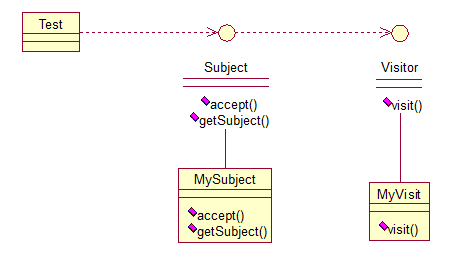 来看看原码:一个Visitor类,存放要访问的对象: ``` public interface Visitor { public void visit(Subject sub); } ``` ``` public class MyVisitor implements Visitor { @Override public void visit(Subject sub) { System.out.println("visit the subject:"+sub.getSubject()); } } ``` Subject类,accept方法,接受将要访问它的对象,getSubject()获取将要被访问的属性: ``` public interface Subject { public void accept(Visitor visitor); public String getSubject(); } ``` ``` public class MySubject implements Subject { @Override public void accept(Visitor visitor) { visitor.visit(this); } @Override public String getSubject() { return "love"; } } ``` 测试: ``` public class Test { public static void main(String[] args) { Visitor visitor = new MyVisitor(); Subject sub = new MySubject(); sub.accept(visitor); } } ``` 输出:visit the subject:love 该模式适用场景:如果我们想为一个现有的类增加新功能,不得不考虑几个事情:1、新功能会不会与现有功能出现兼容性问题?2、以后会不会再需要添加?3、如果类不允许修改代码怎么办?面对这些问题,最好的解决方法就是使用访问者模式,访问者模式适用于数据结构相对稳定的系统,把数据结构和算法解耦。
作者:じ☆ve宝贝
> 用MySQL的小伙伴常用的工具SQLyog、Navicat 这两个工具,会发现如果一段时间不使用再次查询的情况下回很慢。因此可以使用心跳机制保证客户端跟MySQL服务器链接。 #### SQLyog 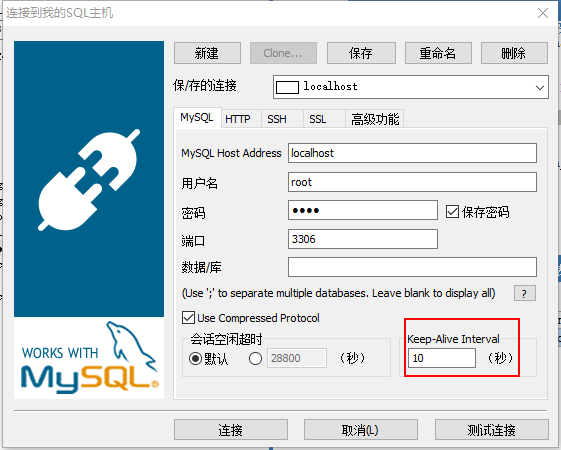 #### Navicat 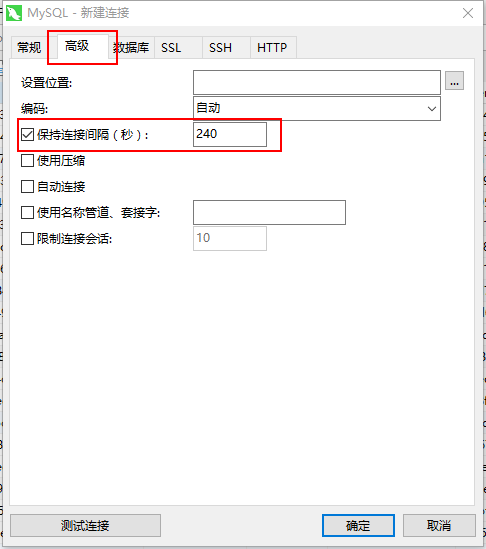
作者:じ☆ve宝贝
## 5.原型模式(Prototype) 原型模式虽然是创建型的模式,但是与工程模式没有关系,从名字即可看出,该模式的思想就是将一个对象作为原型,对其进行复制、克隆,产生一个和原对象类似的新对象。本小结会通过对象的复制,进行讲解。在Java中,复制对象是通过clone()实现的,先创建一个原型类: ``` public class Prototype implements Cloneable { public Object clone() throws CloneNotSupportedException { Prototype proto = (Prototype) super.clone(); return proto; } } ``` 很简单,一个原型类,只需要实现Cloneable接口,覆写clone方法,此处clone方法可以改成任意的名称,因为Cloneable接口是个空接口,你可以任意定义实现类的方法名,如cloneA或者cloneB,因为此处的重点是super.clone()这句话,super.clone()调用的是Object的clone()方法,而在Object类中,clone()是native的,简单地讲,一个Native Method就是一个java调用非java代码的接口。一个Native Method是这样一个java的方法:该方法的实现由非java语言实现,比如C。这个特征并非java所特有,很多其它的编程语言都有这一机制,比如在C++中,你可以用extern "C"告知C++编译器去调用一个C的函数。 我们首先需要了解对象深、浅复制的概念: 浅复制:将一个对象复制后,基本数据类型的变量都会重新创建,而引用类型,指向的还是原对象所指向的。 深复制:将一个对象复制后,不论是基本数据类型还有引用类型,都是重新创建的。简单来说,就是深复制进行了完全彻底的复制,而浅复制不彻底。 此处,写一个深浅复制的例子: ``` public class Prototype implements Cloneable, Serializable { private static final long serialVersionUID = 1L; private String string; private SerializableObject obj; /* 浅复制 */ public Object clone() throws CloneNotSupportedException { Prototype proto = (Prototype) super.clone(); return proto; } /* 深复制 */ public Object deepClone() throws IOException, ClassNotFoundException { /* 写入当前对象的二进制流 */ ByteArrayOutputStream bos = new ByteArrayOutputStream(); ObjectOutputStream oos = new ObjectOutputStream(bos); oos.writeObject(this); /* 读出二进制流产生的新对象 */ ByteArrayInputStream bis = new ByteArrayInputStream(bos.toByteArray()); ObjectInputStream ois = new ObjectInputStream(bis); return ois.readObject(); } public String getString() { return string; } public void setString(String string) { this.string = string; } public SerializableObject getObj() { return obj; } public void setObj(SerializableObject obj) { this.obj = obj; } } class SerializableObject implements Serializable { private static final long serialVersionUID = 1L; } ``` 要实现深复制,需要采用流的形式读入当前对象的二进制输入,再写出二进制数据对应的对象。
作者:じ☆ve宝贝
eclipse maven 在项目的pom.xml的<build></build>标签中加入: ``` <plugins> <plugin> <groupId>org.apache.maven.plugins</groupId> <artifactId>maven-compiler-plugin</artifactId> <version>2.3.2</version> <configuration> <source>1.6</source> <target>1.6</target> </configuration> </plugin> </plugins> ``` 保存,项目构建完成后在项目文件夹上点右键,选择Maven->Update Project Configuration,问题解决。
作者:微信小助手
<section style="box-sizing: border-box;"> <section class="V5" style="box-sizing: border-box;" powered-by="xiumi.us"> <section style="margin-top: 10px;margin-bottom: 10px;box-sizing: border-box;"> <section style="padding-top: 10px;padding-right: 10px;padding-left: 10px;box-sizing: border-box;background-color: rgb(239, 239, 239);"> <span style="display: inline-block;width: 5%;line-height: 0.8;font-weight: bolder;font-size: 48px;box-sizing: border-box;"> <section style="box-sizing: border-box;"> “ </section></span> <section style="display: inline-block;vertical-align: top;float: right;width: 90%;line-height: 1.5;font-size: 15px;color: rgb(89, 89, 89);box-sizing: border-box;"> <p style="box-sizing: border-box;"><span style="letter-spacing: 1px;">Kubernetes 是这两年最热门、最被人熟知的技术了,它为软件工程师提供了强大的容器编排能力,模糊了开发和运维之间的边界,让我们开发、管理和维护一个大型的分布式系统和项目变得更加容易。</span></p> </section> <section style="clear: both;box-sizing: border-box;"></section> </section> </section> </section> </section> <p style="line-height: 1.75em;"><br></p> <p style="text-align: center;margin-left: 8px;margin-right: 8px;margin-bottom: 5px;"><img class="" data-copyright="0" data-ratio="0.5354107648725213" data-s="300,640" src="/upload/1e6a5dfe7230915cf12274940c8f7aa6.png" data-type="png" data-w="706" style=""></p> <p style="text-align: justify;margin-left: 8px;margin-right: 8px;line-height: 1.75em;"><span style="font-size: 15px;letter-spacing: 1px;color: rgb(71, 193, 168);">本文会先简单介绍 Kuberentes 的背景、依赖的技术,它的架构以及设计理念,最后会提及一些关键概念和实现原理。</span></p> <p style="line-height: normal;"><br></p> <section style="box-sizing: border-box;"> <section class="V5" style="box-sizing: border-box;" powered-by="xiumi.us"> <section style="border-bottom-width: 1px;border-bottom-style: solid;border-bottom-color: black;margin-top: 0.5em;margin-bottom: 0.5em;line-height: 1.2;box-sizing: border-box;"> <section style="display: inline-block;border-bottom-width: 6px;border-bottom-style: solid;border-color: rgb(89, 89, 89);margin-bottom: -1px;font-size: 20px;color: rgb(89, 89, 89);box-sizing: border-box;"> <p style="box-sizing: border-box;">Kuberentes 的背景</p> </section> </section> </section> </section> <p style="line-height: normal;"><br></p> <p style="text-align: justify;margin-left: 8px;margin-right: 8px;line-height: 1.75em;"><span style="font-size: 15px;color: rgb(89, 89, 89);letter-spacing: 1px;">作为一个目前在生产环境已经广泛使用的开源项目,Kubernetes 被定义成一个用于自动化部署、扩容和管理容器应用的开源系统;它将一个分布式软件的一组容器打包成一个个更容易管理和发现的逻辑单元。</span></p> <p style="line-height: normal;"><br></p> <p style="text-align: justify;margin-left: 8px;margin-right: 8px;line-height: 1.75em;"><span style="font-size: 15px;color: rgb(89, 89, 89);letter-spacing: 1px;">Kubernetes 是希腊语『舵手』的意思,它最开始由 Google 的几位软件工程师创立,深受公司内部 Borg 和 Omega 项目的影响,很多设计都是从 Borg 中借鉴的,同时也对 Borg 的缺陷进行了改进。</span></p> <p style="line-height: normal;"><br></p> <p style="text-align: justify;margin-left: 8px;margin-right: 8px;line-height: 1.75em;margin-bottom: 5px;"><span style="font-size: 15px;color: rgb(89, 89, 89);letter-spacing: 1px;">Kubernetes 目前是 Cloud Native Computing Foundation (CNCF) 的项目,并且是很多公司管理分布式系统的解决方案。</span></p> <figure> <p style="text-align: center;margin-left: 8px;margin-right: 8px;margin-bottom: 5px;"><img class="" data-copyright="0" data-ratio="0.5618729096989966" data-s="300,640" src="/upload/223fed66856cc6a9be064f1f61a58d50.png" data-type="png" data-w="299" style=""></p> </figure> <p style="text-align: justify;margin-left: 8px;margin-right: 8px;line-height: 1.75em;"><span style="font-size: 15px;color: rgb(89, 89, 89);letter-spacing: 1px;">在 Kubernetes 统治了容器编排这一领域之前,其实也有很多容器编排方案,例如 compose 和 Swarm,但是在运维大规模、复杂的集群时,这些方案基本已经都被 Kubernetes 替代了。</span></p> <p style="line-height: normal;"><br></p> <p style="text-align: justify;margin-left: 8px;margin-right: 8px;line-height: 1.75em;"><span style="font-size: 15px;color: rgb(89, 89, 89);letter-spacing: 1px;">Kubernetes 将已经打包好的应用镜像进行编排,所以如果没有容器技术的发展和微服务架构中复杂的应用关系,其实也很难找到合适的应用场景去使用。</span></p> <p style="line-height: normal;"><br></p> <p style="text-align: justify;margin-left: 8px;margin-right: 8px;line-height: 1.75em;"><span style="font-size: 15px;letter-spacing: 1px;color: rgb(89, 89, 89);">所以在这里我们会简单介绍 Kubernetes 的两大『依赖』——容器技术和微服务架构。</span></p> <p style="line-height: normal;"><br></p> <section style="box-sizing: border-box;"> <section class="V5" style="box-sizing: border-box;" powered-by="xiumi.us"> <section style="margin-top: 10px;margin-bottom: 10px;box-sizing: border-box;"> <section style="width: 0.6em;display: inline-block;vertical-align: middle;box-sizing: border-box;"> <span style="width: 0.6em;height: 0.6em;display: block;opacity: 0.2;box-sizing: border-box;background-color: rgb(89, 89, 89);"></span> <strong><span style="width: 0.6em;height: 0.6em;display: block;opacity: 0.6;margin-top: 2px;margin-bottom: 2px;box-sizing: border-box;background-color: rgb(89, 89, 89);"></span><span style="width: 0.6em;height: 0.6em;display: block;opacity: 1;box-sizing: border-box;background-color: rgb(89, 89, 89);"></span></strong> </section> <section style="display: inline-block;vertical-align: middle;font-size: 18px;padding-left: 5px;color: rgb(89, 89, 89);box-sizing: border-box;"> <p style="box-sizing: border-box;"><strong>容器技术</strong></p> </section> </section> </section> </section> <p style="line-height: normal;"><br></p> <p style="text-align: justify;margin-left: 8px;margin-right: 8px;line-height: 1.75em;margin-bottom: 5px;"><span style="font-size: 15px;color: rgb(89, 89, 89);letter-spacing: 1px;">Docker 已经是容器技术的事实标准了,作者在前面的文章中 Docker 核心技术与实现原理 曾经介绍过 Docker 的实现主要依赖于 Linux 的 namespace、cgroups 和 UnionFS。</span></p> <p style="text-align: center;margin-left: 8px;margin-right: 8px;margin-bottom: 5px;"><img class="" data-copyright="0" data-ratio="0.3387878787878788" data-s="300,640" src="/upload/285d5c36ce9ab58b71ba99226a9dd5d0.png" data-type="png" data-w="1650" style=""></p> <p style="text-align: justify;margin-left: 8px;margin-right: 8px;line-height: 1.75em;"><span style="font-size: 15px;color: rgb(89, 89, 89);letter-spacing: 1px;">它让开发者将自己的应用以及依赖打包到一个可移植的容器中,让应用程序的运行可以实现与环境无关。</span><br></p> <p style="line-height: normal;"><br></p> <p style="text-align: justify;margin-left: 8px;margin-right: 8px;line-height: 1.75em;"><span style="font-size: 15px;color: rgb(89, 89, 89);letter-spacing: 1px;">我们能够通过 Docker 实现进程、网络以及挂载点和文件系统隔离的环境,并且能够对宿主机的资源进行分配。</span></p> <p style="line-height: normal;"><br></p> <p style="text-align: justify;margin-left: 8px;margin-right: 8px;line-height: 1.75em;"><span style="font-size: 15px;color: rgb(89, 89, 89);letter-spacing: 1px;">这能够让我们在同一个机器上运行多个不同的 Docker 容器,任意一个 Docker 的进程都不需要关心宿主机的依赖,都各自在镜像构建时完成依赖的安装和编译等工作。</span></p> <p style="line-height: normal;"><br></p> <p style="text-align: justify;margin-left: 8px;margin-right: 8px;line-height: 1.75em;"><span style="font-size: 15px;color: rgb(89, 89, 89);letter-spacing: 1px;">这也是为什么 Docker 是 Kubernetes 项目的一个重要依赖。</span></p> <p style="line-height: normal;"><br></p> <section style="box-sizing: border-box;"> <section class="V5" style="box-sizing: border-box;" powered-by="xiumi.us"> <section style="margin-top: 10px;margin-bottom: 10px;box-sizing: border-box;"> <section style="width: 0.6em;display: inline-block;vertical-align: middle;box-sizing: border-box;"> <span style="width: 0.6em;height: 0.6em;display: block;opacity: 0.2;box-sizing: border-box;background-color: rgb(89, 89, 89);"></span> <strong><span style="width: 0.6em;height: 0.6em;display: block;opacity: 0.6;margin-top: 2px;margin-bottom: 2px;box-sizing: border-box;background-color: rgb(89, 89, 89);"></span><span style="width: 0.6em;height: 0.6em;display: block;opacity: 1;box-sizing: border-box;background-color: rgb(89, 89, 89);"></span></strong> </section> <section style="display: inline-block;vertical-align: middle;font-size: 18px;padding-left: 5px;color: rgb(89, 89, 89);box-sizing: border-box;"> <p style="box-sizing: border-box;"><strong>微服务架构</strong></p> </section> </section> </section> </section> <p style="line-height: normal;"><br></p> <p style="text-align: justify;margin-left: 8px;margin-right: 8px;line-height: 1.75em;margin-bottom: 5px;"><span style="font-size: 15px;color: rgb(89, 89, 89);letter-spacing: 1px;">如果今天的软件并不是特别复杂并且需要承载的峰值流量不是特别多,那么后端项目的部署其实也只需要在虚拟机上安装一些简单的依赖,将需要部署的项目编译后运行就可以了。</span></p> <p style="text-align: center;margin-left: 8px;margin-right: 8px;margin-bottom: 5px;"><img class="" data-copyright="0" data-ratio="0.388" data-s="300,640" src="/upload/c1650b5c2872ccfaca151f200af68e67.png" data-type="png" data-w="1000" style=""></p> <p style="text-align: justify;margin-left: 8px;margin-right: 8px;line-height: 1.75em;"><span style="font-size: 15px;color: rgb(89, 89, 89);letter-spacing: 1px;">但是随着软件变得越来越复杂,一个完整的后端服务不再是单体服务,而是由多个职责和功能不同的服务组成。</span></p> <p style="line-height: normal;"><br></p> <p style="text-align: justify;margin-left: 8px;margin-right: 8px;line-height: 1.75em;"><span style="font-size: 15px;color: rgb(89, 89, 89);letter-spacing: 1px;">服务之间复杂的拓扑关系以及单机已经无法满足性能需求使得软件的部署和运维工作变得非常复杂,这也就使得部署和运维大型集群变成了非常迫切的需求。</span><br></p> <p style="line-height: normal;"><br></p> <h3 style="text-align: justify;margin-left: 8px;margin-right: 8px;line-height: 1.75em;"><strong><span style="font-size: 15px;color: rgb(89, 89, 89);letter-spacing: 1px;">小结:</span></strong><span style="color: rgb(89, 89, 89);font-size: 15px;letter-spacing: 1px;line-height: 1.75em;">Kubernetes 的出现不仅主宰了容器编排的市场,更改变了过去的运维方式,不仅将开发与运维之间边界变得更加模糊,而且让 DevOps 这一角色变得更加清晰。</span></h3> <h3 style="line-height: normal;"><br></h3> <h3 style="text-align: justify;margin-left: 8px;margin-right: 8px;line-height: 1.75em;"><span style="color: rgb(89, 89, 89);font-size: 15px;letter-spacing: 1px;line-height: 1.75em;">每一个软件工程师都可以通过 Kubernetes 来定义服务之间的拓扑关系、线上的节点个数、资源使用量并且能够快速实现水平扩容、蓝绿部署等在过去复杂的运维操作。</span></h3> <p style="line-height: normal;"><br></p> <section style="box-sizing: border-box;"> <section class="V5" style="box-sizing: border-box;" powered-by="xiumi.us"> <section style="border-bottom-width: 1px;border-bottom-style: solid;border-bottom-color: black;margin-top: 0.5em;margin-bottom: 0.5em;line-height: 1.2;box-sizing: border-box;"> <section style="display: inline-block;border-bottom-width: 6px;border-bottom-style: solid;border-color: rgb(89, 89, 89);margin-bottom: -1px;font-size: 20px;color: rgb(89, 89, 89);box-sizing: border-box;"> <p style="box-sizing: border-box;">Kuberentes 设计理念及架构</p> </section> </section> </section> </section> <p style="line-height: normal;"><br></p> <section style="box-sizing: border-box;"> <section class="V5" style="box-sizing: border-box;" powered-by="xiumi.us"> <section style="margin-top: 10px;margin-bottom: 10px;box-sizing: border-box;"> <section style="width: 0.6em;display: inline-block;vertical-align: middle;box-sizing: border-box;"> <span style="width: 0.6em;height: 0.6em;display: block;opacity: 0.2;box-sizing: border-box;background-color: rgb(89, 89, 89);"></span> <strong><span style="width: 0.6em;height: 0.6em;display: block;opacity: 0.6;margin-top: 2px;margin-bottom: 2px;box-sizing: border-box;background-color: rgb(89, 89, 89);"></span><span style="width: 0.6em;height: 0.6em;display: block;opacity: 1;box-sizing: border-box;background-color: rgb(89, 89, 89);"></span></strong> </section> <section style="display: inline-block;vertical-align: middle;font-size: 18px;padding-left: 5px;color: rgb(89, 89, 89);box-sizing: border-box;"> <p style="box-sizing: border-box;"><strong>设计理念</strong></p> </section> </section> </section> </section> <p style="line-height: normal;"><span style="font-size: 15px;color: rgb(89, 89, 89);letter-spacing: 1px;"><br></span></p> <p style="text-align: justify;margin-left: 8px;margin-right: 8px;line-height: 1.75em;margin-bottom: 5px;"><span style="font-size: 15px;color: rgb(89, 89, 89);letter-spacing: 1px;">我们先介绍 Kubernetes 的一些设计理念,这些关键字能够帮助了解 Kubernetes 在设计时所做的一些选择:</span></p> <figure> <p style="text-align: center;margin-left: 8px;margin-right: 8px;margin-bottom: 5px;"><img class="" data-copyright="0" data-ratio="0.23333333333333334" data-s="300,640" src="/upload/3d62449e57f7b2dd68c24048f9aa2ea9.png" data-type="png" data-w="1200" style=""></p> </figure> <p style="text-align: justify;margin-left: 8px;margin-right: 8px;line-height: 1.75em;"><span style="font-size: 15px;color: rgb(89, 89, 89);letter-spacing: 1px;">这里将按照顺序分别介绍声明式、显式接口、无侵入性和可移植性这几个设计的选择能够为我们带来什么。</span></p> <p style="line-height: normal;"><br></p> <h3 style="text-align: justify;margin-left: 8px;margin-right: 8px;line-height: 1.75em;"><span style="font-size: 16px;"><strong><span style="color: rgb(89, 89, 89);letter-spacing: 1px;">声明式</span></strong></span></h3> <p style="line-height: normal;"><span style="font-size: 15px;color: rgb(89, 89, 89);letter-spacing: 1px;"><br></span></p> <p style="text-align: justify;margin-left: 8px;margin-right: 8px;line-height: 1.75em;"><span style="font-size: 15px;color: rgb(89, 89, 89);letter-spacing: 1px;">声明式(Declarative)的编程方式一直都会被工程师们拿来与命令式(Imperative)进行对比,这两者是完全不同的编程方法。</span></p> <p style="line-height: normal;"><br></p> <p style="text-align: justify;margin-left: 8px;margin-right: 8px;line-height: 1.75em;"><span style="font-size: 15px;color: rgb(89, 89, 89);letter-spacing: 1px;">我们最常接触的其实是命令式编程,它要求我们描述为了达到某一个效果或者目标所需要完成的指令,常见的编程语言 Go、Ruby、C++ 都为开发者提供了命令式的编程方法。</span></p> <p style="line-height: normal;"><br></p> <p style="text-align: justify;margin-left: 8px;margin-right: 8px;line-height: 1.75em;margin-bottom: 5px;"><span style="font-size: 15px;color: rgb(89, 89, 89);letter-spacing: 1px;">在 Kubernetes 中,我们可以直接使用 YAML 文件定义服务的拓扑结构和状态:</span></p> <section class="output_wrapper" style="font-size: 16px;color: rgb(62, 62, 62);line-height: 1.6;letter-spacing: 0px;"> <pre style="font-size: inherit;color: inherit;line-height: inherit;margin-top: 0px;margin-bottom: 0px;padding: 0px;"><code class="hljs makefile" style="margin-right: 2px;margin-left: 2px;line-height: 18px;font-size: 14px;letter-spacing: 0px;font-family: Consolas, Inconsolata, Courier, monospace;border-radius: 0px;color: rgb(169, 183, 198);padding: 0.5em;display: block !important;word-wrap: normal !important;word-break: normal !important;overflow: auto !important;background: rgb(40, 43, 46);"><span class="hljs-section" style="font-size: inherit;line-height: inherit;color: rgb(165, 218, 45);word-wrap: inherit !important;word-break: inherit !important;">apiVersion: v1</span><br><span class="hljs-section" style="font-size: inherit;line-height: inherit;color: rgb(165, 218, 45);word-wrap: inherit !important;word-break: inherit !important;">kind: Pod</span><br><span class="hljs-section" style="font-size: inherit;line-height: inherit;color: rgb(165, 218, 45);word-wrap: inherit !important;word-break: inherit !important;">metadata:</span><br> name: rss-site<br> labels:<br> app: web<br><span class="hljs-section" style="font-size: inherit;line-height: inherit;color: rgb(165, 218, 45);word-wrap: inherit !important;word-break: inherit !important;">spec:</span><br> containers:<br> - name: front-end<br> image: nginx<br> ports:<br> - containerPort: 80<br> - name: rss-reader<br> image: nickchase/rss-php-nginx:v1<br> ports:<br> - containerPort: 88<br></code></pre> </section> <p style="line-height: normal;"><br></p> <p style="text-align: justify;margin-left: 8px;margin-right: 8px;line-height: 1.75em;"><span style="font-size: 15px;color: rgb(89, 89, 89);letter-spacing: 1px;">这种声明式的方式能够大量地减少使用者的工作量,极大地增加开发的效率。</span></p> <p style="line-height: normal;"><br></p> <p style="text-align: justify;margin-left: 8px;margin-right: 8px;line-height: 1.75em;margin-bottom: 5px;"><span style="font-size: 15px;color: rgb(89, 89, 89);letter-spacing: 1px;">这是因为声明式能够简化需要的代码,减少开发人员的工作,如果我们使用命令式的方式进行开发,虽然在配置上比较灵活,但是带来了更多的工作。</span></p> <section class="output_wrapper" style="font-size: 16px;color: rgb(62, 62, 62);line-height: 1.6;letter-spacing: 0px;"> <pre style="font-size: inherit;color: inherit;line-height: inherit;margin-top: 0px;margin-bottom: 0px;padding: 0px;"><code class="hljs sql" style="margin-right: 2px;margin-left: 2px;line-height: 18px;font-size: 14px;letter-spacing: 0px;font-family: Consolas, Inconsolata, Courier, monospace;border-radius: 0px;color: rgb(169, 183, 198);padding: 0.5em;display: block !important;word-wrap: normal !important;word-break: normal !important;overflow: auto !important;background: rgb(40, 43, 46);"><span class="hljs-keyword" style="font-size: inherit;line-height: inherit;color: rgb(248, 35, 117);word-wrap: inherit !important;word-break: inherit !important;">SELECT</span> * <span class="hljs-keyword" style="font-size: inherit;line-height: inherit;color: rgb(248, 35, 117);word-wrap: inherit !important;word-break: inherit !important;">FROM</span> posts <span class="hljs-keyword" style="font-size: inherit;line-height: inherit;color: rgb(248, 35, 117);word-wrap: inherit !important;word-break: inherit !important;">WHERE</span> user_id = <span class="hljs-number" style="font-size: inherit;line-height: inherit;color: rgb(174, 135, 250);word-wrap: inherit !important;word-break: inherit !important;">1</span> <span class="hljs-keyword" style="font-size: inherit;line-height: inherit;color: rgb(248, 35, 117);word-wrap: inherit !important;word-break: inherit !important;">AND</span> title <span class="hljs-keyword" style="font-size: inherit;line-height: inherit;color: rgb(248, 35, 117);word-wrap: inherit !important;word-break: inherit !important;">LIKE</span> <span class="hljs-string" style="font-size: inherit;line-height: inherit;color: rgb(238, 220, 112);word-wrap: inherit !important;word-break: inherit !important;">'hello%'</span>;<br></code></pre> </section> <p style="line-height: normal;"><br></p> <p style="text-align: justify;margin-left: 8px;margin-right: 8px;line-height: 1.75em;"><span style="font-size: 15px;color: rgb(89, 89, 89);letter-spacing: 1px;">SQL 其实就是一种常见的声明式『编程语言』,它能够让开发者自己去指定想要的数据是什么。</span></p> <p style="line-height: normal;"><br></p> <p style="text-align: justify;margin-left: 8px;margin-right: 8px;line-height: 1.75em;margin-bottom: 5px;"><span style="font-size: 15px;color: rgb(89, 89, 89);letter-spacing: 1px;">Kubernetes 中的 YAML 文件也有着相同的原理,我们可以告诉 Kubernetes 想要的最终状态是什么,而它会帮助我们从现有的状态进行迁移。</span></p> <p style="text-align: center;margin-left: 8px;margin-right: 8px;margin-bottom: 5px;"><img class="" data-copyright="0" data-ratio="0.225" data-s="300,640" src="/upload/72f3536e4bae594daf5d6469f75f5d36.png" data-type="png" data-w="1200" style=""></p> <p style="text-align: justify;margin-left: 8px;margin-right: 8px;line-height: 1.75em;"><span style="font-size: 15px;color: rgb(89, 89, 89);letter-spacing: 1px;">如果 Kubernetes 采用命令式编程的方式提供接口,那么工程师可能就需要通过代码告诉 Kubernetes 要达到某个状态需要通过哪些操作,相比于更关注状态和结果声明式的编程方式,命令式的编程方式更强调过程。</span><br></p> <p style="line-height: normal;"><br></p> <p style="text-align: justify;margin-left: 8px;margin-right: 8px;line-height: 1.75em;"><span style="font-size: 15px;color: rgb(89, 89, 89);letter-spacing: 1px;">总而言之,Kubernetes 中声明式的 API 其实指定的是集群期望的运行状态。</span></p> <p style="line-height: normal;"><br></p> <p style="text-align: justify;margin-left: 8px;margin-right: 8px;line-height: 1.75em;"><span style="font-size: 15px;color: rgb(89, 89, 89);letter-spacing: 1px;">所以在出现任何不一致问题时,它本身都可以通过指定的 YAML 文件对线上集群进行状态的迁移。</span></p> <p style="line-height: normal;"><br></p> <p style="text-align: justify;margin-left: 8px;margin-right: 8px;line-height: 1.75em;"><span style="font-size: 15px;color: rgb(89, 89, 89);letter-spacing: 1px;">就像一个水平触发的系统,哪怕系统错过了相应的事件,最终也会根据当前的状态自动做出合适的操作。</span></p> <p style="line-height: normal;"><br></p> <h3 style="text-align: justify;margin-left: 8px;margin-right: 8px;line-height: 1.75em;"><span style="font-size: 16px;"><strong><span style="color: rgb(89, 89, 89);letter-spacing: 1px;">显式接口</span></strong></span></h3> <p style="line-height: normal;"><span style="font-size: 15px;color: rgb(89, 89, 89);letter-spacing: 1px;"><br></span></p> <p style="text-align: justify;margin-left: 8px;margin-right: 8px;line-height: 1.75em;margin-bottom: 5px;"><span style="font-size: 15px;color: rgb(89, 89, 89);letter-spacing: 1px;">第二个 Kubernetes 的设计规范其实就是:不存在内部的私有接口,所有的接口都是显示定义的,组件之间通信使用的接口对于使用者来说都是显式的,我们都可以直接调用。</span></p> <figure> <p style="text-align: center;margin-left: 8px;margin-right: 8px;margin-bottom: 5px;"><img class="" data-copyright="0" data-ratio="0.225" data-s="300,640" src="/upload/78913cbebd0b9c7bab2a5ee405cbe2dd.png" data-type="png" data-w="1200" style=""></p> </figure> <p style="text-align: justify;margin-left: 8px;margin-right: 8px;line-height: 1.75em;"><span style="font-size: 15px;color: rgb(89, 89, 89);letter-spacing: 1px;">当 Kubernetes 的接口不能满足工程师的复杂需求时,我们需要利用已有的接口实现更复杂的特性,在这时 Kubernetes 的这一设计就不会成为自定义需求的障碍。</span></p> <p style="line-height: normal;"><br></p> <h3 style="text-align: justify;margin-left: 8px;margin-right: 8px;line-height: 1.75em;"><span style="font-size: 16px;"><strong><span style="color: rgb(89, 89, 89);letter-spacing: 1px;">无侵入性</span></strong></span></h3> <p style="line-height: normal;"><span style="font-size: 15px;color: rgb(89, 89, 89);letter-spacing: 1px;"><br></span></p> <p style="text-align: justify;margin-left: 8px;margin-right: 8px;line-height: 1.75em;"><span style="font-size: 15px;color: rgb(89, 89, 89);letter-spacing: 1px;">为了尽可能满足用户(工程师)的需求,减少工程师的工作量与任务并增强灵活性,</span><span style="color: rgb(89, 89, 89);font-size: 15px;letter-spacing: 1px;line-height: 1.75em;">Kubernetes 为工程师提供了无侵入式的接入方式。</span></p> <p style="line-height: normal;"><br></p> <p style="text-align: justify;margin-left: 8px;margin-right: 8px;line-height: 1.75em;margin-bottom: 5px;"><span style="color: rgb(89, 89, 89);font-size: 15px;letter-spacing: 1px;line-height: 1.75em;">每一个应用或者服务一旦被打包成了镜像就可以直接在 Kubernetes 中无缝使用,不需要修改应用程序中的任何代码。</span></p> <p style="text-align: center;margin-left: 8px;margin-right: 8px;margin-bottom: 5px;"><img class="" data-copyright="0" data-ratio="0.30833333333333335" data-s="300,640" src="/upload/acd99489c1c57672acb9fb2107d2d954.png" data-type="png" data-w="1200" style=""></p> <p style="text-align: justify;margin-left: 8px;margin-right: 8px;line-height: 1.75em;"><span style="font-size: 15px;color: rgb(89, 89, 89);letter-spacing: 1px;">Docker 和 Kubernetes 就像包裹在应用程序上的两层,它们两个为应用程序提供了容器化以及编排的能力。</span></p> <p style="line-height: normal;"><br></p> <p style="text-align: justify;margin-left: 8px;margin-right: 8px;line-height: 1.75em;"><span style="font-size: 15px;color: rgb(89, 89, 89);letter-spacing: 1px;">在应用程序内部却不需要任何的修改就能够在 Docker 和 Kubernetes 集群中运行,这是 Kubernetes 在设计时选择无侵入带来最大的好处,同时无侵入的接入方式也是目前几乎所有应用程序或者服务都必须考虑的一点。</span><br></p> <p style="line-height: normal;"><br></p> <h3 style="text-align: justify;margin-left: 8px;margin-right: 8px;line-height: 1.75em;"><span style="font-size: 16px;"><strong><span style="color: rgb(89, 89, 89);letter-spacing: 1px;">可移植性</span></strong></span></h3> <p style="line-height: normal;"><span style="font-size: 15px;color: rgb(89, 89, 89);letter-spacing: 1px;"><br></span></p> <p style="text-align: justify;margin-left: 8px;margin-right: 8px;line-height: 1.75em;"><span style="font-size: 15px;color: rgb(89, 89, 89);letter-spacing: 1px;">在微服务架构中,我们往往都会让所有处理业务的服务变成无状态的服务。</span></p> <p style="line-height: normal;"><br></p> <p style="text-align: justify;margin-left: 8px;margin-right: 8px;line-height: 1.75em;"><span style="font-size: 15px;color: rgb(89, 89, 89);letter-spacing: 1px;">以前在内存中存储的数据、Session 等缓存,现在都会放到 Redis、ETCD 等数据库中存储,微服务架构要求我们对业务进行拆分并划清服务之间的边界,所以有状态的服务往往会对架构的水平迁移带来障碍。</span></p> <p style="line-height: normal;"><br></p> <p style="text-align: justify;margin-left: 8px;margin-right: 8px;line-height: 1.75em;"><span style="font-size: 15px;color: rgb(89, 89, 89);letter-spacing: 1px;">然而有状态的服务其实是无可避免的,我们将每一个基础服务或者业务服务都变成了一个个只负责计算的进程。</span></p> <p style="line-height: normal;"><br></p> <p style="text-align: justify;margin-left: 8px;margin-right: 8px;line-height: 1.75em;"><span style="font-size: 15px;color: rgb(89, 89, 89);letter-spacing: 1px;">但是仍然需要有其他的进程负责存储易失的缓存和持久的数据,Kubernetes 对这种有状态的服务也提供了比较好的支持。</span></p> <p style="line-height: normal;"><br></p> <p style="text-align: justify;margin-left: 8px;margin-right: 8px;line-height: 1.75em;margin-bottom: 5px;"><span style="font-size: 15px;color: rgb(89, 89, 89);letter-spacing: 1px;">Kubernetes 引入了 Persistent Volume 和 Persistent Volume Claim 的概念用来屏蔽底层存储的差异性,目前的 Kubernetes 支持下列类型的 Persistent Volume:</span></p> <p style="text-align: center;margin-left: 8px;margin-right: 8px;margin-bottom: 5px;"><img class="" data-copyright="0" data-ratio="0.38333333333333336" data-s="300,640" src="/upload/b1dc7f0432682be68a8711dc9e3543f8.png" data-type="png" data-w="1200" style=""></p> <p style="text-align: justify;margin-left: 8px;margin-right: 8px;line-height: 1.75em;"><span style="font-size: 15px;color: rgb(89, 89, 89);letter-spacing: 1px;">这些不同的 Persistent Volume 会被开发者声明的 Persistent Volume Claim 分配到不同的服务中。</span></p> <p style="line-height: normal;"><br></p> <p style="text-align: justify;margin-left: 8px;margin-right: 8px;line-height: 1.75em;"><span style="font-size: 15px;color: rgb(89, 89, 89);letter-spacing: 1px;">对于上层来讲所有的服务都不需要接触 Persistent Volume,只需要直接使用 Persistent Volume Claim 得到的卷就可以了。</span><br></p> <p style="line-height: normal;"><br></p> <section style="box-sizing: border-box;"> <section class="V5" style="box-sizing: border-box;" powered-by="xiumi.us"> <section style="margin-top: 10px;margin-bottom: 10px;box-sizing: border-box;"> <section style="width: 0.6em;display: inline-block;vertical-align: middle;box-sizing: border-box;"> <span style="width: 0.6em;height: 0.6em;display: block;opacity: 0.2;box-sizing: border-box;background-color: rgb(89, 89, 89);"></span> <strong><span style="width: 0.6em;height: 0.6em;display: block;opacity: 0.6;margin-top: 2px;margin-bottom: 2px;box-sizing: border-box;background-color: rgb(89, 89, 89);"></span><span style="width: 0.6em;height: 0.6em;display: block;opacity: 1;box-sizing: border-box;background-color: rgb(89, 89, 89);"></span></strong> </section> <section style="display: inline-block;vertical-align: middle;font-size: 18px;padding-left: 5px;color: rgb(89, 89, 89);box-sizing: border-box;"> <p style="box-sizing: border-box;"><strong>架构</strong></p> </section> </section> </section> </section> <p style="line-height: normal;"><span style="font-size: 15px;color: rgb(89, 89, 89);letter-spacing: 1px;"><br></span></p> <p style="text-align: justify;margin-left: 8px;margin-right: 8px;line-height: 1.75em;"><span style="font-size: 15px;color: rgb(89, 89, 89);letter-spacing: 1px;">Kubernetes 遵循非常传统的客户端服务端架构,客户端通过 RESTful 接口或者直接使用 kubectl 与 Kubernetes 集群进行通信。</span></p> <p style="line-height: normal;"><br></p> <p style="text-align: justify;margin-left: 8px;margin-right: 8px;line-height: 1.75em;margin-bottom: 5px;"><span style="font-size: 15px;color: rgb(89, 89, 89);letter-spacing: 1px;">这两者在实际上并没有太多的区别,后者也只是对 Kubernetes 提供的 RESTful API 进行封装并提供出来。</span></p> <p style="text-align: center;margin-left: 8px;margin-right: 8px;margin-bottom: 5px;"><img class="" data-copyright="0" data-ratio="0.3458333333333333" data-s="300,640" src="/upload/78c6afa8cec315bcdda05372f0c36fd9.png" data-type="png" data-w="1200" style=""></p> <p style="text-align: justify;margin-left: 8px;margin-right: 8px;line-height: 1.75em;"><span style="font-size: 15px;color: rgb(89, 89, 89);letter-spacing: 1px;">每一个 Kubernetes 集群都由一组 Master 节点和一系列的 Worker 节点组成,其中 Master 节点主要负责存储集群的状态并为 Kubernetes 对象分配和调度资源。</span><br></p> <p style="line-height: normal;"><br></p> <h3 style="text-align: justify;margin-left: 8px;margin-right: 8px;line-height: 1.75em;"><span style="font-size: 16px;"><strong><span style="color: rgb(89, 89, 89);letter-spacing: 1px;">Master</span></strong></span></h3> <p style="line-height: normal;"><span style="font-size: 15px;color: rgb(89, 89, 89);letter-spacing: 1px;"><br></span></p> <p style="text-align: justify;margin-left: 8px;margin-right: 8px;line-height: 1.75em;margin-bottom: 5px;"><span style="font-size: 15px;color: rgb(89, 89, 89);letter-spacing: 1px;">作为管理集群状态的 Master 节点,它主要负责接收客户端的请求,安排容器的执行并且运行控制循环,将集群的状态向目标状态进行迁移,Master 节点内部由三个组件构成:</span></p> <figure> <p style="text-align: center;margin-left: 8px;margin-right: 8px;margin-bottom: 5px;"><img class="" data-copyright="0" data-ratio="0.475" data-s="300,640" src="/upload/7dd9a0ef26da0b5df597d309904bbff2.png" data-type="png" data-w="1200" style=""></p> </figure> <p style="text-align: justify;margin-left: 8px;margin-right: 8px;line-height: 1.75em;"><span style="font-size: 15px;color: rgb(89, 89, 89);letter-spacing: 1px;">其中 API Server 负责处理来自用户的请求,其主要作用就是对外提供 RESTful 的接口,包括用于查看集群状态的读请求以及改变集群状态的写请求,也是唯一一个与 etcd 集群通信的组件。</span></p> <p style="line-height: normal;"><br></p> <p style="text-align: justify;margin-left: 8px;margin-right: 8px;line-height: 1.75em;"><span style="font-size: 15px;color: rgb(89, 89, 89);letter-spacing: 1px;">而 Controller 管理器运行了一系列的控制器进程,这些进程会按照用户的期望状态在后台不断地调节整个集群中的对象,当服务的状态发生了改变,控制器就会发现这个改变并且开始向目标状态迁移。</span></p> <p style="line-height: normal;"><br></p> <p style="text-align: justify;margin-left: 8px;margin-right: 8px;line-height: 1.75em;"><span style="font-size: 15px;color: rgb(89, 89, 89);letter-spacing: 1px;">最后的 Scheduler 调度器其实为 Kubernetes 中运行的 Pod 选择部署的 Worker 节点,它会根据用户的需要选择最能满足请求的节点来运行 Pod,它会在每次需要调度 Pod 时执行。</span></p> <p style="line-height: normal;"><br></p> <h3 style="text-align: justify;margin-left: 8px;margin-right: 8px;line-height: 1.75em;"><span style="font-size: 16px;"><strong><span style="color: rgb(89, 89, 89);letter-spacing: 1px;">Worker</span></strong></span></h3> <p style="line-height: normal;"><span style="font-size: 15px;color: rgb(89, 89, 89);letter-spacing: 1px;"><br></span></p> <p style="text-align: justify;margin-left: 8px;margin-right: 8px;line-height: 1.75em;margin-bottom: 5px;"><span style="font-size: 15px;color: rgb(89, 89, 89);letter-spacing: 1px;">其他的 Worker 节点实现就相对比较简单了,它主要由 kubelet 和 kube-proxy 两部分组成:</span></p> <p style="text-align: center;margin-left: 8px;margin-right: 8px;margin-bottom: 5px;"><img class="" data-copyright="0" data-ratio="0.5" data-s="300,640" src="/upload/7237cfdbc9a8b51810e208101108e398.png" data-type="png" data-w="1200" style=""></p> <p style="text-align: justify;margin-left: 8px;margin-right: 8px;line-height: 1.75em;"><span style="font-size: 15px;color: rgb(89, 89, 89);letter-spacing: 1px;">kubelet 是一个节点上的主要服务,它周期性地从 API Server 接受新的或者修改的 Pod 规范并且保证节点上的 Pod 和其中容器的正常运行,还会保证节点会向目标状态迁移,该节点仍然会向 Master 节点发送宿主机的健康状况。</span><br></p> <p style="line-height: normal;"><br></p> <p style="text-align: justify;margin-left: 8px;margin-right: 8px;line-height: 1.75em;"><span style="font-size: 15px;color: rgb(89, 89, 89);letter-spacing: 1px;">另一个运行在各个节点上的代理服务 kube-proxy 负责宿主机的子网管理,同时也能将服务暴露给外部,其原理就是在多个隔离的网络中把请求转发给正确的 Pod 或者容器。</span></p> <p style="line-height: normal;"><br></p> <section style="box-sizing: border-box;"> <section class="V5" style="box-sizing: border-box;" powered-by="xiumi.us"> <section style="border-bottom-width: 1px;border-bottom-style: solid;border-bottom-color: black;margin-top: 0.5em;margin-bottom: 0.5em;line-height: 1.2;box-sizing: border-box;"> <section style="display: inline-block;border-bottom-width: 6px;border-bottom-style: solid;border-color: rgb(89, 89, 89);margin-bottom: -1px;font-size: 20px;color: rgb(89, 89, 89);box-sizing: border-box;"> <p style="box-sizing: border-box;">Kubernetes 实现原理</p> </section> </section> </section> </section> <p style="line-height: normal;"><br></p> <p style="text-align: justify;margin-left: 8px;margin-right: 8px;line-height: 1.75em;"><span style="font-size: 15px;color: rgb(89, 89, 89);letter-spacing: 1px;">到现在,我们已经对 Kubernetes 有了一些简单的认识和了解,也大概清楚了 Kubernetes 的架构,下面我们将介绍 Kubernetes 中的一些重要概念和实现原理。</span></p> <p style="line-height: normal;"><br></p> <section style="box-sizing: border-box;"> <section class="V5" style="box-sizing: border-box;" powered-by="xiumi.us"> <section style="margin-top: 10px;margin-bottom: 10px;box-sizing: border-box;"> <section style="width: 0.6em;display: inline-block;vertical-align: middle;box-sizing: border-box;"> <span style="width: 0.6em;height: 0.6em;display: block;opacity: 0.2;box-sizing: border-box;background-color: rgb(89, 89, 89);"></span> <span style="width: 0.6em;height: 0.6em;display: block;opacity: 0.6;margin-top: 2px;margin-bottom: 2px;box-sizing: border-box;background-color: rgb(89, 89, 89);"></span> <strong><span style="width: 0.6em;height: 0.6em;display: block;opacity: 1;box-sizing: border-box;background-color: rgb(89, 89, 89);"></span></strong> </section> <section style="display: inline-block;vertical-align: middle;font-size: 18px;padding-left: 5px;color: rgb(89, 89, 89);box-sizing: border-box;"> <p style="box-sizing: border-box;"><strong>对象</strong></p> </section> </section> </section> </section> <p style="line-height: normal;"><span style="font-size: 15px;color: rgb(89, 89, 89);letter-spacing: 1px;"><br></span></p> <p style="text-align: justify;margin-left: 8px;margin-right: 8px;line-height: 1.75em;margin-bottom: 5px;"><span style="font-size: 15px;color: rgb(89, 89, 89);letter-spacing: 1px;">Kubernetes 对象是系统中的持久实体,它使用这些对象来表示集群中的状态,这些对象能够描述:</span></p> <p style="text-align: center;margin-left: 8px;margin-right: 8px;margin-bottom: 5px;"><img class="" data-copyright="0" data-ratio="0.3416666666666667" data-s="300,640" src="/upload/51715b1000c929964b7aa98b542f93a4.png" data-type="png" data-w="1200" style=""></p> <p style="text-align: justify;margin-left: 8px;margin-right: 8px;line-height: 1.75em;"><span style="font-size: 15px;color: rgb(89, 89, 89);letter-spacing: 1px;">这些对象描述了哪些应用应该运行在集群中,它们请求的资源下限和上限以及重启、升级和容错的策略。</span><br></p> <p style="line-height: normal;"><br></p> <p style="text-align: justify;margin-left: 8px;margin-right: 8px;line-height: 1.75em;margin-bottom: 5px;"><span style="font-size: 15px;color: rgb(89, 89, 89);letter-spacing: 1px;">每一个创建的对象都是我们对集群状态的改变,这些对象描述的其实就是集群的期望状态,Kubernetes 会根据我们指定的期望状态不断检查对当前的集群状态进行迁移。</span></p> <section class="output_wrapper" style="font-size: 16px;color: rgb(62, 62, 62);line-height: 1.6;letter-spacing: 0px;"> <pre style="font-size: inherit;color: inherit;line-height: inherit;margin-top: 0px;margin-bottom: 0px;padding: 0px;"><code class="hljs cpp" style="margin-right: 2px;margin-left: 2px;line-height: 18px;font-size: 14px;letter-spacing: 0px;font-family: Consolas, Inconsolata, Courier, monospace;border-radius: 0px;color: rgb(169, 183, 198);padding: 0.5em;display: block !important;word-wrap: normal !important;word-break: normal !important;overflow: auto !important;background: rgb(40, 43, 46);">type Deployment <span class="hljs-class" style="font-size: inherit;color: inherit;line-height: inherit;word-wrap: inherit !important;word-break: inherit !important;"><span class="hljs-keyword" style="font-size: inherit;line-height: inherit;color: rgb(248, 35, 117);word-wrap: inherit !important;word-break: inherit !important;">struct</span> {</span><br> metav1.TypeMeta `json:<span class="hljs-string" style="font-size: inherit;line-height: inherit;color: rgb(238, 220, 112);word-wrap: inherit !important;word-break: inherit !important;">",inline"</span>`<br> metav1.ObjectMeta `json:<span class="hljs-string" style="font-size: inherit;line-height: inherit;color: rgb(238, 220, 112);word-wrap: inherit !important;word-break: inherit !important;">"metadata,omitempty"</span> protobuf:<span class="hljs-string" style="font-size: inherit;line-height: inherit;color: rgb(238, 220, 112);word-wrap: inherit !important;word-break: inherit !important;">"bytes,1,opt,name=metadata"</span>`<br><br> Spec DeploymentSpec `json:<span class="hljs-string" style="font-size: inherit;line-height: inherit;color: rgb(238, 220, 112);word-wrap: inherit !important;word-break: inherit !important;">"spec,omitempty"</span> protobuf:<span class="hljs-string" style="font-size: inherit;line-height: inherit;color: rgb(238, 220, 112);word-wrap: inherit !important;word-break: inherit !important;">"bytes,2,opt,name=spec"</span>`<br> Status DeploymentStatus `json:<span class="hljs-string" style="font-size: inherit;line-height: inherit;color: rgb(238, 220, 112);word-wrap: inherit !important;word-break: inherit !important;">"status,omitempty"</span> protobuf:<span class="hljs-string" style="font-size: inherit;line-height: inherit;color: rgb(238, 220, 112);word-wrap: inherit !important;word-break: inherit !important;">"bytes,3,opt,name=status"</span>`<br>}<br></code></pre> </section> <p style="line-height: normal;"><br></p> <p style="text-align: justify;margin-left: 8px;margin-right: 8px;line-height: 1.75em;"><span style="font-size: 15px;color: rgb(89, 89, 89);letter-spacing: 1px;">每一个对象都包含两个嵌套对象来描述规格(Spec)和状态(Status),对象的规格其实就是我们期望的目标状态。</span></p> <p style="line-height: normal;"><br></p> <p style="text-align: justify;margin-left: 8px;margin-right: 8px;line-height: 1.75em;"><span style="font-size: 15px;color: rgb(89, 89, 89);letter-spacing: 1px;">而状态描述了对象的当前状态,这部分一般由 Kubernetes 系统本身提供和管理,是我们观察集群本身的一个接口。</span></p> <p style="line-height: normal;"><br></p> <section style="box-sizing: border-box;"> <section class="V5" style="box-sizing: border-box;" powered-by="xiumi.us"> <section style="margin-top: 10px;margin-bottom: 10px;box-sizing: border-box;"> <section style="width: 0.6em;display: inline-block;vertical-align: middle;box-sizing: border-box;"> <span style="width: 0.6em;height: 0.6em;display: block;opacity: 0.2;box-sizing: border-box;background-color: rgb(89, 89, 89);"></span> <strong><span style="width: 0.6em;height: 0.6em;display: block;opacity: 0.6;margin-top: 2px;margin-bottom: 2px;box-sizing: border-box;background-color: rgb(89, 89, 89);"></span><span style="width: 0.6em;height: 0.6em;display: block;opacity: 1;box-sizing: border-box;background-color: rgb(89, 89, 89);"></span></strong> </section> <section style="display: inline-block;vertical-align: middle;font-size: 18px;padding-left: 5px;color: rgb(89, 89, 89);box-sizing: border-box;"> <p style="box-sizing: border-box;"><strong>Pod</strong></p> </section> </section> </section> </section> <p style="line-height: normal;"><br></p> <p style="text-align: justify;margin-left: 8px;margin-right: 8px;line-height: 1.75em;margin-bottom: 5px;"><span style="font-size: 15px;color: rgb(89, 89, 89);letter-spacing: 1px;">Pod 是 Kubernetes 中最基本的概念,它也是 Kubernetes 对象模型中我们可以创建或者部署的最小并且最简单的单元。</span></p> <p style="text-align: center;margin-left: 8px;margin-right: 8px;margin-bottom: 5px;"><img class="" data-copyright="0" data-ratio="0.4083333333333333" data-s="300,640" src="/upload/26ab998f561381ade3f87b780d12fddf.png" data-type="png" data-w="1200" style=""></p> <p style="text-align: justify;margin-left: 8px;margin-right: 8px;line-height: 1.75em;"><span style="font-size: 15px;color: rgb(89, 89, 89);letter-spacing: 1px;">它将应用的容器、存储资源以及独立的网络 IP 地址等资源打包到了一起,表示一个最小的部署单元。</span></p> <p style="line-height: normal;"><br></p> <p style="text-align: justify;margin-left: 8px;margin-right: 8px;line-height: 1.75em;"><span style="font-size: 15px;color: rgb(89, 89, 89);letter-spacing: 1px;">但是每一个 Pod 中的运行的容器可能不止一个,这是因为 Pod 最开始设计时就能够在多个进程之间进行协调,构建一个高内聚的服务单元,这些容器能够共享存储和网络,非常方便地进行通信。</span><br></p> <p style="line-height: normal;"><br></p> <section style="box-sizing: border-box;"> <section class="V5" style="box-sizing: border-box;" powered-by="xiumi.us"> <section style="margin-top: 10px;margin-bottom: 10px;box-sizing: border-box;"> <section style="width: 0.6em;display: inline-block;vertical-align: middle;box-sizing: border-box;"> <span style="width: 0.6em;height: 0.6em;display: block;opacity: 0.2;box-sizing: border-box;background-color: rgb(89, 89, 89);"></span> <strong><span style="width: 0.6em;height: 0.6em;display: block;opacity: 0.6;margin-top: 2px;margin-bottom: 2px;box-sizing: border-box;background-color: rgb(89, 89, 89);"></span><span style="width: 0.6em;height: 0.6em;display: block;opacity: 1;box-sizing: border-box;background-color: rgb(89, 89, 89);"></span></strong> </section> <section style="display: inline-block;vertical-align: middle;font-size: 18px;padding-left: 5px;color: rgb(89, 89, 89);box-sizing: border-box;"> <p style="box-sizing: border-box;"><strong>控制器</strong></p> </section> </section> </section> </section> <p style="line-height: normal;"><br></p> <p style="text-align: justify;margin-left: 8px;margin-right: 8px;line-height: 1.75em;"><span style="font-size: 15px;color: rgb(89, 89, 89);letter-spacing: 1px;">最后要介绍的就是 Kubernetes 中的控制器,它们其实是用于创建和管理 Pod 的实例,能够在集群的曾名提供复制、发布以及健康检查的功能,这些控制器都运行在 Kubernetes 集群的主节点上。</span></p> <p style="line-height: normal;"><br></p> <p style="text-align: justify;margin-left: 8px;margin-right: 8px;line-height: 1.75em;margin-bottom: 5px;"><span style="font-size: 15px;color: rgb(89, 89, 89);letter-spacing: 1px;">在 Kuberentes 的 kubernetes/pkg/controller/ 目录中包含了官方提供的一些常见控制器,我们可以通过下面这个函数看到所有需要运行的控制器:</span></p> <section class="output_wrapper" style="font-size: 16px;color: rgb(62, 62, 62);line-height: 1.6;letter-spacing: 0px;"> <pre style="font-size: inherit;color: inherit;line-height: inherit;margin-top: 0px;margin-bottom: 0px;padding: 0px;"><code class="hljs go" style="margin-right: 2px;margin-left: 2px;line-height: 18px;font-size: 14px;letter-spacing: 0px;font-family: Consolas, Inconsolata, Courier, monospace;border-radius: 0px;color: rgb(169, 183, 198);padding: 0.5em;display: block !important;word-wrap: normal !important;word-break: normal !important;overflow: auto !important;background: rgb(40, 43, 46);"><span class="hljs-function" style="font-size: inherit;line-height: inherit;color: rgb(248, 35, 117);word-wrap: inherit !important;word-break: inherit !important;"><span class="hljs-keyword" style="font-size: inherit;line-height: inherit;word-wrap: inherit !important;word-break: inherit !important;">func</span> <span class="hljs-title" style="font-size: inherit;line-height: inherit;color: rgb(165, 218, 45);word-wrap: inherit !important;word-break: inherit !important;">NewControllerInitializers</span><span class="hljs-params" style="font-size: inherit;line-height: inherit;color: rgb(255, 152, 35);word-wrap: inherit !important;word-break: inherit !important;">(loopMode ControllerLoopMode)</span> <span class="hljs-title" style="font-size: inherit;line-height: inherit;color: rgb(165, 218, 45);word-wrap: inherit !important;word-break: inherit !important;">map</span>[<span class="hljs-title" style="font-size: inherit;line-height: inherit;color: rgb(165, 218, 45);word-wrap: inherit !important;word-break: inherit !important;">string</span>]<span class="hljs-title" style="font-size: inherit;line-height: inherit;color: rgb(165, 218, 45);word-wrap: inherit !important;word-break: inherit !important;">InitFunc</span></span> {<br> controllers := <span class="hljs-keyword" style="font-size: inherit;line-height: inherit;color: rgb(248, 35, 117);word-wrap: inherit !important;word-break: inherit !important;">map</span>[<span class="hljs-keyword" style="font-size: inherit;line-height: inherit;color: rgb(248, 35, 117);word-wrap: inherit !important;word-break: inherit !important;">string</span>]InitFunc{}<br> controllers[<span class="hljs-string" style="font-size: inherit;line-height: inherit;color: rgb(238, 220, 112);word-wrap: inherit !important;word-break: inherit !important;">"endpoint"</span>] = startEndpointController<br> controllers[<span class="hljs-string" style="font-size: inherit;line-height: inherit;color: rgb(238, 220, 112);word-wrap: inherit !important;word-break: inherit !important;">"replicationcontroller"</span>] = startReplicationController<br> controllers[<span class="hljs-string" style="font-size: inherit;line-height: inherit;color: rgb(238, 220, 112);word-wrap: inherit !important;word-break: inherit !important;">"podgc"</span>] = startPodGCController<br> controllers[<span class="hljs-string" style="font-size: inherit;line-height: inherit;color: rgb(238, 220, 112);word-wrap: inherit !important;word-break: inherit !important;">"resourcequota"</span>] = startResourceQuotaController<br> controllers[<span class="hljs-string" style="font-size: inherit;line-height: inherit;color: rgb(238, 220, 112);word-wrap: inherit !important;word-break: inherit !important;">"namespace"</span>] = startNamespaceController<br> controllers[<span class="hljs-string" style="font-size: inherit;line-height: inherit;color: rgb(238, 220, 112);word-wrap: inherit !important;word-break: inherit !important;">"serviceaccount"</span>] = startServiceAccountController<br> controllers[<span class="hljs-string" style="font-size: inherit;line-height: inherit;color: rgb(238, 220, 112);word-wrap: inherit !important;word-break: inherit !important;">"garbagecollector"</span>] = startGarbageCollectorController<br> controllers[<span class="hljs-string" style="font-size: inherit;line-height: inherit;color: rgb(238, 220, 112);word-wrap: inherit !important;word-break: inherit !important;">"daemonset"</span>] = startDaemonSetController<br> controllers[<span class="hljs-string" style="font-size: inherit;line-height: inherit;color: rgb(238, 220, 112);word-wrap: inherit !important;word-break: inherit !important;">"job"</span>] = startJobController<br> controllers[<span class="hljs-string" style="font-size: inherit;line-height: inherit;color: rgb(238, 220, 112);word-wrap: inherit !important;word-break: inherit !important;">"deployment"</span>] = startDeploymentController<br> controllers[<span class="hljs-string" style="font-size: inherit;line-height: inherit;color: rgb(238, 220, 112);word-wrap: inherit !important;word-break: inherit !important;">"replicaset"</span>] = startReplicaSetController<br> controllers[<span class="hljs-string" style="font-size: inherit;line-height: inherit;color: rgb(238, 220, 112);word-wrap: inherit !important;word-break: inherit !important;">"horizontalpodautoscaling"</span>] = startHPAController<br> controllers[<span class="hljs-string" style="font-size: inherit;line-height: inherit;color: rgb(238, 220, 112);word-wrap: inherit !important;word-break: inherit !important;">"disruption"</span>] = startDisruptionController<br> controllers[<span class="hljs-string" style="font-size: inherit;line-height: inherit;color: rgb(238, 220, 112);word-wrap: inherit !important;word-break: inherit !important;">"statefulset"</span>] = startStatefulSetController<br> controllers[<span class="hljs-string" style="font-size: inherit;line-height: inherit;color: rgb(238, 220, 112);word-wrap: inherit !important;word-break: inherit !important;">"cronjob"</span>] = startCronJobController<br> <span class="hljs-comment" style="font-size: inherit;line-height: inherit;color: rgb(128, 128, 128);word-wrap: inherit !important;word-break: inherit !important;">// ...</span><br><br> <span class="hljs-keyword" style="font-size: inherit;line-height: inherit;color: rgb(248, 35, 117);word-wrap: inherit !important;word-break: inherit !important;">return</span> controllers<br>}<br></code></pre> </section> <p style="line-height: normal;"><br></p> <p style="text-align: justify;margin-left: 8px;margin-right: 8px;line-height: 1.75em;"><span style="font-size: 15px;color: rgb(89, 89, 89);letter-spacing: 1px;">这些控制器会随着控制器管理器的启动而运行,它们会监听集群状态的变更来调整集群中的 Kuberentes 对象的状态,在后面的文章中我们会展开介绍一些常见控制器的实现原理。</span></p> <p style="line-height: normal;"><br></p> <section style="box-sizing: border-box;"> <section class="V5" style="box-sizing: border-box;" powered-by="xiumi.us"> <section style="border-bottom-width: 1px;border-bottom-style: solid;border-bottom-color: black;margin-top: 0.5em;margin-bottom: 0.5em;line-height: 1.2;box-sizing: border-box;"> <section style="display: inline-block;border-bottom-width: 6px;border-bottom-style: solid;border-color: rgb(89, 89, 89);margin-bottom: -1px;font-size: 20px;color: rgb(89, 89, 89);box-sizing: border-box;"> <p style="box-sizing: border-box;">总结</p> </section> </section> </section> </section> <p style="line-height: normal;"><br></p> <p style="text-align: justify;margin-left: 8px;margin-right: 8px;line-height: 1.75em;"><span style="font-size: 15px;color: rgb(89, 89, 89);letter-spacing: 1px;">通过上文我们已经了解了它出现的背景、依赖的关键技术,同时我们也介绍了 Kubernetes 的架构设计,主节点负责处理客户端的请求、节点的调度,最后我们提到了几个 Kuberentes 中非常重要的概念:对象、Pod 和控制器。</span></p> <p style="line-height: normal;"><br></p> <p style="white-space: normal;text-align: justify;line-height: 1.75em;"><span style="color: rgb(89, 89, 89);letter-spacing: 1px;"><em><span style="font-size: 14px;">作者:<span style="line-height: 25.6px;">Draveness</span></span></em></span></p> <p style="white-space: normal;text-align: justify;line-height: 1.75em;"><span style="color: rgb(89, 89, 89);letter-spacing: 1px;"><em><span style="font-size: 14px;">编辑:陶家龙、孙淑娟</span></em></span><br></p> <p style="text-align: justify;line-height: 1.75em;margin-bottom: 5px;"><span style="font-size: 14px;color: rgb(89, 89, 89);letter-spacing: 1px;"><em>出处:转载自真没什么逻辑(ID:draveness)微信公众号。</em></span></p> <p style="text-align: center;"><img class="" data-copyright="0" data-ratio="0.3939393939393939" src="/upload/70dc65115d35e7d4c78cd84ded7bacac.gif" data-type="gif" data-w="660" style=""></p> <p style="text-align: center;"><a class="weapp_image_link" data-miniprogram-appid="wxc58e6e4759a08388" data-miniprogram-path="pages/bkdetail?id=244" data-miniprogram-nickname="51CTO播客" href=""><img class="" data-ratio="0.45" data-s="300,640" src="/upload/9018009f2ea29fb8d835fe1652feeff9.jpg" data-type="jpeg" data-w="680" style=""></a></p> <section style="box-sizing: border-box;"> <section class="V5" style="box-sizing: border-box;" powered-by="xiumi.us"> <section style="margin-top: 0.5em;margin-bottom: 0.5em;box-sizing: border-box;"> <section style="font-size: 15px;border-style: solid;border-width: 0px 0px 1px;color: rgb(89, 89, 89);border-bottom-color: rgba(215, 215, 215, 0.960784);box-sizing: border-box;"> <p style="box-sizing: border-box;"><span style="letter-spacing: 1px;"><strong>精彩文章推荐:</strong></span></p> </section> </section> </section> </section> <p style="text-align: justify;line-height: 2em;"><a href="http://mp.weixin.qq.com/s?__biz=MjM5ODI5Njc2MA==&mid=2655821473&idx=1&sn=117c10149c12db39f077854da3d97e76&chksm=bd74d3768a035a602eeca77072c385a75819975620e88a1999fefb90163a94b53b440519bd42&scene=21#wechat_redirect" target="_blank" style="font-size: 14px;color: rgb(89, 89, 89);letter-spacing: 1px;text-decoration: none;" data-linktype="2"><span style="font-size: 14px;color: rgb(89, 89, 89);letter-spacing: 1px;">过于真实!《互联网公司迷信大全》</span></a><br></p> <p style="text-align: justify;line-height: 2em;"><a href="http://mp.weixin.qq.com/s?__biz=MjM5ODI5Njc2MA==&mid=2655821605&idx=1&sn=c195b055f52037dea128a712e6a93b43&chksm=bd74d2f28a035be4a913d92281f6e9e6e13f26a84d930e172499821f2ea89a678f7cb3ad6374&scene=21#wechat_redirect" target="_blank" style="font-size: 14px;color: rgb(89, 89, 89);letter-spacing: 1px;text-decoration: none;" data-linktype="2"><span style="font-size: 14px;color: rgb(89, 89, 89);letter-spacing: 1px;">老板让我写个Bug,这可咋整?</span></a><br></p> <p style="text-align: justify;line-height: 2em;"><a href="http://mp.weixin.qq.com/s?__biz=MjM5ODI5Njc2MA==&mid=2655821541&idx=1&sn=01c187372ce52ed7bc51ce5c9679e1ea&chksm=bd74d3328a035a248effe13126b4f81780daf538a77cc43cd8f3aa3ce69b145f6fe022f6c4cb&scene=21#wechat_redirect" target="_blank" style="font-size: 14px;color: rgb(89, 89, 89);letter-spacing: 1px;text-decoration: none;" data-linktype="2"><span style="font-size: 14px;color: rgb(89, 89, 89);letter-spacing: 1px;">掌握Nginx监控运维,这一篇足矣!</span></a><br></p>